Mediafour
MacDrive 9 Pro
Get hassle-free, seamless access to files on virtually any Mac-formatted disk from Windows.
MacDrive gives you hassle-free, seamless access to Mac files on Mac disks directly from Windows. You can open, edit and save files on Mac disks, as well as create new disks and repair damaged ones. MacDrive is like having a Mac interpreter in your PC.
Maximum Compatibility
MacDrive has always given you access to the most Mac disks. With MacDrive you can access virtually any Mac-formatted disk, including internal and external hard drives, CDs, DVDs, flash drives and more. MacDrive works with all Mac formats, including HFS+ and HFS, GPT, APM and MBR. No matter how they are formatted, MacDrive can handle it.
Quick Start Launcher
MacDrive has always been a simple, seamless utility for sharing files between Mac disks and Windows. MacDrive 9 makes it even easier with Quick Start. Now you're just a click away from all of MacDrive's features.
Burn Mac-formatted CDs and DVDs
Along with the ability to format Mac disks from your PC, you can use MacDrive's CD/DVD Creator to burn Mac CDs and DVDs with ease.
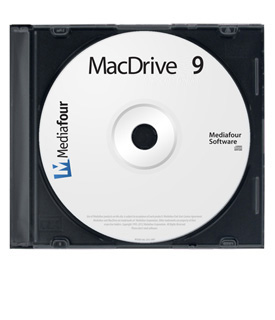
Box not included.
Gallery


Manage Mac Disks - Format, Partition, Repair
We've streamlined the Mac Disk Manager, making it even easier to format and partition your Mac disks and hard drives. We've even improved MacDrive's repair disk feature, so your data is safer than ever.
Moving from Windows to Mac
We all know what a hassle it is to move data from one computer to another. Going cross-platform from a Mac to a PC only makes it worse. Thanks to MacDrive, the process is a lot easier. Simply grab your Mac-formatted hard drive and start coping files from your Windows machine to your Mac, or vice versa. And don't worry about older disks - MacDrive recognizes both HFS and HFS+ volumes from classic Mac OS and OS X.
Boot Camp, VMWare and Parallels
If you have a Mac and run Windows with Apple's Boot Camp utility, you will soon realize MacDrive is a must-have utility. MacDrive not only gives you access to your Mac media from the Windows OS, but also direct access to the Mac OS partition creating a true cross-platform experience. You'll have complete access to your Mac desktop, music, photos, and other documents.
If you run a virtual environment on your Mac, using either VMware Fusion or Parallels Desktop software, MacDrive gives you access to Mac-formatted external drives (i.e. USB, FireWire).
Product Specifications
Manufacturer Part Number
Includes
Operating System
- Microsoft® Windows 7 (32-bit and 64-bit)
- Microsoft® Windows Vista (32-bit and 64-bit) with Service Pack 1 or newer
- Microsoft® Windows XP (32-bit only) with Service Pack 2 or newer
- Microsoft® Windows Server 2008 and 2003
Additional Requirements
- Internet Explorer 6 (or newer)
- MacDrive requires less than 10MB hard disk storage
Manufacturer provided specifications for Mediafour p/n MD90-PEOWRB


