Other World Computing, Macsales home page Product Highlights Apple OS X and Apple OS X support OWC contact and support information FAQs, Online Videos, Updaters, and other product support information Check the status of an already placed order Battery, Memory, Hard Drive, Accessory items and more for Apple PowerBook and iBook models Battery Replacements, Cases, FM Transmitters, accessory items for Apple iPod DDR, SDRam, SIMMs, DIMMs, SO-DIMMs 128MB, 256MB, 512MB, 1GB, 2GB for Macs and PC Desktop and Notebook Hard Drive upgrades 1394A, 1394B storage solutions, hubs, cables, enclosure kits, pci cards, and more Internal and External DVD Burners, CD Burners, Media, Cases Axiotron Modbook and Modbook Pro Mac Tablet Check Out / View Your Shopping Cart Audio Hardware and Software Video Hardware iPhone Contact
 
Other World Computing Reseller and Manufacturer of Mac Products
 
   
Search:
View Our Site Map

Description: Ships: Price:
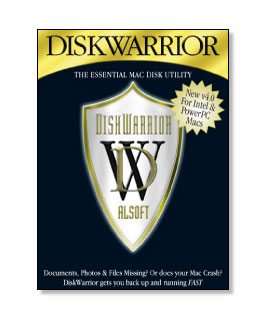
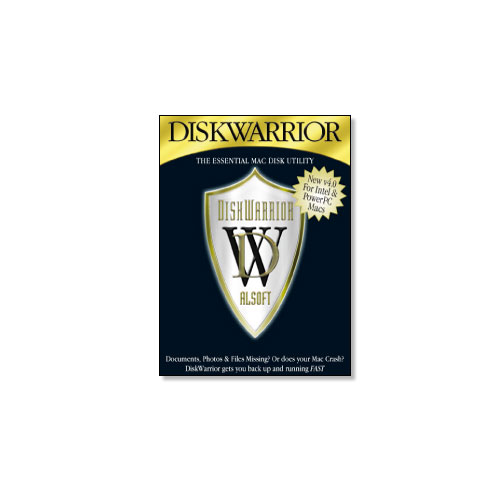
Alsoft DiskWarrior 4.1.1 for Mac OS X For Mac PPC and Intel systems running 10.3.9 or later. Fully Leopard (10.5) compatible! (ALSWDD105) Same Day $99.00
Add to Your Basket:
Alsoft - The Utility Company

Alsoft Disk Warrior 4.1.1

What is DiskWarrior?

DiskWarrior is the safest, most technologically advanced, most powerful utility to eliminate directory damage available for any computer.

DiskWarrior uses a different approach to disk directory repair than other programs.

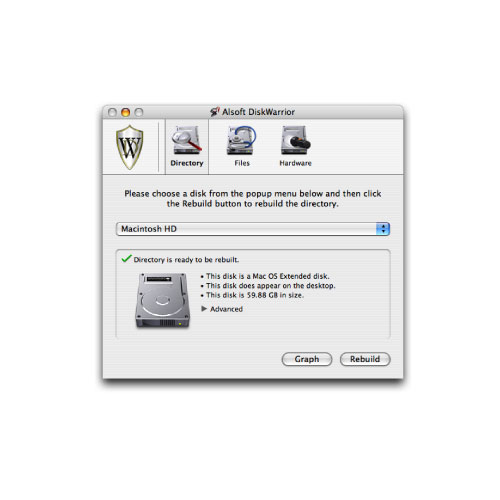
DiskWarrior is not a disk repair program in the conventional sense. Instead of patching the original directory, it uses a patent-pending technology to quickly build a new replacement directory using data recovered from the original directory, thereby recovering files, folders and documents that you thought were lost and that no other program could recover.

How does DiskWarrior recover data no one else can?

At Alsoft, we know that the most important thing when you are attempting to repair your disks is getting your data back. That's why the first thing DiskWarrior does is scavenge your original directory to find all the file data it can. It then uses this data to build an entirely new replacement directory.

DiskWarrior is the only product that finds all of your data.

Its patent-pending method always results in a perfectly rebuilt directory without any errors and that contains all of your file and folder data.


Why Choose DiskWarrior?

DiskWarrior is a utility program designed from the ground up with a totally different approach to preventing and resolving directory damage which is the leading cause of Mac instability.

DiskWarrior resolves existing disk damage by rebuilding your disk directory using data recovered from the original directory, thereby recovering files and folders that you thought were lost. The directories DiskWarrior creates are also optimized for maximum directory performance.

DiskWarrior is not a disk repair program in the conventional sense. It does not attempt to solve all of the possible problems that can occur with a disk. It specializes in eliminating directory errors - the most common problems Mac OS users have with their disks.

DiskWarrior rebuilds your disk directories making them error-free, eliminating any problems the errors would have caused, and recovering lost files.

It fixes any problem with master directory blocks and alternate master directory blocks (HFS), volume headers and alternate volume headers (HFS Plus), volume bitmaps, catalog trees, and extents trees.

This approach has a significant advantage that the others overlook. Other products attempt to repair your directory one step at a time, ignoring the big picture of what is truly wrong with your directory, and risking file information that could be saved. Too often, they will incorrectly begin to "repair" your directory, and then give up when they realize that they have modified the directory to an irreparable state. At Alsoft, we know that the most important thing when you are attempting to repair your disks is getting your data back. That's why the first thing DiskWarrior checks is your directory data, and that's what it uses to create a replacement directory. DiskWarrior continues its rebuild operations unless no directory data can be found.

Directory damage isn't the only threat to your data. A physical hardware malfunction can cause intermittent loss of access to any data on the drive. If the malfunction is serious enough, the only way to retrieve the data on the drive is through an expensive data recovery service. DiskWarrior can be configured to automatically check drives for possible drive malfunction, giving you the chance to back up your data before a drive completely fails. The hardware monitoring can also be run manually if you suspect a drive malfunction.

Alsoft has been making disk utilities for the Mac over 20 years. Our disk optimization utilities have always chosen the safety and security of your data over anything else, and have been able to detect and report directory errors no other program can (the others obviously couldn't fix the problems they couldn't even find). That knowledge has been put into DiskWarrior to give you the only tool that can eliminate all directory problems and recover lost files and folders! And, as an added bonus, the directory DiskWarrior creates is optimized for maximum speed when accessing your files!


What Other Features Are There?

DiskWarrior is the only program where there is never a risk of losing directory data and thus never a risk of losing access to your files.

Only DiskWarrior has all of these features:

  • Universal Binary
  • Repairs invalid file permissions
  • Finds corrupted Preference (.plist) files
  • Optimizes, repairs and rebuilds FileVaults
  • Tests the length of path names for each item on your drive
  • Fully supports case-sensitive file names
  • Rebuilds Attribute B-trees
  • Repairs and rebuilds Access Control Lists (ACLs)
  • Uses directory data to quickly rebuild the directory structure
  • Eliminates risk of losing access to files – other disk "repair" utilities attempt to fix the directory by patching the directory structure and risk deleting sections of the directory
  • Scavenges directory to find all salvageable file and folder data, even data contained in damaged nodes
  • Eliminates unseen directory errors, preventing minor directory errors from escalating into major problems
  • Recovers missing files and folders
  • Optimizes directory for maximum directory performance, speeding up overall disk performance
  • Monitors drive hardware for potential drive failure
  • Verification of replacement directory ensures data integrity
  • Comparison of original directory with replacement directory tells you which files and folders may have been affected by directory damage
  • Patented preview feature to view what the disk will look like after the directory is rebuilt, allowing you to view files and folders before any directory changes are written to disk
  • Repairs damaged boot blocks and blesses the system folder to ensure that the computer will start from the repaired disk
  • Checks custom icon files for corruption, eliminating a common cause of system crashes
  • Repairs problems with wrapper volume System files caused when HFS Plus disks are initialized under Mac OS 9.0 - 9.0.4
  • Safely permits interruptions of any kind, including power outages
  • Advanced "Verify Reads and Writes" technology protects your data
  • Supports bad block sparing software
  • Supports file journaling (Mac OS X 10.2.2 or later)

System Requirements

DiskWarrior 4 supports any Mac OS Standard (HFS) or Mac OS Extended (HFS Plus) disk including RAID volumes, journaled disks, case-sensitive disks, FileVaults, Time Machine backups and iPods.

DiskWarrior requires a G3 Mac or better (such as a G4, G5 or any Intel processor) with built-in FireWire and a minimum 256 MB RAM (512 MB recommended) to start up and run from the DiskWarrior CD regardless of what operating system is installed on the disk to be rebuilt.

To install, you must be started from Mac OS X 10.3.9 through 10.5 with at least 256 MB RAM. DiskWarrior 4 version 4.1.1 is completely compatible with Mac OS X 10.5 Leopard.

If you plan to rebuild the directory on your startup disk, you need to start up from another disk capable of starting up in Mac OS X 10.3.9 through 10.5, such as the DiskWarrior CD. DiskWarrior cannot be run while started up from the Apple Mac OS X install CD.

If you want or need to run DiskWarrior 4 version 4.1 from Mac OS X 10.4 or earlier, there are two features of DiskWarrior that are not available for a Mac OS X 10.5 startup disk. First, you cannot repair the permissions of a Mac OS X 10.5 startup disk. Second, you cannot rebuild a FileVault that was created under Mac OS X 10.5. You will be able to rebuild a FileVault that was created on a startup disk that was later upgraded to Mac OS X 10.5. Your DiskWarrior CD may start up in Mac OS X 10.4 and would therefore have these features disabled for a Mac OS X 10.5 startup disk. See the DiskWarrior manual for additional procedures to rebuild the startup disk.

What's in the Box?

When you buy DiskWarrior, you will receive the DiskWarrior 4.1.1 CD. This Mac OS X bootable CD includes the following:

  • DiskWarrior 4 application (for Mac OS X)
  • DiskWarrior Manual in PDF format
  • Sample DiskWarrior AppleScripts
  • DiskWarrior Read Me
  • Quick Start Manual
OWC Customer Comments BizRate BBB Online VeriSign Secured Green ITLEED - Thinks Green. OWC offers many options for payment and shipping. OWC offers many options for payment and shipping. Contact Us
Copyright 2000-2009 Other World Computing, All Rights Reserved.
About Us, Load Time: 0.006 seconds, Guest ID: 62079955