• My OWC
  • Specials
  • Mac Software
  • Memory - RAM, SD...
  • Internal Storage - 2.5/3.5 HDD/SDD
  • External Storage - FireWire / USB / eSATA
  • CD / DVD / Blu-ray
  • Laptop Center - Adapters, Batteries...
  • iPod / iPhone
  • Accessories
  • Audio
  • Video
  • OWC Live Chat Support
  • OWC Newsletter
  • OWC Blog
Description: Ships: Price:
diglloyd Tools Utility Suite for Mac OS X: DiskTester, MemoryTester, IntegrityChecker - Ensure maximum, trouble free performance, and data integrity with this power set of tools. (DLTOSXTOOLS) Same Day $39.99
Add to Your Basket:


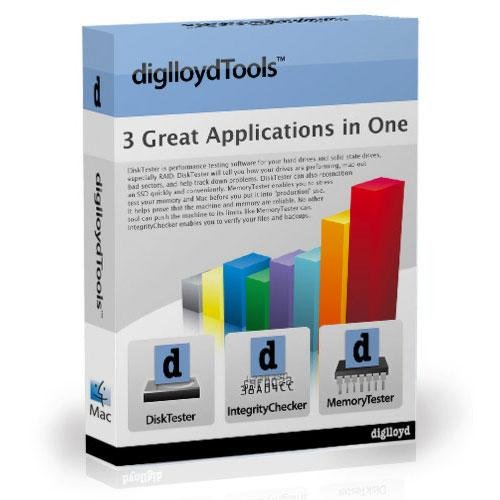
diglloydTools
3 Great Applications in One

diglloyd Tools Utility Suite for Mac OS X: DiskTester, MemoryTester, IntegrityChecker - Ensure maximum, trouble free performance, and data integrity
with this power set of tools.

Written and designed by Lloyd Chambers,
author of Mac compression utilities
DiskDoubler™ and AutoDoubler™


DiskTester
DiskTester is performance testing software for your hard drives and solid state drives, especially RAID. DiskTester will tell you how your drives are performing, force the drive to map out bad sectors, and help flush out problems. DiskTester can also recondition an SSD quickly and conveniently.


MemoryTester
MemoryTester enables you to stress-test your memory and Mac before you put it into "production" use. It helps prove that the machine and memory are reliable. No other tool can push the machine to its limits like MemoryTester can.


IntegrityChecker
IntegrityChecker enables you to verify your files and backups, detecting even single-bit errors. With IntegrityChecker, you can
be sure that the files you have copied,
backed-up or restored are perfect, even years later.


Box not included.

More information about software

DiskTester™ is a 64-bit application which tests drive performance and reliability for single volumes or RAID.

Some highlights:

  • The fill-volume command is your smart move for forcing bad blocks to be mapped out whenever
    you get a new hard drive, as well as for graphing performance across the volume;
  • The recondition command brings your solid state drive (SSD) back up in performance.
  • The run-streams command helps video users determine if their hardware can support multiple video streams.

DiskTester can also be used for testing digital camera cards, network performance, or comparing single-drive performance with SATA, FireWire and USB. Its sophisticated testing approach offers the most consistent and reliable results available on the Mac today.

DiskTester runs on Apple's Mac OS 10.5.x (Leopard) and 10.6.x (Snow Leopard).

MemoryTester is a 64-bit application designed to "stress test" your Mac, particularly memory.

Some highlights:

  • Use MemoryTester on a new computer to "burn in" your computer and make sure your memory,
    CPU, motherboard and cooling systems are all functioning properly under load.
  • Use MemoryTester after you add more RAM to your computer to make sure the RAM is good.
  • Use MemoryTester if your computer is behaving strangely or exhibiting instability to narrow down the cause.
  • Use MemoryTester to measure scalability performance with CPU cores.
  • "There is no other tool that will stress test your Mac® like MemoryTester can. If your Mac passes an
    extended test, you can have a high degree of confidence that the memory and Mac are reliable."

MemoryTester runs on Apple's Mac OS 10.5.x (Leopard) and 10.6.x (Snow Leopard).

IntegrityChecker™ provides ultra-efficient validation of your data, including your originals and backups.
Even single-bit errors are detected, anywhere in a file, using the cryptographic grade SHA1 hash.

  • Validate the integrity of your files at any time, even backups on CDs or DVDs*!
  • See which files have changed by date or size or contents.
  • Detect file corruption and/or inability to read files (e.g., on DVD or CD*).
  • Have confidence your files are intact.
IntegrityChecker is the perfect tool when moving data (backing up, switching systems, etc), because you can verify that all data has 100% fidelity to the original copy. And you can do so a day, a week or a month later, an important consideration if a system meltdown requires restoring all your data.

Both a GUI and a command-line interface are supplied. Most users will find the GUI suits their needs.
For full control over test parameters, IntegrityChecker can be run in Terminal as a command line interface.

* Validation of files requires that you previously ran IntegrityChecker to generation validation data.


The diglloydTools™ suite is available as a single-user license. Use is subject to the License Agreement.
The license includes download of software updates (if any) for two (2) years and use by a single person
on up to two (2) computers. Commercial and/or lab use requires one licensed copy per machine.

System Requirements

  • Mac OS X 10.6 (Snow Leopard) or 10.5 (Leopard) only.
  • Intel Macs only (no Power PC)
  • 512MB RAM
 
cap
Load Time: 0.021 seconds, Guest ID: 222947237