• OWC Live Chat Support
  • OWC Newsletter
  • OWC Blog
Description: Ships: Price:
Sonnet Technology Allegro Expres FireWire 400 PCIe Adapter Card - for PCI Express (PCIe) Computers. Add 3 external FireWire 400 (1394A) Ports to your Mac Pro, or any system with a PCI Express Slot. 3 Year Warranty. (STIFW400AE) 26 Days $48.99
Add to Your Basket:
 

Sonnet Allegro
3 Port FireWire 400 PCIe Host Adapter
Hot Swappable | Three External FW400 Ports | Up to 63 devices

This card adds:

  • Three External FireWire 400 Ports

Requires:

  • Available PCIe x1 lane Slot

See Specifiactions below for system and/or OS compatibility information

  • Simple way to add three FireWire 400 ports to any compatible computer
  • Easy installation—plug and play—no drivers to install
  • Provides fast interface to download videos from your digital camcorder, transfer files to external drives, and more

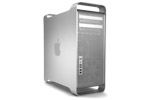
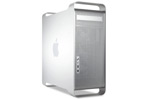
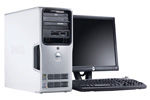
Add more FireWire ports to your PowerMac G5, Mac Pro, or PC.

Does your computer have enough FireWire connections for your digital device collection? FireWire 400 is still the fastest interface found on many peripherals. From external drives, DV camcorders, and audio interfaces, to digital cameras and scanners, thousands of devices connect to computers via FireWire. If you've purchased a new computer recently, you may have noticed a complete lack of FireWire 400 ports. So, how will you connect your stuff? We have a simple solution to this dilemma—install Sonnet's Allegro™ FW400 PCIe to instantly add three FireWire 400 connections to your computer!

Allegro FW400 PCIe features full-bandwidth, independently powered FireWire 400 ports, and each one supports data transfer rates at up to 400 Mbits/s. This card also powers bus-powered devices (such as external drives and audio interfaces), so there is no need to connect an external power supply on some devices. With no drivers to install, Allegro FW400 PCIe offers simple plug and play installation that enables you to add the connections you need in minutes.


Includes
  • FireWire 3-Port PCIe
  • User's manual
 
Specifications
Ports
  • Three (2) FireWire 400 6-Pin ports
Connections
  • External - 3 Ports
Bus Specifications
  • PCI-Express x1
Form Factor
  • Standard PCI
Chipset
  • NEC
Hot Swap
  • Supported
Hot Plug
  • Supported
Operating System Support
  • Windows® 7 (32-/64-bit)
  • Windows® Vista (32-/64-bit)
  • Windows® XP (32-/64-bit)
  • Mac OS X 10.4 or later
  • OS X Lion compatible
External Connectivity
  • x3 FireWire connectors
Internal Connectivity
  • none
Data Transfer Rates
  • FireWire 400 - 400Mbps (or 50MB/sec)
Certifications
  • FCC
  • CE
  • RoHS
Warranty
Physical  
Operating temperature
  • 32° to 140° F (0° to 60° C)
Operating humidity
  • 10% to 90% RH
Storage temperature
  • -4° to 140° F (0° to 60° C)
Storage humidity
  • 10% to 90% RH
Dimensions
  • 4.75" x 2.67" (12.06cm x 6.80 cm)
Weight
  • 0.35 lbs
Click here to get your Model Identifier number
This is compatible with the following models:

Machines Have Model Identifier MacPro5,1

Mac Pro (Mid 2010 8-Core, 2.4GHz)
(July, 2010)

Machines Have Model Identifier MacPro5,1

Mac Pro (Mid 2010 Quad-Core, 2.8GHz, 3.2GHz)
(July, 2010)

Machines Have Model Identifier MacPro4,1

Mac Pro (Early 2009 8-Core, 2.26GHz, 2.66GHz, 2.93GHz)
(March, 2009)

Machines Have Model Identifier MacPro4,1

Mac Pro (Early 2009 Quad-Core, 2.66GHz, 2.93GHz, 3.33GHz)
(March, 2009)

Machines Have Model Identifier MacPro3,1

Mac Pro (Early 2008, 2.8GHz, 3.0GHz, 3.2GHz)
(January, 2008)

Machines Have Model Identifier MacPro2,1

Mac Pro (8-core, 3.0GHz)
(April, 2007)

Machines Have Model Identifier MacPro1,1

Mac Pro (Original, 2.0GHz, 2.66GHz, 3.0GHz)
(August, 2006)

Machines Have Model Identifier PowerMac11,2

Power Mac G5 (Late 2005, 2.0GHz, 2.3GHz, dual 2.5GHz)
(October, 2005)

PC running Windows, Linux or FreeBSD
and available PCI-Express x1 lane or better slot

 
cap
Load Time: 0.034 seconds, Guest ID: 92013103