| AGP - AGP is a processor
direct video card slot that allows for higher performance video card
solutions. As opposed to a standard PCI slots, the AGP slot is only
for video and optimized for that purpose.
ASP - Apple System Profiler.
An application included since Mac OS 8 that shows the entire hardware
spectrum of your computer, frequently used to troubleshoot system
issues, since it gives an overview of all components installed in
and hooked up to your computer.
ATA and IDE - Common hard
drive interface standards. IDE and ATA are
interchangeable in terms of hard drives and the interface they support. Simply
put IDE/ATA is a competing interface standard to SCSI. When you see ATA/33
or ATA/100, the number after the '/' is the maximum megabytes per second that
is supported for that device or bus.
DIMM - A DIMM (dual in-line
memory module) is a double SIMM (single in-line memory module). Like
a SIMM, it's a module containing one or several random access memory
(RAM) chips on a small circuit board with pins that connect it to
the computer motherboard. A SIMM typically has a 32 data bit (36
bits counting parity bits) path to the computer that requires a 72-pin
connector. For synchronous dynamic RAM (SDRAM) chips, which have
a 64 data bit connection to the computer, SIMMs must be installed
in in-line pairs (since each supports a 32 bit path). A single DIMM
can be used instead. A DIMM has a 168-pin connector and supports
64-bit data transfer. It is considered likely that future computers
will standardize on the DIMM.
DRAM - Dynamic random access
memory (DRAM) is the most common kind of random
access memory (RAM) for personal computers and workstations.
Low Profile - Low profile
is related to the height of the memory modules. Some computers can
use standard profile or low profile, some require low profile. Some
like the iMac G3 233/266/333; PowerBook Wallstreet & Lombard,
have one standard slot and one low profile slot. The PowerBook G3
FireWire takes 2 standard size modules. The PowerBook G4 takes two
low profile modules. The iBooks allow for only 1 low profile module.
Nanoseconds - The measure
of the speed of a chip: a billionth of a second. The lower the number
the faster the chip. For example, 60ns is faster than 70ns.
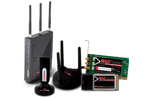
PCMCIA - PCMCIA slots are
found on laptop computers. These slots accept credit card like expansion
cards that slide in to add FireWire, Wireless, USB, and other features,
even additional storage cards.
Parity - In computers, parity
(from the Latin paritas: equal or equivalent) refers to a technique
of checking whether data has been lost or written over when it's
moved from one place in storage to another or when transmitted between
computers.
Pismo - The PowerBook G3
FireWire was the last G3 PowerBook and was replaced with the PowerBook
G4 'Titanium'. It was also known as the 'Pismo' and was released
in the year 2000. This was the first Powerbook with built in FireWire
ports.
RAM - (random access memory)
is the place in a computer where the operating system, application
programs, and data in current use are kept so that they can be quickly
reached by the computer's processor.
Sawtooth - Sawtooth was
the nickname of the first PowerMac G4 models with the AGP slot motherboard.
The very first G4 was just a Blue and White G3 logic board with a
G4 processor ZIF. That first G4 model had only PCI slots (same as
the Blue and White G3) and was nicknamed the G4 'Yikes' model.
SDRAM - Synchronous DRAM
(SDRAM) is a generic name for various kinds of DRAM that are synchronized
with the clock speed that the microprocessor is optimized for.
SIMM - A SIMM is a module
containing one or several random access memory (RAM) chips on a small
circuit board with pins that connect to the computer motherboard.
Since the more RAM your computer has, the less frequently it will
need to access your secondary storage (for example, hard disk or
CD-ROM), PC owners sometimes expand RAM by installing additional
SIMMs. SIMMs typically come with a 32 data bit (36 bits counting
parity bits) path to the computer that requires a 72-pin connector.
SIMMs usually come in memory chip multiples of four megabytes.
SRAM - (static RAM) is random
access memory (RAM) that retains data bits in its memory as long
as power is being supplied.
VRAM - Video RAM. The memory
used by your graphics card or chipset to draw the items on your screen
you're looking at. Typically available from 512k all the way up to
256MB on the latest video cards. |