|
Many users have reported poor Internet performance since upgrading to OS X 10.2.6. From what I have gathered from a number of online sources, 10.2.6 has activated a flag in the networking routines called “delayed acks.” This setting had been deactivated in previous builds of the OS.
In one case, a user had reported download speeds of 712 Kbps using 10.2.5. After updating to 10.2.6, that same speed test was registering 399 Kbps. The user in question was connected to the Internet via DSL.
At this point, it is not clear why “delayed acks” was activated in the latest build of OS X, but there are a couple of options if you are interested in turning the flag off. For my testing, I used Cocktail. Cocktail is donation-ware utility that does a good job of giving a graphical interface to some of OS X’s advanced UNIX functions. In this case, Cocktail lets users easily reset the “delayed acks” flag by simply checking a box labeled “Turn off delayed acks.” Alternatively, I am told that Terminal savvy users can achieve the same result by running this command at the command line:
sudo sysctl -w net.inet.tcp.delayed_ack=0
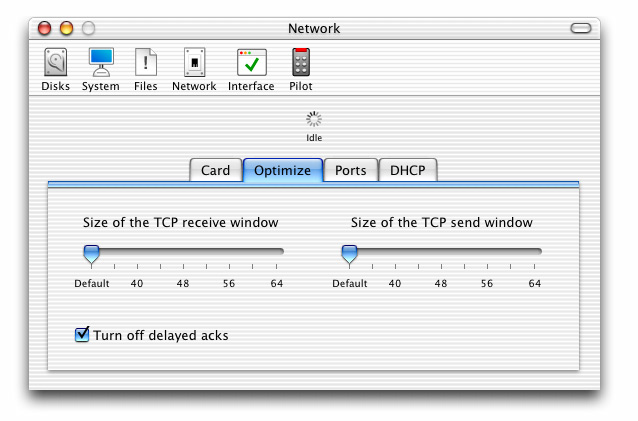
In testing on my LAN, I saw an impressive improvement in network performance after using Cocktail. The margin of improvement varied slightly between tests, but resetting the flag improved transfer speed by almost 11%. Most of the cases I have read about indicated this was mostly an issue with DSL or Cable based Internet connections, but it clearly does affect local area networks as well.
Some users saw increased responsiveness in web surfing. Given how easy Cocktail makes it to change the setting back and forth, I encourage anyone who is currently disappointed with his or her network performance to give this tweak a try!
|


 1-800-275-4576
