X

Send us a Topic or Tip

Have a suggestion for the blog? Perhaps a topic you'd like us to write about? If so, we'd love to hear from you! Fancy yourself a writer and have a tech tip, handy computer trick, or "how to" to share? Let us know what you'd like to contribute!

Thanks for reaching out!

Rocket Yard

Tech Tips

Tech tips and how to’s. All the great, timeless reference articles we have.

OWC Helps You Make Sure Your System is Ready for Mountain Lion

Now that OS X 10.8 Mountain Lion has been released, it’s time to look into all that’s required to upgrade. We touched on this a little bit late last week, but if you’re going to update, now’s the time to really double-check to make sure you’ve got everything ready for a switchover. Fortunately, we’re here to help, with our Mountain...
Intrepid Developer Gets OS X 10.8 to Run on MacPro1,1

So, are you a little bummed that OS X 10.8 Mountain Lion isn’t going to run on your 32-bit Intel Mac?  Well bucker-up, little buckeroo, ‘cause it turns out that there may be hope for you yet, courtesy of the...

Don’t be Surprised by Mountain Lion Requirements.

OS X 10.8 Mountain Lion is on its way, and we’re all looking forward to all the new features and tweaks that this latest version offers. Unfortunately, not every Mac user is going to be able to ugrade to Mountain...

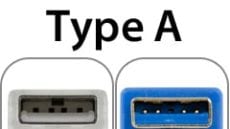
Side by side picture of USB Type A 2.0/1.1 and 3.0 ports

USB 3.0 Brings a New(ish) Plug

USB 3.0 is now officially a part of the Mac. It offers great speed, simple connectivity, and backward compatibility. In effect, it's a faster version of the standard that we've had since the original iMac. The big departure for USB...

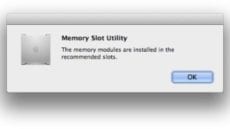
Resolve Random Mac Pro Memory Slot Utility Window Pop-Up

Recently, we've seen an increase in calls from bewildered Mac Pro users wondering why the Memory Slot Utility keeps appearing at start-up, even if they haven't upgraded their memory. Normally, this dialog box only shows up after you've changed the...

1 288 289 290 320
Page 289 of 320