X

Send us a Topic or Tip

Have a suggestion for the blog? Perhaps a topic you'd like us to write about? If so, we'd love to hear from you! Fancy yourself a writer and have a tech tip, handy computer trick, or "how to" to share? Let us know what you'd like to contribute!

Thanks for reaching out!

Year Archives: 2015

Time Machine icon

Time Machine Mac: What It Is, How It Works, How to Use It

Whether you're new to the Mac platform or have been using it for years, there's one feature built into Mac OS X or macOS that you should not only know about, but use. That feature is Time Machine, a built-in...

Boot Camp Icon

Rocket Yard Guide: Installing Windows on Your Mac Using Boot Camp

For many Mac users, switching between operating systems is a must. Fortunately, Apple makes installing Windows on your Mac relatively easy. With the built-in Boot Camp software, Apple allows Mac owners to dual-boot with Mac OS X and Windows and switch...

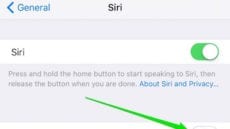
Turning on Hey Siri

‘Hey Siri — Recognize Only My Voice’

One unsung feature in iOS 9 is that everyone's favorite digital assistant -- Siri, not Cortana -- can now be fine tuned to recognize only your voice. This becomes a near-necessity when coupled with a feature that is available in...

Xcode icon

Apple: Developers Should Validate Their Copy of Xcode

If you use Xcode to write apps for any Apple device, the company wants you to validate your version of Xcode and make sure that you never download a copy from anywhere else. Rocket Yard readers are probably aware of recent...

Expand the Possibilities for Your Mac with Data Doubler from OWC

Doubling the data capacity of your Mac doesn’t have to mean carrying an external drive around with you at all times. With OWC Data Doubler kits, you can instantly double your capacity potential for your all-in-one iMac, MacBook, MacBook Pro...

1 22 23 24 105
Page 23 of 105