X

Send us a Topic or Tip

Have a suggestion for the blog? Perhaps a topic you'd like us to write about? If so, we'd love to hear from you! Fancy yourself a writer and have a tech tip, handy computer trick, or "how to" to share? Let us know what you'd like to contribute!

Thanks for reaching out!

Year Archives: 2019

OWC Think Green with wind turbine

Changing the World One Drop at a Time

On any given day, people wake up with a purpose and a drive towards some goal or objective. We make the best decisions we can for ourselves, our families, and those that depend on us. We try and choose the best technologies and providers of our technology needs, and to have the best tools at our side as we pursue our goals. Sometimes that means working to persuade our company, workplace, or boss to understand a better way. OWC chooses Apple because of consistently reliable and safe operating systems, great software, and quality that lasts. PCs are catching up, and that's a good thing, but this isn't a Windows vs. Mac issue. It's much more than that...


Vimeo Festival Awards Logo

OWC Announces Sponsorship of Vimeo Festival and Awards

OWC will serve as a featured sponsor of the Vimeo Festival & Awards. The event will be held at Murmrr in Brooklyn, NY on January 11, 2020. The Vimeo Festival and Awards is a celebration of a year of incredible storytelling from the world's best creators, brands and businesses, including the Vimeo's 2019 Best of the Year honorees. The event will feature screenings, live directors' commentaries, and panel discussions.

Kevin Bourke playing guitar

OWC RADiO: Kevin Bourke – Publicity Overview for Media Landscape

Kevin Bourke is the founder and principal of BourkePR, a PR and communications consultancy. He specializes in the media/entertainment, production, post-production and music tech space. Kevin talks with OWC RADiO host, Cirina Catania, about the lessons he’s learned throughout his...

Mac Family Sharing Icon - A Rocket Yard Guide

Guide to Family Sharing: How to Set It Up

Family Sharing is one of the many perks of owning an Apple product: the ability to allow up to six family members to share purchases made in the iTunes/Music Store, App Store, and Books Store, as well as share subscriptions to Apple Music, Apple News+, Apple TV, and Apple Arcade. You can also share the storage space provided by an iCloud storage plan. In this Rocket Yard guide, we’ll explore how to set up Family Sharing on your Mac. Family Sharing works across all Apple devices, allowing you to use a Mac or iOS device to set up and manage Family Sharing, but this guide will concentrate on the process for a Mac.

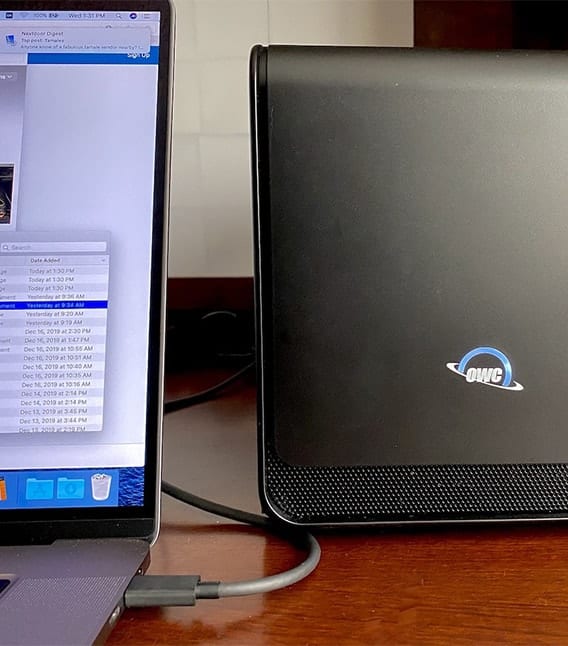
OWC Mercury Helios FX 650 on a desk with a 16-inch MacBook Pro

Turbocharging the 16-inch MacBook Pro with the OWC Mercury Helios FX 650 eGPU

For many professional users, the release of the new Mac Pro is an answer to a lot of requests for a more powerful and expandable Mac in the Apple lineup. But what about those of us who need the portability of the MacBook Pro and still wish to speed up game frame rates and video processing? Fortunately, there’s an answer to expanding these “non-expandable” machines — the OWC Mercury Helios FX 650 eGPU.

iTunes Sore Icon with text saying "iTunes Store"

How to Make the iTunes Store Icon Appear in the macOS Catalina Music App

With macOS Catalina, music, videos, podcasts, and audiobooks are organized into their own dedicated apps — named, appropriately enough, Music, TV, and Podcasts, and Apple Books. You can also access your iTunes Store purchases in the appropriate apps. However, when you open Apple Music, you won’t see a link to the iTunes Store. Why? Perhaps Apple prefers you to subscribe to Apple Music instead of buying songs and albums. Who knows how the tech giant thinks? However, you can make the iTunes Store icon magically reappear. Here’s how:

1 2 75
Page 1 of 75