X

Send us a Topic or Tip

Have a suggestion for the blog? Perhaps a topic you'd like us to write about? If so, we'd love to hear from you! Fancy yourself a writer and have a tech tip, handy computer trick, or "how to" to share? Let us know what you'd like to contribute!

Thanks for reaching out!

Search Results for: NAB Show

Mac Energy Saver lightbulb icon on top of Energy Saver Preferance Pane

Use the Mac’s Energy Saver Preference Pane

By making some adjustments in the Energy Saver preference pane, you can better tune your Mac to run at peak performance, save energy, reduce potential data loss when power fails, and extend the runtime and battery life of portable Macs. In this Rocket Yard guide, we will explore the Energy Saver preference pane and see how you can customize energy performance.


Qi Logo

Wireless Charging May Not Be the Answer

We have many great conveniences today, so is it necessary or beneficial for wireless power to be one of them? Outside of sealed, low power devices where a physical connection would be a detriment, I would personally say no. The little things add up, and wireless charging could be an unneeded step back for a world trying to address its carbon footprint.

Mac Safe Mode Startup Screen with text saying "Safe Mode"

How to Use Safe Mode in macOS Catalina

Your Mac has a "Safe Mode" designed to help when you run into trouble with your computer. It's a diagnostic mode of macOS that boots up your desktop or laptop without any other apps running. Here's how it works.

Messy macOS Desktop

Managing The Desktop: Tips for New Mac Users and Old Hands

The Mac has so many features that it’s not uncommon for new Mac users to overlook helpful tricks, as well as for old hands to simply forget about them. In this New Year, the Rocket Yard takes a look at often overlooked but surprisingly helpful tips for managing Mac's desktop.

handoff baton

Tech Tip: Using Handoff to Transfer Files Between Devices

Handoff is a tool that was designed into Apple’s operating systems to make it easy to copy and paste things like text and images between devices or answer a call coming into your iPhone on your Mac. It’s part of an overall scheme called Continuity that was developed by Apple to let users start work on one device, then continue on another. Did you know that Handoff also works well to transfer files? In this tech tip, we’ll show you how to transfer files from one Apple device to another easily.

OWC Think Green with wind turbine

Changing the World One Drop at a Time

On any given day, people wake up with a purpose and a drive towards some goal or objective. We make the best decisions we can for ourselves, our families, and those that depend on us. We try and choose the best technologies and providers of our technology needs, and to have the best tools at our side as we pursue our goals. Sometimes that means working to persuade our company, workplace, or boss to understand a better way. OWC chooses Apple because of consistently reliable and safe operating systems, great software, and quality that lasts. PCs are catching up, and that's a good thing, but this isn't a Windows vs. Mac issue. It's much more than that...

Mac Family Sharing Icon - A Rocket Yard Guide

Guide to Family Sharing: How to Set It Up

Family Sharing is one of the many perks of owning an Apple product: the ability to allow up to six family members to share purchases made in the iTunes/Music Store, App Store, and Books Store, as well as share subscriptions to Apple Music, Apple News+, Apple TV, and Apple Arcade. You can also share the storage space provided by an iCloud storage plan. In this Rocket Yard guide, we’ll explore how to set up Family Sharing on your Mac. Family Sharing works across all Apple devices, allowing you to use a Mac or iOS device to set up and manage Family Sharing, but this guide will concentrate on the process for a Mac.

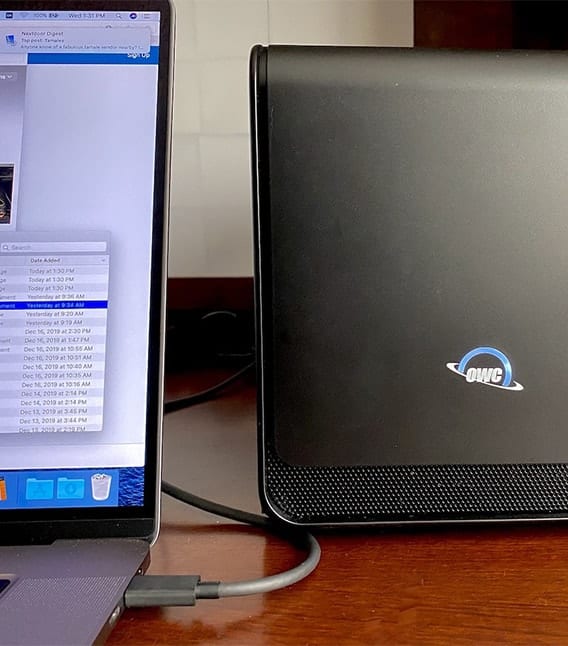
OWC Mercury Helios FX 650 on a desk with a 16-inch MacBook Pro

Turbocharging the 16-inch MacBook Pro with the OWC Mercury Helios FX 650 eGPU

For many professional users, the release of the new Mac Pro is an answer to a lot of requests for a more powerful and expandable Mac in the Apple lineup. But what about those of us who need the portability of the MacBook Pro and still wish to speed up game frame rates and video processing? Fortunately, there’s an answer to expanding these “non-expandable” machines — the OWC Mercury Helios FX 650 eGPU.

Charity Water supporter logo

OWC Launches Charity Water Campaign, Matching Dollar for Dollar

Last Tuesday was “Giving Tuesday,” a time set aside to encourage charitable giving. As we mentioned in a recent Rocket Yard post— Giving Tuesday: A Word from Larry O’Connor, OWC Founder and CEO—we believe that giving is not something that should be limited to just one Tuesday a year. Giving should be an ongoing practice for all of us. So, to help encourage you to get involved, OWC has partnered with charity: water, a non-profit organization that brings clean and safe drinking water to people in developing countries.

1 37 38 39 74
Page 38 of 74