X

Send us a Topic or Tip

Have a suggestion for the blog? Perhaps a topic you'd like us to write about? If so, we'd love to hear from you! Fancy yourself a writer and have a tech tip, handy computer trick, or "how to" to share? Let us know what you'd like to contribute!

Thanks for reaching out!

Search Results for: safari

Safari logo on browsing history page

Recovering Deleted Safari Browsing History on a Mac

Over the years, we've provided a lot of tips on how to recover space on your Mac, one of which is to delete your browsing history in Safari. That's all fine and good, and it will definitely open up megabytes...

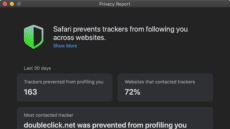
How to Use the Privacy Report in Safari 14

Apple beefed up its privacy features in Safari 14. Among them, the Safari web browser gets a Privacy Report feature that expands on the company’s Intelligent Tracking Prevention functionality and is available in macOS Mojave, Catalina, and Big Sur.  Some...

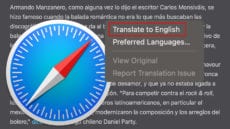
How to Use the Built-In Translator in macOS Big Sur’s Safari

With macOS Big Sur, you can translate entire web pages in Safari. When you encounter a compatible page, just click the translation icon (see in the graphic below) in the address field to translate into English, Spanish, Chinese, French, German,...

How to Use the All-New Safari Extensions in macOS Big Sur

An all-new extensions category on the App Store showcases Safari extensions with editorial spotlights and top charts, making it easier to discover great extensions from developers. All extensions are reviewed, signed, and hosted by Apple for your security. But let’s back...

MacBook Pro showing Safari Start Page

How to Customize a Start Page in macOS Big Sur’s Safari

With macOS Big Sur’s Safari, you can customize the new start page to make it your own. You can set a background image and select which sections are displayed on the start page — including Favorites, Siri Suggestions, Reading List, iCloud Tabs, and...

Apple’s Privacy Report, Safari 14, & You.

Apple takes your data security and protecting your privacy very seriously. Unlike other tech giants who are in the business of selling your data, Apple is in the business of protecting it – seemingly at all costs.

1 3 4 5 45
Page 4 of 45