Matias
Ergo Pro Ergonomic Keyboard
Mac / USB
Mac 86-key US Layout
A Better Ergonomic Keyboard
Tactile feedback, comfort, and more
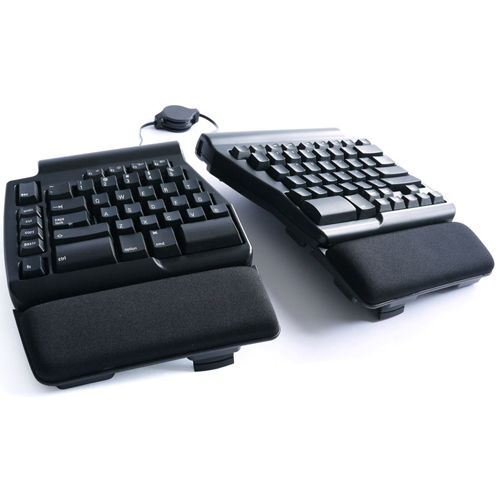
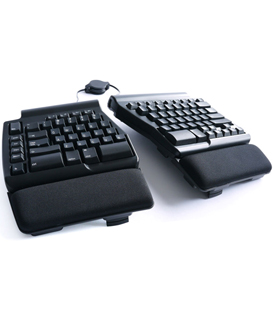
It's the product customers have been begging for years – an ERGONOMIC keyboard that gives you all of the tactile feedback, greater comfort, faster typing speeds, and quiet operation of a Matias mechanical keyboard. It also has the best layout of all the ergonomic keyboards so far.
The best switches
To put it bluntly, most ergonomic keyboards "cheap out" on their keyswitches. They use rubber, instead of metal. Compromising here can ruin an otherwise good keyboard. Matias has used the BEST keyswitches for typing... Matias Quiet Click mechanical switches. Their ALPS-inspired design delivers generous amounts of tactile feedback, while providing enough resistance to support the weight of your hands – exactly what you need for fast, comfortable typing. Plus, unlike every other mechanical switch, they are quiet enough to use in office environments. You don't need to worry about disturbing your co-workers.
A better navigation cluster
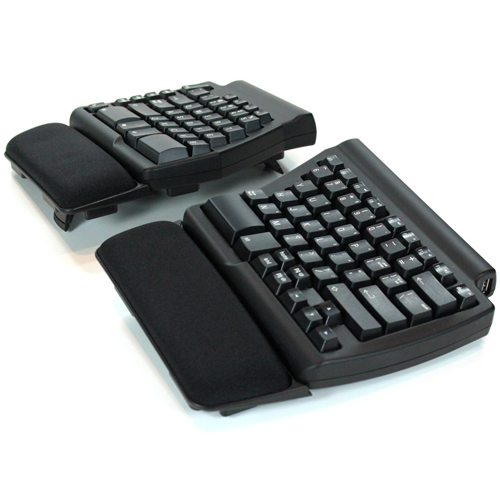
Navigation keys have always been a big problem for ergonomic keyboards. If you follow the standard, the keyboard is too wide. If you don't follow the standard, there's a long learning curve, and users are stuck having to suffer with an awkward, unfamiliar layout. Matias has designed a truly new and better navigation cluster – one that's much closer to standard AND more ergonomic. Matias arranged the navigation keys in their traditional pattern, but laid them
Highlights
- Split Keyboard with 17" Bridge Cable
- Quiet Click Mechanical Switches
- Navigation, Audio, & Shortcut Hotkeys
- Laser-Etched, Sculpted Keys
- Anti-Ghosting Circuitry
- 3 x USB 2.0 Ports
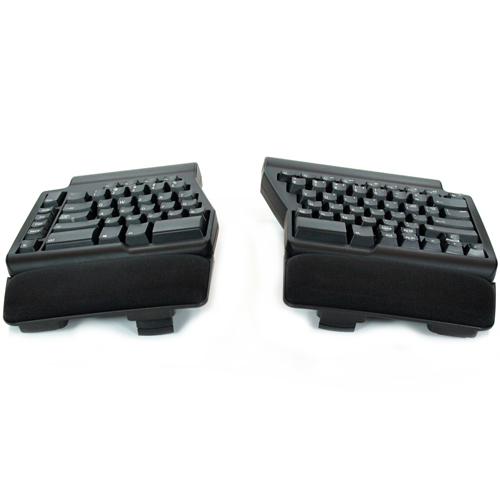
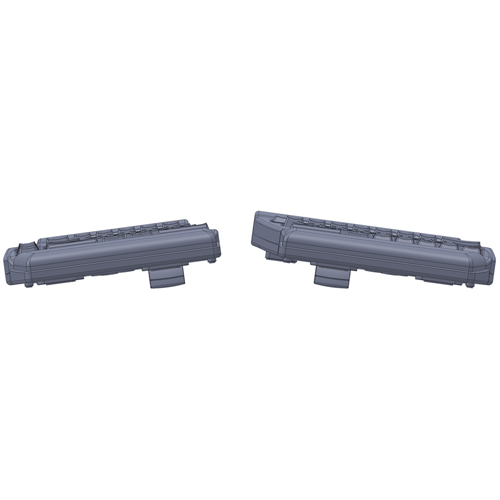
- Leg Supports for Tenting and Tilting
- Removable Palm Rests Included
- Matias 1 Year Limited Warranty
out horizontally, and then positioned them along the bottom row, more like a laptop keyboard. It works beautifully, and the adjustment time is virtually zero. Try it once, and you'll never want to go back.
Narrower than most & more comfortable with a mouse
Thanks to the unique navigation cluster, the Ergo Pro is not as wide as other ergonomic keyboards. It's not much wider than a laptop keyboard. This makes it much more comfortable to use with a mouse. Since you're not reaching as far for it, your elbow doesn't need to flare out at an awkward angle.
Leg supports for tilting & tenting
As you would expect, the Ergo Pro comes equipped with leg supports for 9° tenting and 4.5° negative tilt. It can also be used flat.
Spacious palm supports
The palm supports are big and comfortable. Plus, they can be removed, if your desk already has palm supports built-in.
Everything is in the box
Matias included everything you need in the box. There's nothing extra to buy. You are all ready to go.
Dedicated keys for Undo, Cut, Copy, Paste
Matias added dedicated hotkeys for the 4 most important keyboard shortcuts – undo, cut, copy, and paste. Best of all, no drivers are required. Everything works, right out of the box.
3 extra USB 2.0 ports
Some keyboards have 2 USB ports – most have none. Matias is giving you three! You can plug in flash drives, digital cameras, your mouse, and more.
Laser etched keys
All those symbols are handy, but what happens when they wear off? They won't. They're laser etched – burned into the keys with a laser – so they'll never wear off.
Sculpted keytops
The latest trend in keyboards is to have very flat & wide keys, with little or no space between them. You see this a lot on laptops and netbooks. While they look great, they can also be a little tricky to type on. The flatness makes it very easy to slide out of home row and lose your bearings. The Ergo Pro bucks this trend. It has traditional sculpted keytops, curved to fit your fingertips, and keep you from sliding out of home position.
Audio & media controls
By holding down the Fn key, you gain access to strategically placed keyboard shortcuts for Volume Up / Down, Mute, Pause / Play, Next Track, and Previous Track.
Ghosts busted
Most keyboards allow only a few keys to be pressed at once, so they can't keep up with very fast typists. The result is called ghosting – letters missing from what you actually typed, or additional letters that you didn't type. The Ergo Pro has special Anti-Ghosting Circuitry (also called n-key rollover) to eliminate these problems. You can type as fast as you're able; the Ergo Pro will keep up.
Product Specifications:
Matias Part Number
Connectivity
Color
Matias Quiet Click Switches
- Tactile & sound dampened ALPS–inspired design
- Peak force: 60±5gf
- Travel distance: 3.5mm
Ports
System Requirements
Keyboard Layout
Keyboard Cable
Bridge Cable
Tenting Angle
Negative Tilt Angle
Dimensions
- 14.5" x 6.5" x 1.38" (36.8 x 16.5 x 3.5cm)
Weight
Warranty
Manufacturer provided specifications for Matias p/n FK403Q UPC#: 833742003783
Includes
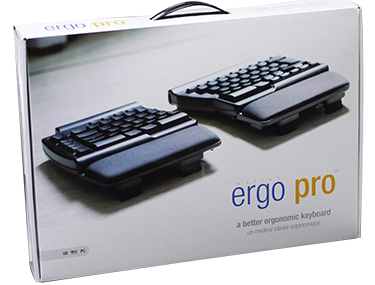
- Ergo Pro Keyboard
- Keyboard cable
- Bridge cable
- Users manual


 1-800-275-4576