Free shipping available on orders $99 & up!
  • Business Icon For Business & More icon arrow
    • Creative, Production & PostCreative, Production & Post
    • Corporate & EnterpriseCorporate & Enterprise
    • Higher EducationHigher Education
    • State, Local & K-12 EducationState, Local & K-12 Education
    • House of WorshipHouse of Worship
    • Systems IntegratorSystems Integrator
    • HealthcareHealthcare
    • Federal, State & Local GovernmentFederal, State & Local Government
    • Join Today!

      Already registered? Sign In

  • Region: US/Intl icon arrow
    • Select your preferredcountry / region:

    • USA RegionUSA + International
    • Canada RegionOWC Canada

    • Experience local shipping options and optimized product inventory for your region.

  • Phone Icon1-800-275-4576
  • Intl: 1-815-338-8685
MacSales.com Powered By OWC
  • Blog
  • Support
  • Account
    • Hello, Sign In
    • My Account
    • Order Status
    • Write A Review
    • Warranty & Returns
  • Cart
MacSales.com Powered By OWC
  • Support
  • Chat Contact
  • Account
    • Hello, Sign In
    • My Account
    • Order Status
    • Write A Review
    • Warranty & Returns
  • Cart
  • Specials & Featured
  • Rocket Yard Blog
  • Chat
  • Support
      • Shop All
        • Internal Drives
        • External Drives
        • Apple & Macs
        • Docks & Connectivity
        • Cards & Readers
        • Batteries
        • Software & Apps
        • Cables & Adapters
        • Memory
        • PCIe Expansion
        • Specials & Featured
        Home » Input Devices

        We're sorry, but this item is no longer for sale. However, there may be more Input Devices items available.

        We recommend Hippih Foldable, Wireless, Ultra-Portable Bluetooth Keyboard (Mfr P/N: FDHKW-BT) from HiPPiH for $10.75 as a suitable alternative.

        iKeyboard, Inc.

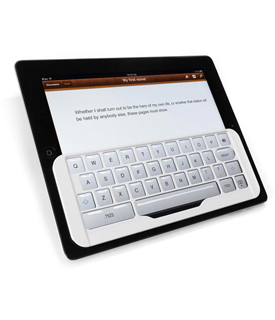
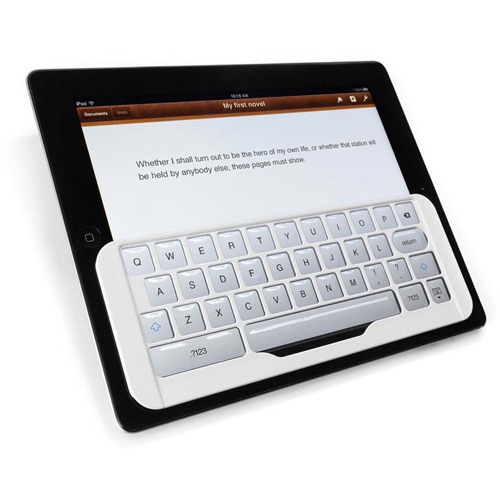
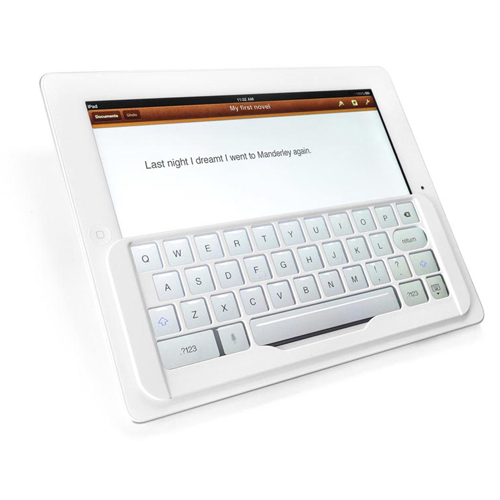
        TacType Keyboard White

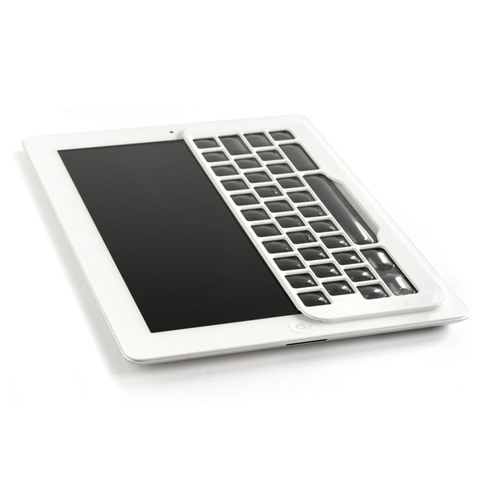
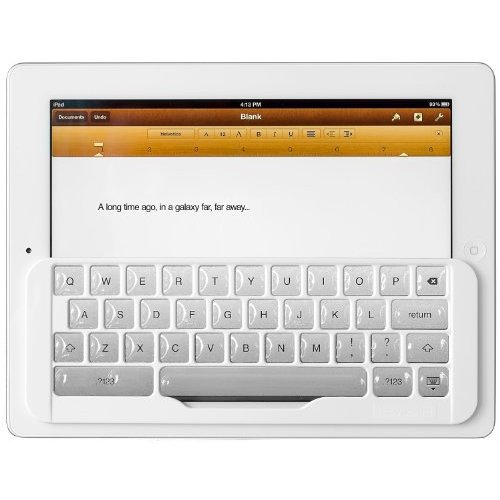
        Transform Your iPad™ Keyboard
        The TacType Keyboard (formerly iKeyboard) solves the one problem with a tablet computer-the impossibility of touch-typing on its virtual keyboard. You can't touch-type because a virtual keyboard (which is just an image on the tablet's touch-screen) deprives you of the positioning cues and tactile feedback provided by a "real," or physical, keyboard.

        A touch-screen is super-sensitive, so it's impossible for you to lightly rest your fingers on the virtual keys without typing the characters. And because the keys themselves are just images, you can't know by feel alone where your fingers are on the keyboard.

        Instead, you must suspend your fingers over the screen and must keep your eyes on the virtual keyboard-at all times-to know where to type. The only kind of typing you can do is the two-fingered, hunt-and-peck variety. This kind of typing requires your brain's exclusive attention.
        Free Your Head
        Touch-typing-the ability to hit the keys you want without looking at the keyboard-increases typing speed and therefore is vital for productivity. Even more important, touch-typing frees up your brain to focus on other tasks besides finding the next key to type.

        Touch-typing uses the part of the brain where "muscle memory" is stored. Muscle memory enables an action to become automatic. Touch-typing is like riding a bicycle, or playing a musical instrument, or just walking. And, as in walking and riding a bicycle, the thinking part of your brain remains free to take in information and to think.

        Hunt-and-peck typing, however, "hijacks" the thinking part of your brain, making it unavailable for more important tasks. Your brain is monopolized by having to ask and answer a series of questions and issue a series of instructions: "Where is the 'W'? Touch that spot." "Where is the 'H'? Touch that spot." Imagine sitting in a classroom or business meeting trying to take notes on a virtual keyboard. You have to keep your eyes on the keyboard and think about hitting the right virtual keys, so you're going to miss most of what the speaker is saying.

        By making real touch-typing possible on a tablet computer, the iKeyboard sets the thinking part of your brain free. Free to listen, free to learn, and free to think.
        Main Image
        • Gallery
        • Arrow
        • Gallery Pic 1
        • Gallery Pic 2
        • Gallery Pic 3
        •  
        • Gallery Pic 4
        • Gallery Pic 5
        • Gallery Pic 6
        Highlights
        • Lap Certified — Unlike a Bluetooth keyboard, needs no desk or table
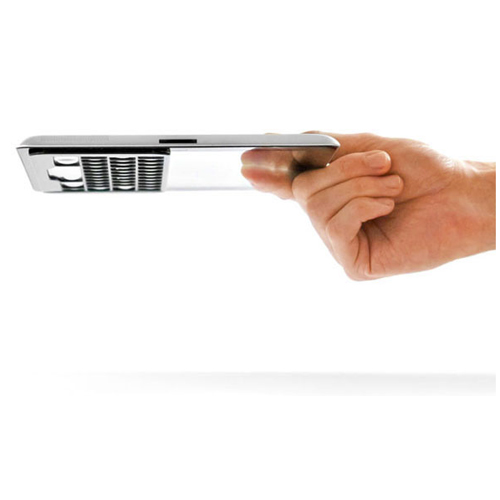
        • Ultra Light & Slim — Adds almost no weight or bulk to your iPad
        • Easy On & Off — Lightly push down to adhere; lift up from any corner to remove
        • Convenient — Park it close by when not in use
        • 90 Day OWC Fulfilled Limited Warranty
        • SPECS
        • GALLERY
        • COMPATIBILITY
        • REVIEWS

        Product Specifications:

        iKeyboard Part Number

        • iKeyboard (White)

        Dimensions

        • 8.75" x 3.1" x 0.2" (22.2 x 7.9 x 0.5 cm)

        Weight

        • 0.03 lbs. (13.8 g)

        Warranty

        • 90 Day OWC Fulfilled Limited Warranty
        Manufacturer provided specifications for iKeyboard p/n iKeyboard (white) UPC#: 713757312509

        Gallery


        Gallery Pic 1 Gallery Pic 2 Gallery Pic 3
        Gallery Pic 4 Gallery Pic 5 Gallery Pic 6
        This product is compatible with...
        iPad
        iPad 1st Generation
        (January, 2010)
        Model ID: A1219, A1337
        16GB, 32GB, 64GB
        Install Videos
        iPad 2
        iPad 2nd Generation
        (March, 2011)
        Model ID: iPad2,1; iPad2,2; iPad2,3; iPad2,4
        16GB, 32GB, 64GB
        iPad 3rd Generation
        iPad 3rd Generation
        (March, 2012)
        Model ID: iPad3,1; iPad3,2; iPad3,3
        16GB, 32GB, 64GB
        iPad 3rd Generation
        iPad 4th Generation
        (October, 2012)
        Model ID: iPad3,4; iPad3,5; iPad3,6
        16GB, 32GB, 64GB

        Reviews

        • examiner.com " I found the iKeyboard to be a very useful addition to the iPad." — James Hannibal, Examiner
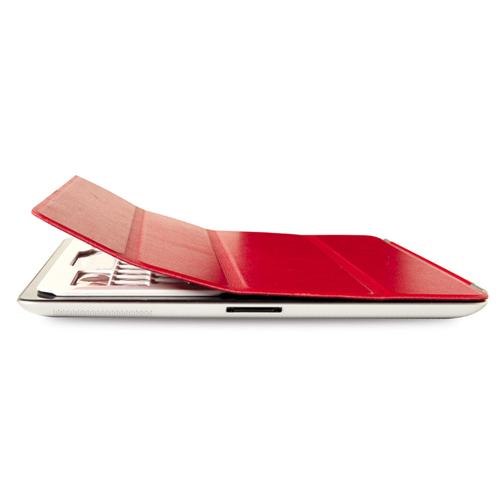
        • iLounge.com "Thin enough that a Smart Cover fits on top, and still magnetically locks the iPad." — Nick Guy, iLounge
        • cultofmac.com "Once I got used to it, I rather enjoyed using it for the longer written pieces I've been working on." — Mike Vardy, Cult of Mac
        • technologytell.com "The iKeyboard provides an excellent enhancement to Apple's on-screen keyboard." — Aaron Kraus, Technology Tell
        • the-gadgeteer.com "It's by far the most convenient keyboard option for the iPad." — Janet Cloninger, The Gadgeteer
        iKeyboard, Inc. TacType Keyboard White Mfr P/N: iKeyboard (white) OWC SKU: IKEYBOARDWHT Turn your iPad's virtual keyboard into a tactile keyboard for touch-typing accuracy. 90 Day OWC Fulfilled Limited Warranty Ships: Sold Out
        Be the first
        Only $35.00CyberSaver $4.88
        Sold OutSold OutiKeyboard iKeyboard (white), Click to Buy Now
        Recommended Items:
        Cable Pad Protector Slim Leather Folio for the Apple iPad plus Bonus Screen Protector. From $9.00
        Microfiber Wipe Microfiber Wipe Towel for all surfaces $1.99
        Helpful Links
        • About Us
        • DIY Install Videos
        • Join our Affiliate Network
        • Where to Buy
        • Accessibility Statement
        • Sustainability is Good Business
        • Join the OWC Team
        • Media+Newsroom
        • Privacy Promise
        • MacSales.com for Business
        Join the OWC Newsletter

        Join hundreds-of-thousands of tech enthusiasts across the planet and gain access to specials, clearance, and holiday savings on the OWC upgrades, drives, and docks everyone loves.

        • bbb
        © 2000-2026 Other World Computing, Inc., All Rights Reserved. Site Terms Guest ID:
        Your Privacy Choices
        This item has been added to your cart