Prosoft
Drive Genius 4 For Mac
Speed Up, Clean Up, Protect Your Mac
Mac
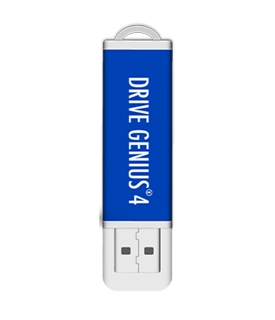
Drive Genius 4 is shipped on a 16GB USB drive
The Best Mac Data Recovery
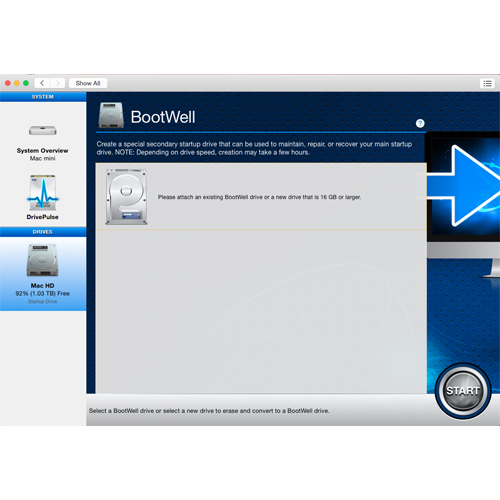
Get faster performance from your Mac while also protecting it with Drive Genius 4. The award-winning and improved DrivePulse® feature alerts you to hard drive issues before they become major problems. Optimized for OS X Yosemite, top features like Defrag and DriveSlim® will help keep your Mac running fast. The all-new BootWell™ tool lets you create a special bootable secondary drive to Defrag or Repair your main hard drive. You can also personalize and organize your Mac hard drive icons with IconGenius™.
Speed Up Mac
Your Mac is an important part of your life. Drive Genius® 4 helps you Speed Up, Clean Up and Protect your Mac. Since it's release in 2004, Drive Genius has been the industry leader for Mac hard drive tools. Drive Genius 4 sports a new, enhanced and simplified interface that allows for running utilities on multiple drives simultaneously, is optimized for OS X Yosemite (works with 10.8.3 and newer) and includes new and improved features to Speed Up, Clean Up and Protect your Mac.
Why is my Mac running so slowly?
Mac users are always asking, "Why is my Mac running so slowly" as well as "How can I speed up my Mac!" The primary reason your Mac may be slow is usually because the hard drive is in need of being defragmented* and optimized. Your hard drive has millions of important computer files on it. With so many important files being stored on one hard drive it's important that you take the right steps to make sure that your Mac is optimized and running at it's peak performance.
How does Drive Genius Speed Up my Mac?
"How can Drive Genius help in optimizing your Mac's performance and improve speed and efficiency?" The Defrag feature of Drive Genius is the best way to get better performance from your Mac hard drive. Over time, more files are created, opened, edited and saved. As a hard drive fills up, and each time a file is saved, parts of the file are broken up and saved to different available locations on the drive. This results in increasing the time it takes to access the files. The Mac OS only defrags files if they are under 20MB in size. You typically have thousands of files larger than 20MB, most of which are your most important files like pictures and videos. Drive Genius' award-winning Defrag tool makes those files contiguous again. This is great for drive performance and speeding up your Mac.
The Best Mac Defrag Tool
Drive Genius' Defrag tool is the number one selling, most-used Defrag tool for the Mac OS. Apple has been using it at the Genius Bar for over 7 years now.
Reorganize those large files
Drive Genius 4 will reorganize large files, compact them to be saved without fragmentation and consolidate the file into one contiguous file. Defrag will also improve the overall performance, boot time, application launch and access to your large files. Defragging your drive will also reduce wear on the drive because the read/write heads do not need to travel as much across the drive when searching for a file. Drive Genius also compacts the larger files to allow them to be saved without fragmentation.
Convenient Solution
In order to defrag or repair your main hard drive, the OS requires that you boot from a secondary source. Drive Genius' new BootWell™ tool makes it easy and convenient. BootWell creates a special bootable secondary drive, which can be used by Drive Genius 4 to speed up or repair your main hard drive.
Highlights
- BootWell™ - Drive Genius's NEW BootWell™ Technology creates a special secondary startup drive that can be used to maintain or repair your main startup drive.
- Find Duplicates - Locates duplicate files and replaces those duplicates with an alias. Find Duplicates is powered by the award-winning technology of DriveSlim®.
- Find Large Files - Powered by DriveSlim® - Large File Search finds very large files that are taking up space on your hard drive. This could be large video file that came preloaded on your Mac or some funny email attachment someone sent you. It is likely that you are not even aware of these files and Large File Search helps you keep tabs on what files are on your hard drive, allowing you to mark and delete the ones you no longer need.
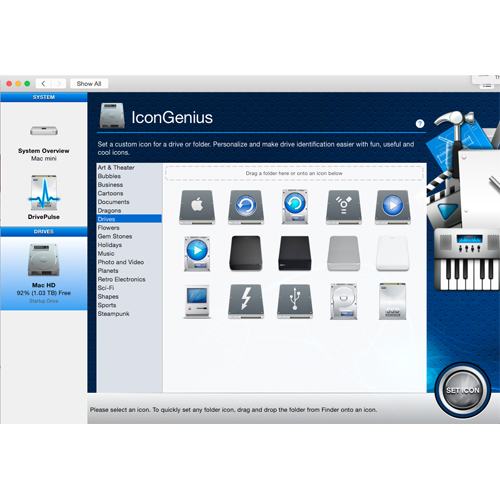
- IconGenius - Set a custom icon for a drive or folder. Personalize and make drive identification easier with fun, useful and cool icons.
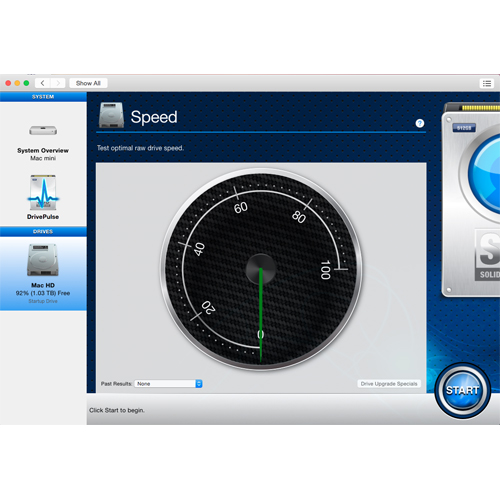
- Speed - Measures the optimal raw performance of your drive since it was last connected to your computer. Looking for a fast drive? Check out our special offers.
- Instant DrivePulse - Runs the most common DrivePulse® tests and provides a pass/fail status for the drive.
- Active Files - Active Files alerts you to files that are in use that may prevent you from shutting down your Mac or ejecting a drive. No more guesswork.
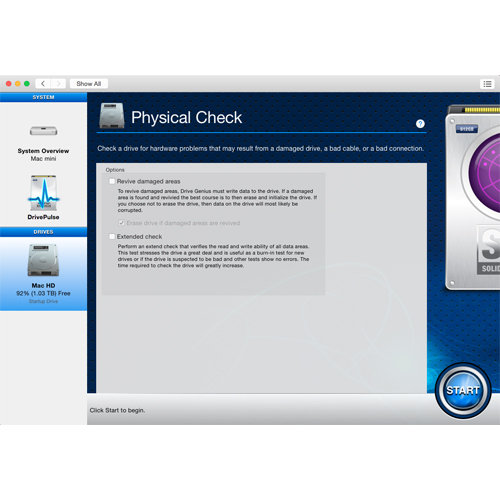
- Physical Check - Checks a drive for hardware related problems that may result from a damaged drive, a bad cable, or a bad connection.
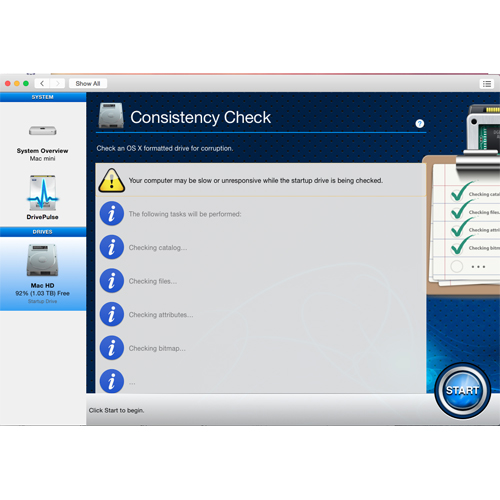
- Consistency Check - Checks for possible file and folder corruption on formatted drives. Detecting and repairing any errors can help prevent data loss.
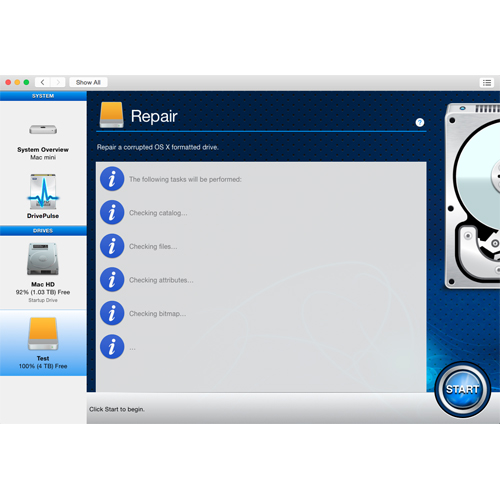
- Repair - Can repair most kinds of logical file and folder errors on a drive to prevent future critical problems and potential data loss.
- Rebuild - In circumstances where a file name is lost, the data is still there, but not accessible, Rebuild may be able to list lost file names to the file data again.
- Fix Permissions - Permission inconsistencies can result from bad application installers and lead to applications failing to open or randomly crashing.
Speed Tests
The Speed Test tool is a great feature to measure the raw performance of your drives. Get instant test results and compare to newer drives. Get the most speed from your Mac.
Clean Up my Mac
Over time your Mac fills up with an abundance of large, duplicate and unorganized files. Drive Genius 4 is a great solution to keep your Mac hard drive clean and organized.
Free Up Hard Drive Space - Large File Search
Powered by DriveSlim® - Large File Search finds very large files that are taking up space on your hard drive. This could be a large video file that came preloaded on your Mac or some funny email attachment someone sent you. It is likely that you are not even aware of these files and Large File Search helps you keep tabs on what files are on your hard drive, allowing you to mark and delete the ones you no longer need.
Duplicate copies on your Mac
Ever wonder how many copies of the same file you have on your hard drive? Find Duplicates locates duplicate files and replaces those duplicates with an alias. Find Duplicates is powered by the award-winning technology of DriveSlim®.
Need to erase a Mac drive?
The Secure Erase feature will permanently shred the contents on a drive making the files unrecoverable. This is very important to do prior to selling or donating a hard drive or computer. All of your personal data will be permanently and securely erased. Secure Erase gives you the option to erase the contents of just a volume or the entire hard drive (Secure Erase offers 5 levels of shredding, up to the US. Department of Defense Standards for drive sanitation).
Organize & Personalize your Mac
The Clone feature lets you quickly and efficiently clone a drive (any in-use drive in fact). A device copy enables you to retain every detail of the original drive. Making bootable clones is easy with Drive Genius 4.
Need to Duplicate a Drive?
The Clone feature lets you quickly and efficiently clone a drive (any in-use drive in fact). A device copy enables you to retain every detail of the original drive. Making bootable clones is easy with Drive Genius 4.
Protect your Mac
Most importantly, Drive Genius 4 helps to protect your Mac from potential hard drive failures and errors that can cause you to lose your data. The award-winning DrivePulse® feature monitors the health of your hard drives to alert you to potential issues (errors, fragmentations, bad blocks) before they become a major problem.
Protect your Mac instantly
There is also a new feature within DrivePulse called, Instant DrivePulse. Instant DrivePulse provides instant testing (reports as pass/fail) status for the most common DrivePulse tests.
Which Application is still in use?
Have you ever been frustrated trying to shut down your Mac but keep getting the message that your drive is still in use? Active Files takes the guesswork out of this and shows the application that is using the file.
Checking, Fixing and Repairing...
Drive Genius 4 has full capabilities to Repair or Rebuild the hard drive directory as well as Repair Permissions. You can run extensive Physical Tests and Consistency Checks for drive corruption and hardware issues to troubleshoot your Mac hard drives.
System Requirements
System Requirements
- Mac OS X 10.8.3 and later **
- Intel Core 2 Duo and newer
For maintenance purposes, most Drive Genius 4 utilities work on the primary startup drive "live" with no need for a secondary startup drive. However all repair and recovery utilities require starting your computer from a secondary drive so they can have exclusive access to your primary drive.
The utilities that require a secondary startup drive are:
- The advanced Physical Check options.
- Repair
- Rebuild
- Defragment
- The whole-drive Secure Erase option.
* Fusion and SSD (solid-state drives) do not need to be defragmented.
** Drive Genius 4 can be used for offline maintenance and repair of drives that have older, unsupported versions of OS X installed.


 1-800-275-4576