One of the delightful features in macOS is Quick Look: Select a file in the Finder, tap the spacebar, and you’ll be able to preview the file in the Finder without opening an application. Simple, clean and useful. Quick Look has been part of my Mac muscle memory, since the feature was introduced with Mac OS X Lion (10.5) in 2007.
It remains an immensely useful feature that sets macOS apart from other operating systems. But as amazing as Quick Look is, its use is limited to previewing stand-alone files: PDFs, Word Docs, JPGs, and the like. Quick Look does not let you peek inside a folder or a compressed file.
But thanks to Folder Preview (available for $1.99 via the Mac App Store), you can!
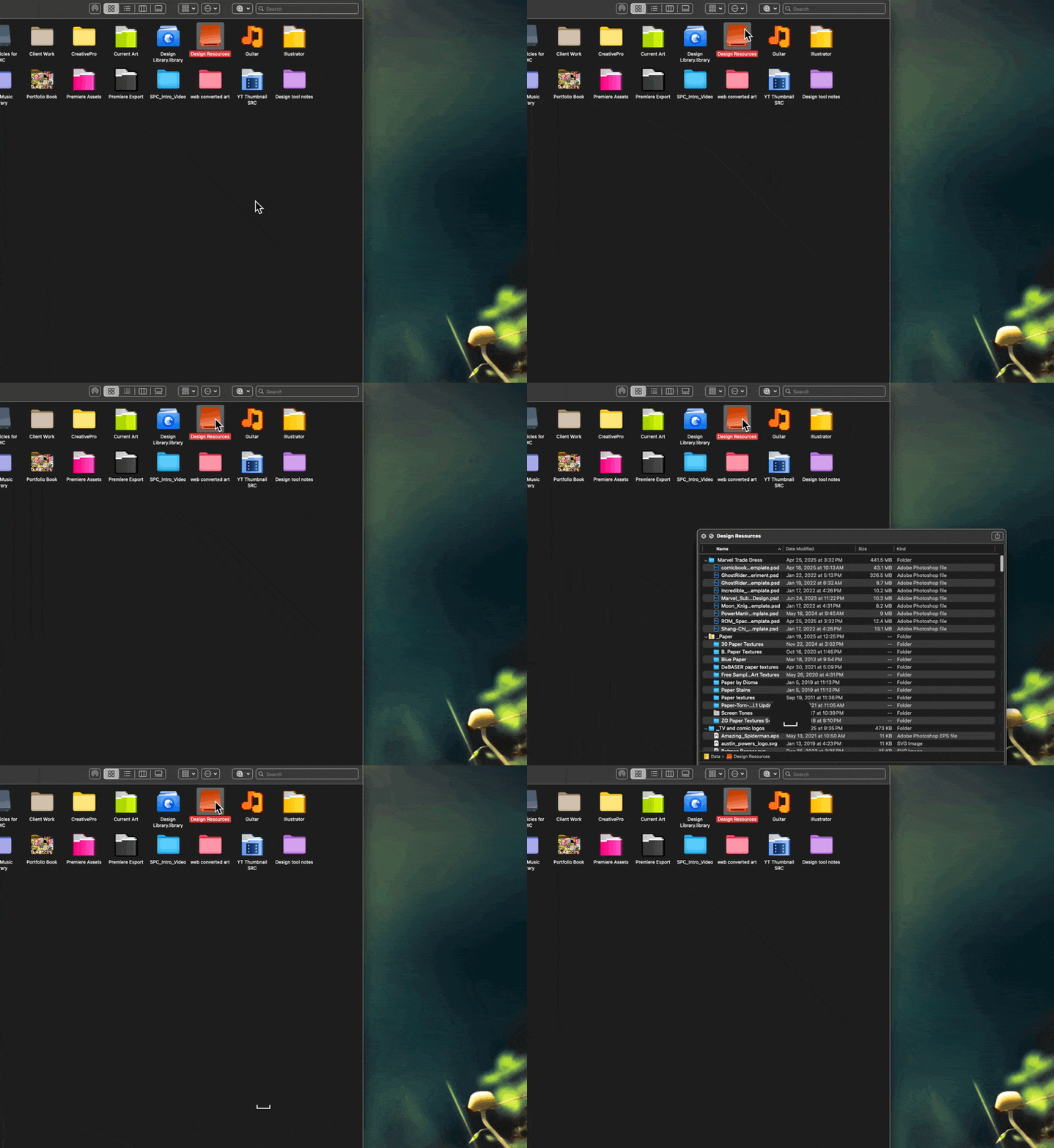
Folder Preview, by Anybox LTD, is a Quick Look extension that allows users to quickly preview the contents of a folder or compressed file, by tapping the spacebar or pressing Command Y.
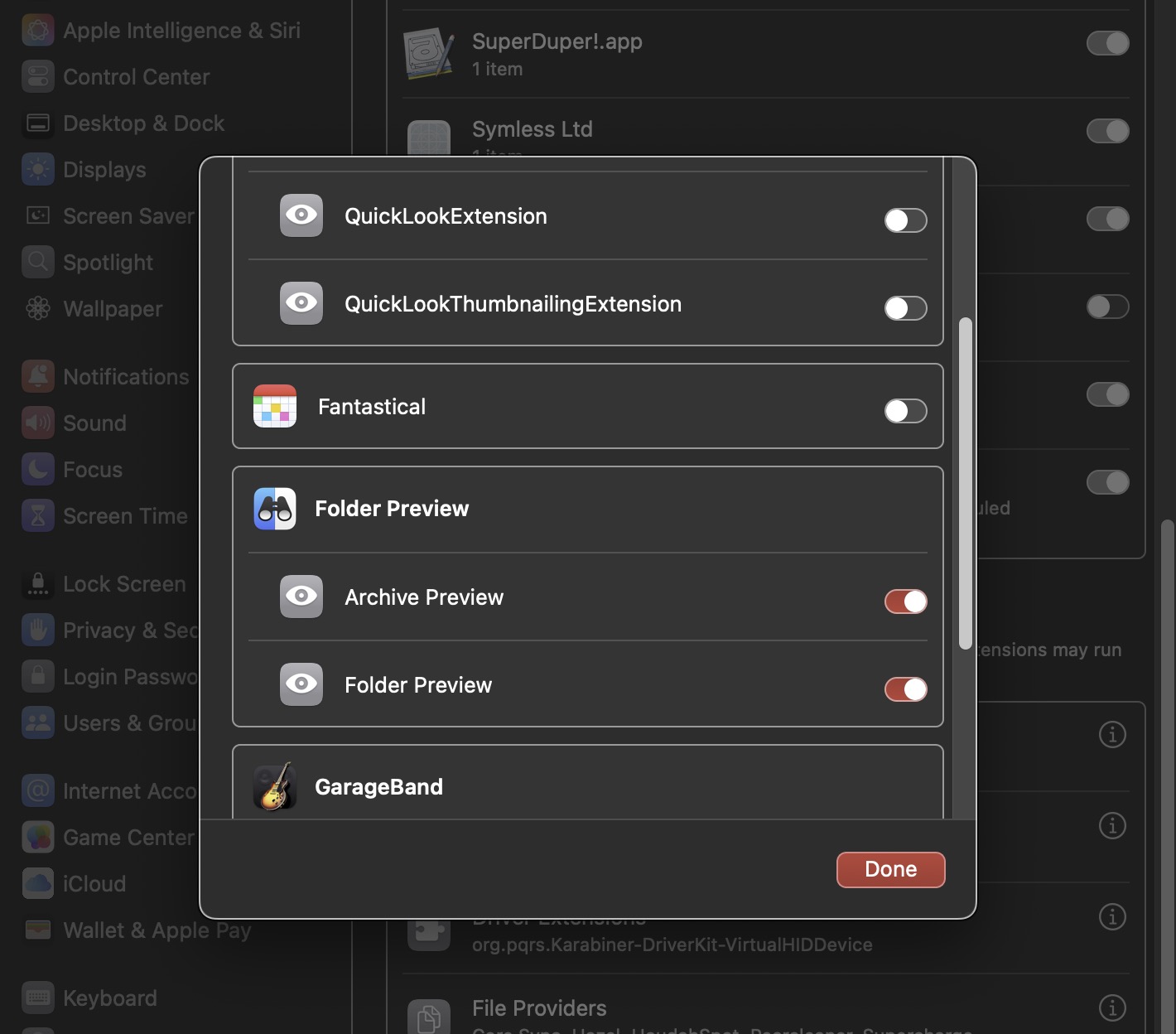
Activating Folder Preview is easy; you’ll need to visit System Settings > Extensions and activate both Folder Preview Quick Look extensions.
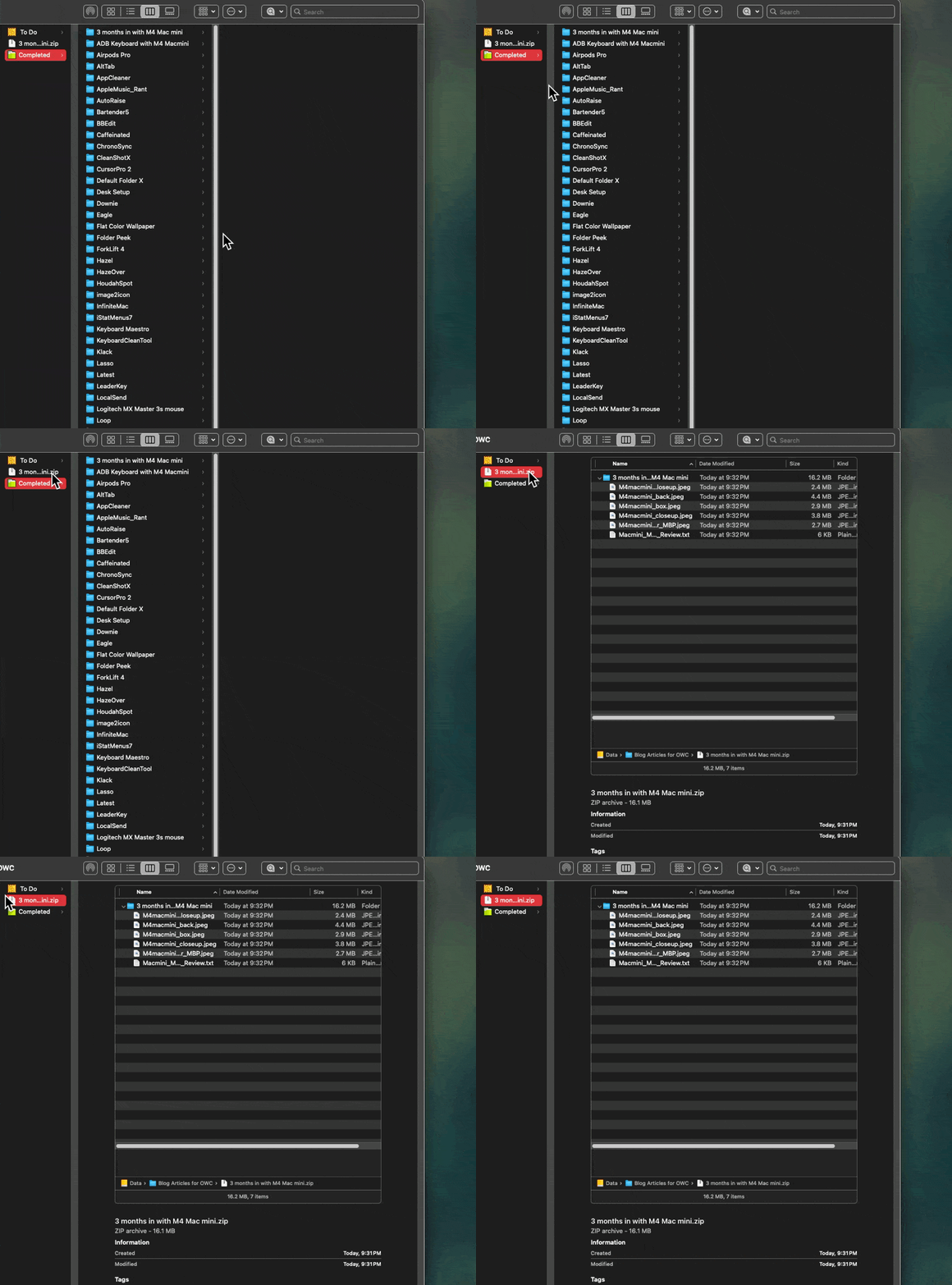
With that out of the way, simply tap the space bar on any folder in the Finder, and you’ll immediately see its contents. View compressed files like .rar, .tar, .7z, .gz, and .zip files the same way.
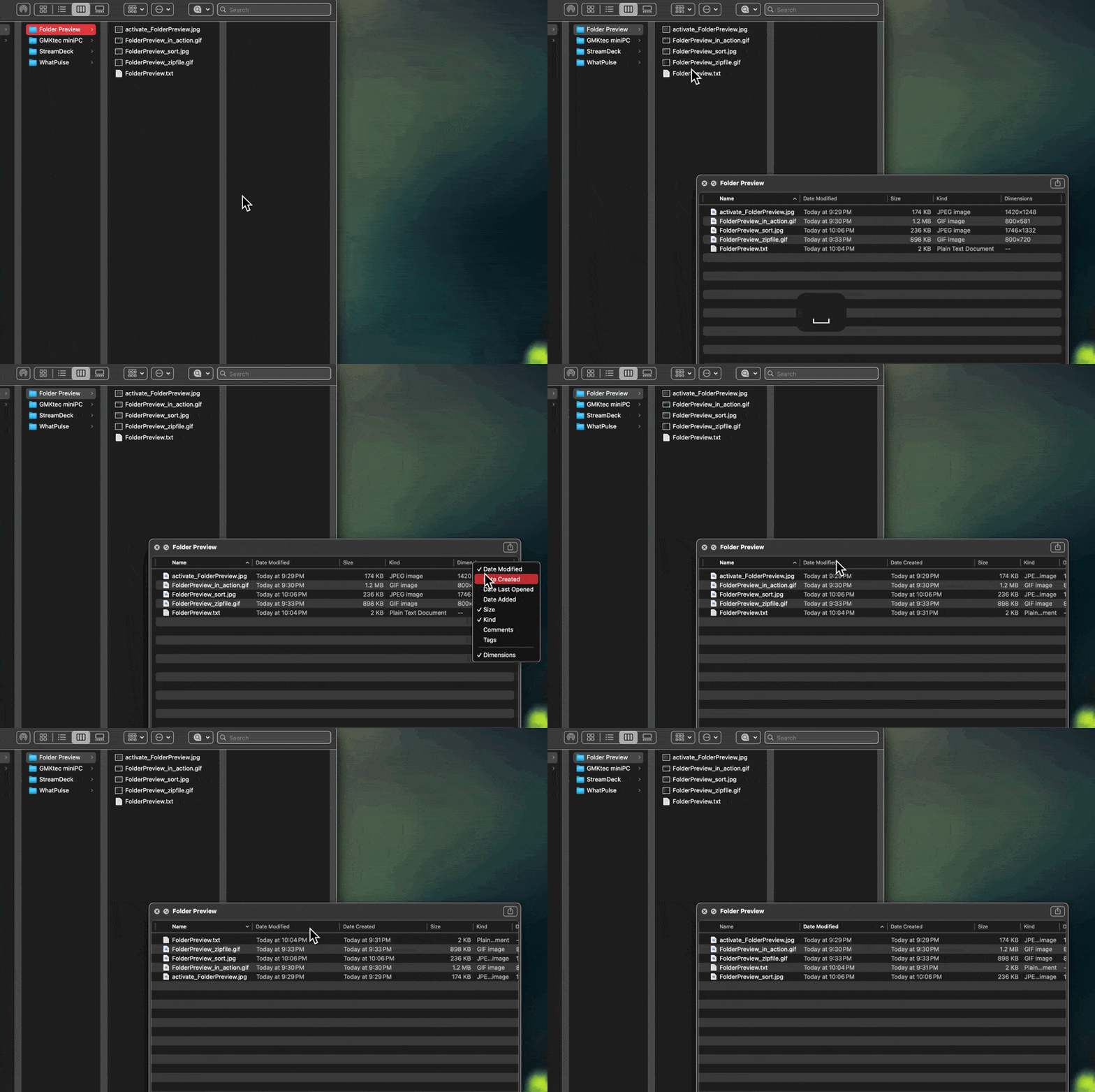
When viewing a folder using Folder Preview, one can make use of the Finder’s sort feature, or add additional file information columns, such as Dimensions, Date Created, etc. It’s incredibly convenient. If multiple folders are selected, Folder Preview lets you cycle between them using convenient forward / backward arrows.
In my testing, Folder Preview worked as advertised in macOS Sequoia. I’ve used it quite a bit in my workflow and I’m now staunchly convinced that this is how Quick Look should have worked from the get-go. (I’m baffled that Apple didn’t include its functionality as a built-in feature within macOS.)
Nevertheless, at $1.99, Folder Preview adds much-needed functionality to Quick Look, and in my humble view, is a veritable bargain.