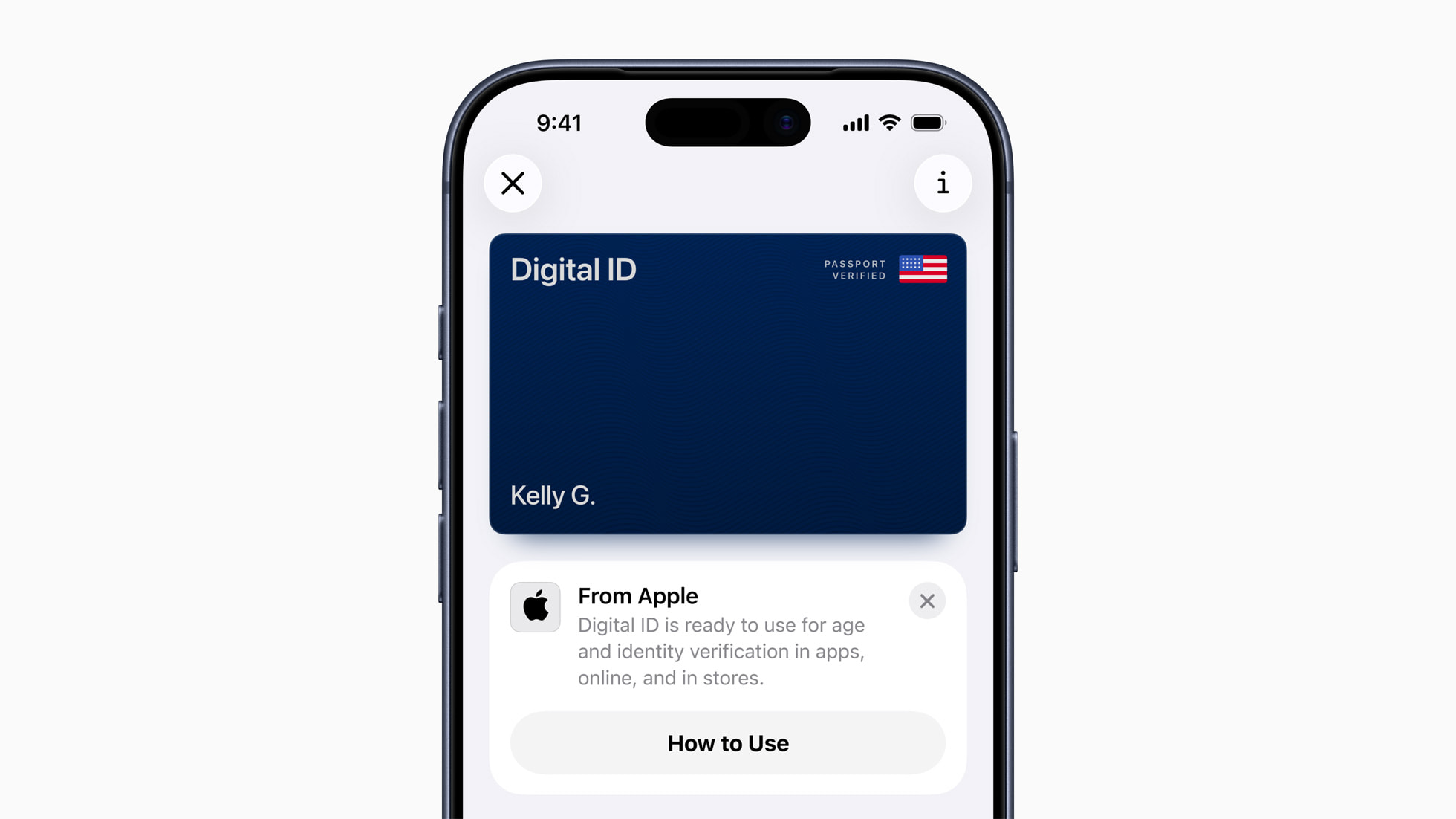
Apple just announced Digital ID, a new way to prove who you are right inside Apple Wallet. The new feature uses your U.S. passport to create the digital ID and you present it with your iPhone or Apple Watch. The feature starts rolling out today, November 12, 2025, with initial in-person acceptance in beta at TSA checkpoints across 250+ U.S. airports for domestic travel. More acceptance points and use cases (including in apps and on the web) will follow.
What’s new—and how it’s different from Driver’s License in Wallet
Until now, Wallet supported state-issued Driver’s License/State ID in select states. Digital ID expands access by letting anyone with a U.S. passport create a Wallet ID—even if their state doesn’t support Wallet IDs or they don’t have a REAL ID-compliant license. The feature is meant as a way to simply provide proof of identification and it’s not a true replacement for your physical passport and can’t be used for international travel or border crossings.
Apple also notes that Driver’s License and State ID in Wallet remain available (now live in 12 states and Puerto Rico, with recent additions and Japan’s My Number Card launch)—Digital ID simply adds another path to a secure, on-device ID.
How setup works (Passport → Wallet in a few minutes)
Apple’s setup for Digital ID uses both the printed page and the secure chip in your passport to verify authenticity:
- In Wallet on iPhone, tap “+” → Driver’s License or ID Cards → Digital ID.
- Scan the passport’s photo page with your iPhone.
- Read the passport’s chip with your iPhone when prompted.
- Take a selfie and complete facial/head movements for verification. Once approved, your Digital ID appears in Wallet on your iPhone and can be presented with iPhone or Apple Watch.
Where you can use it first
At launch, TSA is the lead acceptance partner in the U.S., with support rolling out in beta at more than 250 airports for domestic travel identity checks. Availability can vary by checkpoint and time of day, so watch for signage at security. (That’s the same pattern we’ve seen with Wallet IDs broadly.)
Privacy and security (what Apple says happens under the hood)
Digital ID data is encrypted and stored on your device. Apple can’t see when or where you present your ID—or what data you shared. Each presentation requires Face ID/Touch ID, and you only share the specific fields requested (for example, proving you’re 21 without exposing your full address). You also don’t hand over your phone; a reader requests and receives only what you approve.
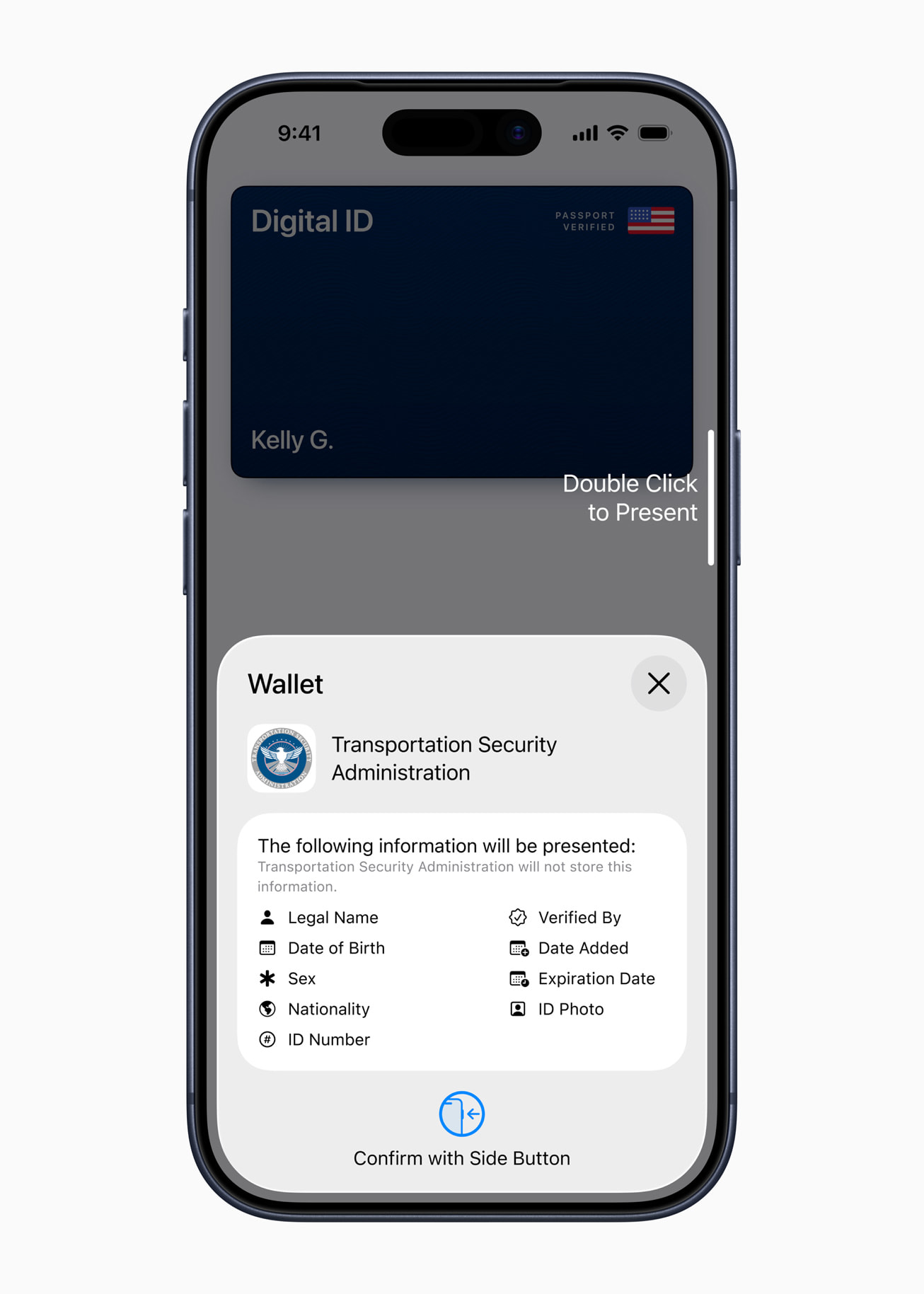
Quick guide: Presenting your Digital ID
- Double-click the side (or Home) button to open Wallet, choose Digital ID.
- Hold your device near the TSA reader and allow the reader to take your photo.
- Review the requested info, then authenticate with Face ID/Touch ID to allow Digital ID to present the information.
FAQ
Do I need a U.S. passport to use Digital ID?
Yes. Digital ID specifically uses passport information for creation. If you don’t have a passport, you may still be able to add a Driver’s License/State ID if your state participates.
Can I travel internationally with just Digital ID?
No. Apple is explicit that Digital ID does not replace a physical passport and can’t be used for international travel or border crossings.
What devices work?
Apple’s announcement highlights presentation with iPhone or Apple Watch. As with Wallet IDs generally, plan on using a recent iPhone/Apple Watch with current iOS/watchOS. (Apple’s general support pages cover device specifics for IDs in Wallet.)
Where will it work beyond TSA?
Apple says additional businesses and organizations will be able to accept Digital ID in the future—in person, in apps, and online—but the rollout will be phased.