Two years ago, I concluded my review of SoundSource 5 by stating that it was “among a handful of truly stellar apps that keeps me firmly fixed on the Mac platform”.
Rogue Amoeba, the developers behind SoundSource, are not one to rest on their laurels. Recently, they released SoundSource 6, which builds on the application’s strong foundations with several new features.
Let’s start with SoundSource’s visual refresh, which integrates well with macOS Tahoe, without the contrast and readability issues that plague the OS. (Apple, take note!)
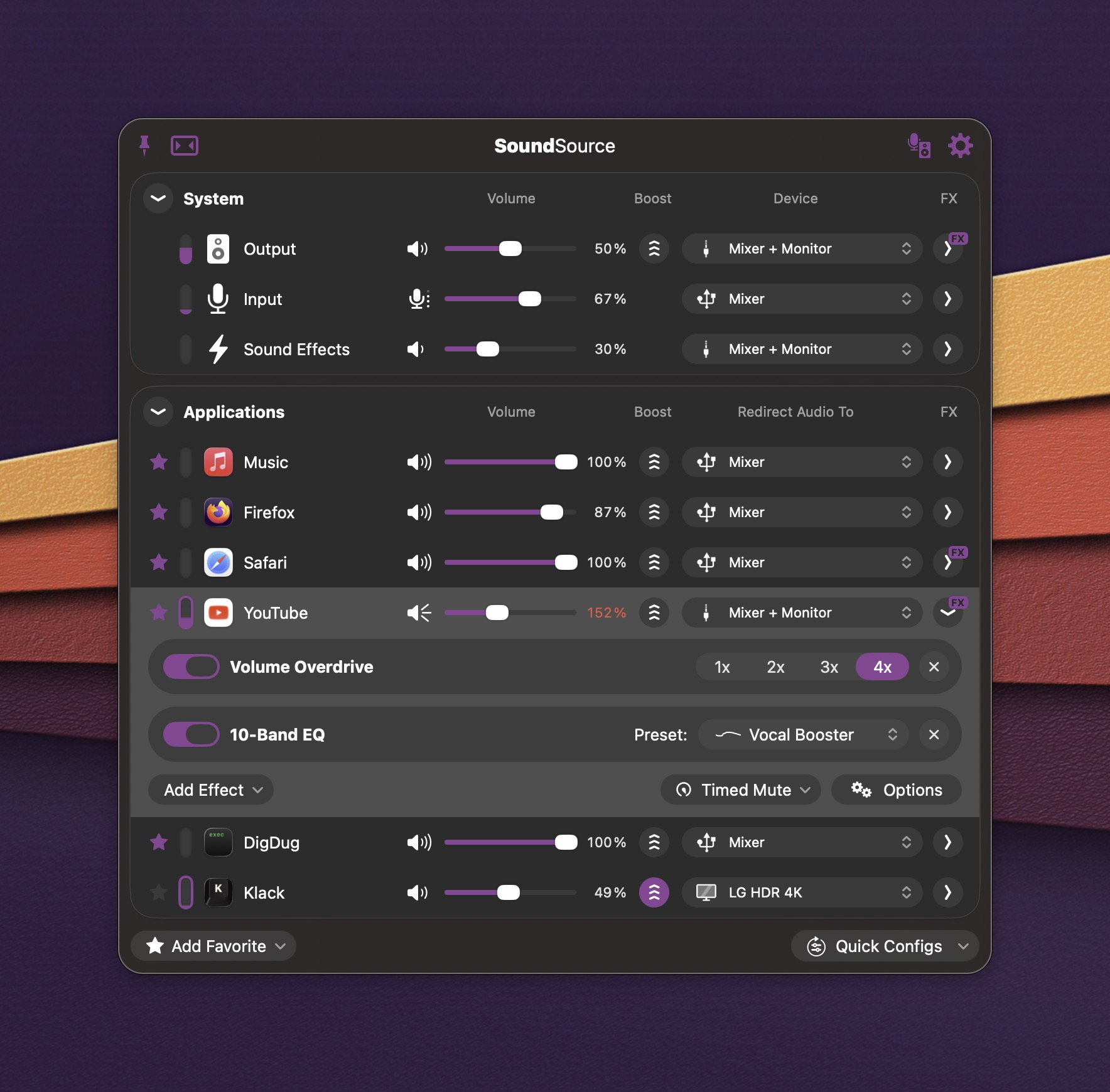
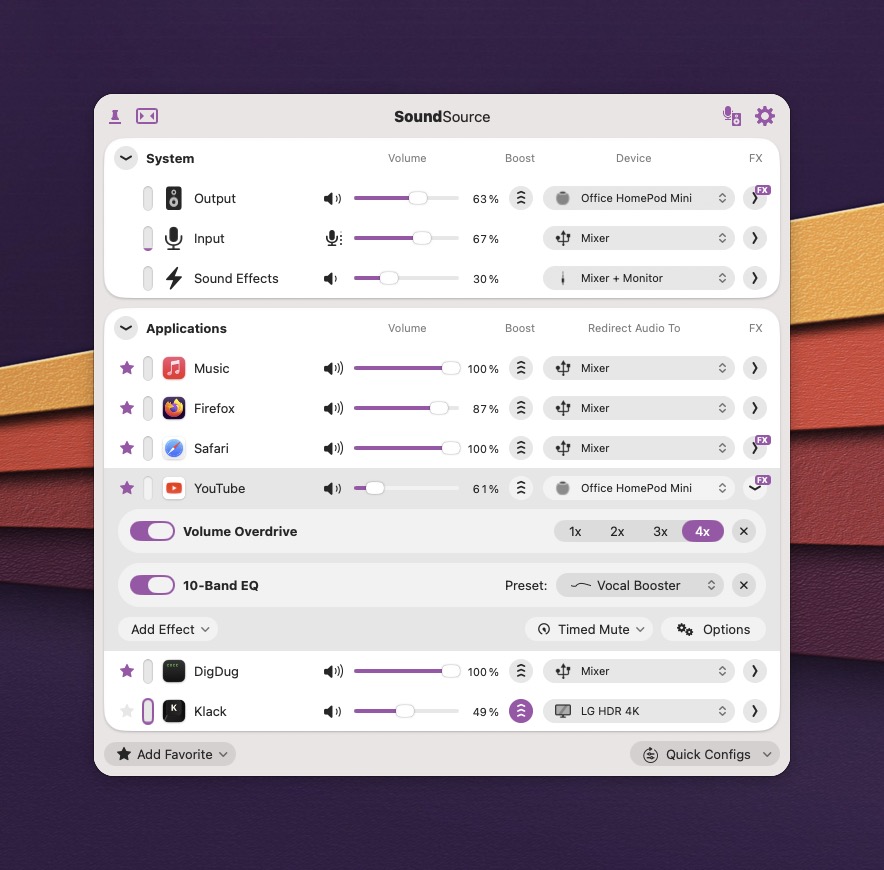
For this article, I’m going to focus on SoundSource’s new features. Chief among them is the ability to send audio to one or more AirPlay devices. For example, I can now use my HomePod mini as a speaker for my Mac.
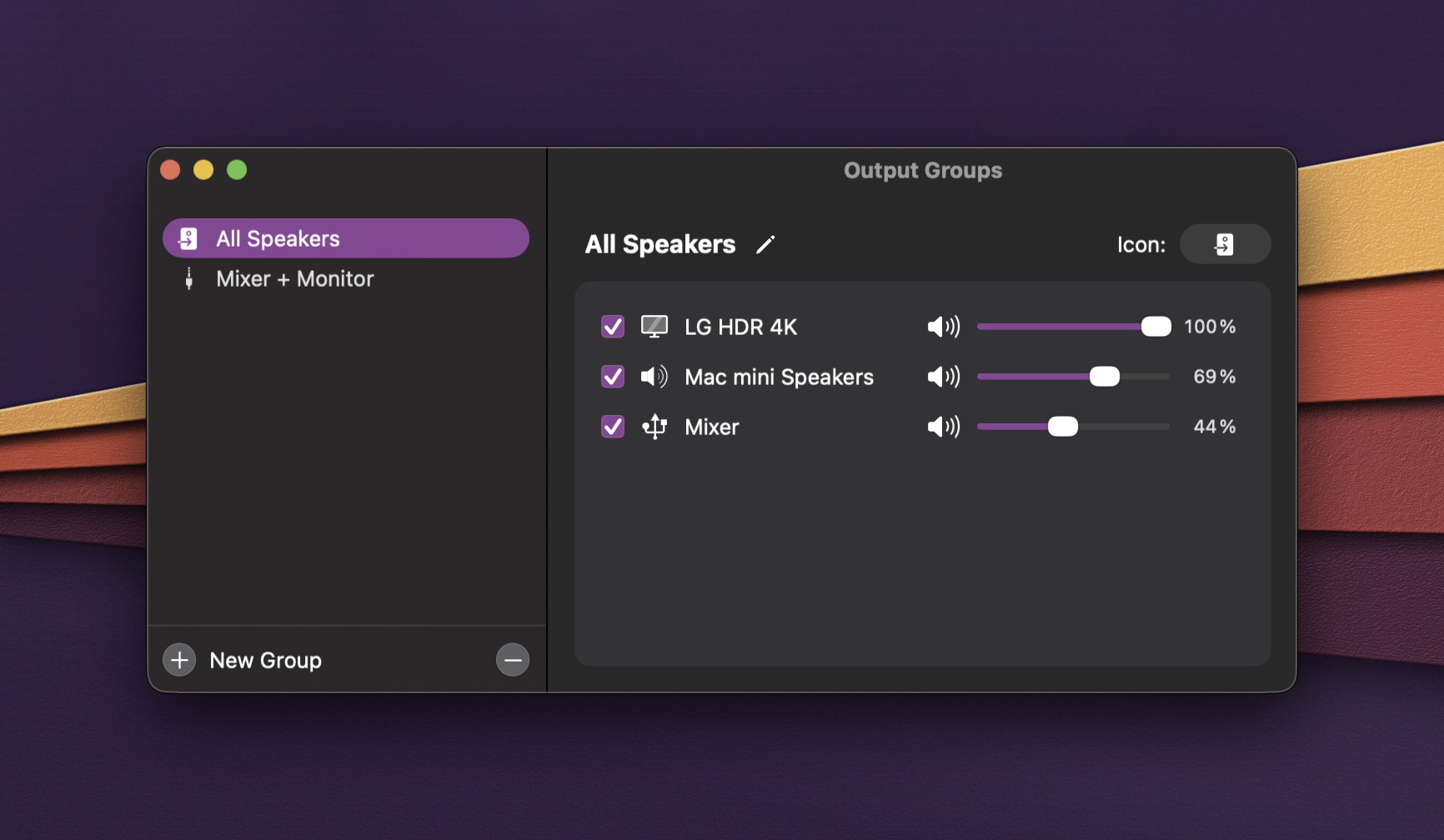
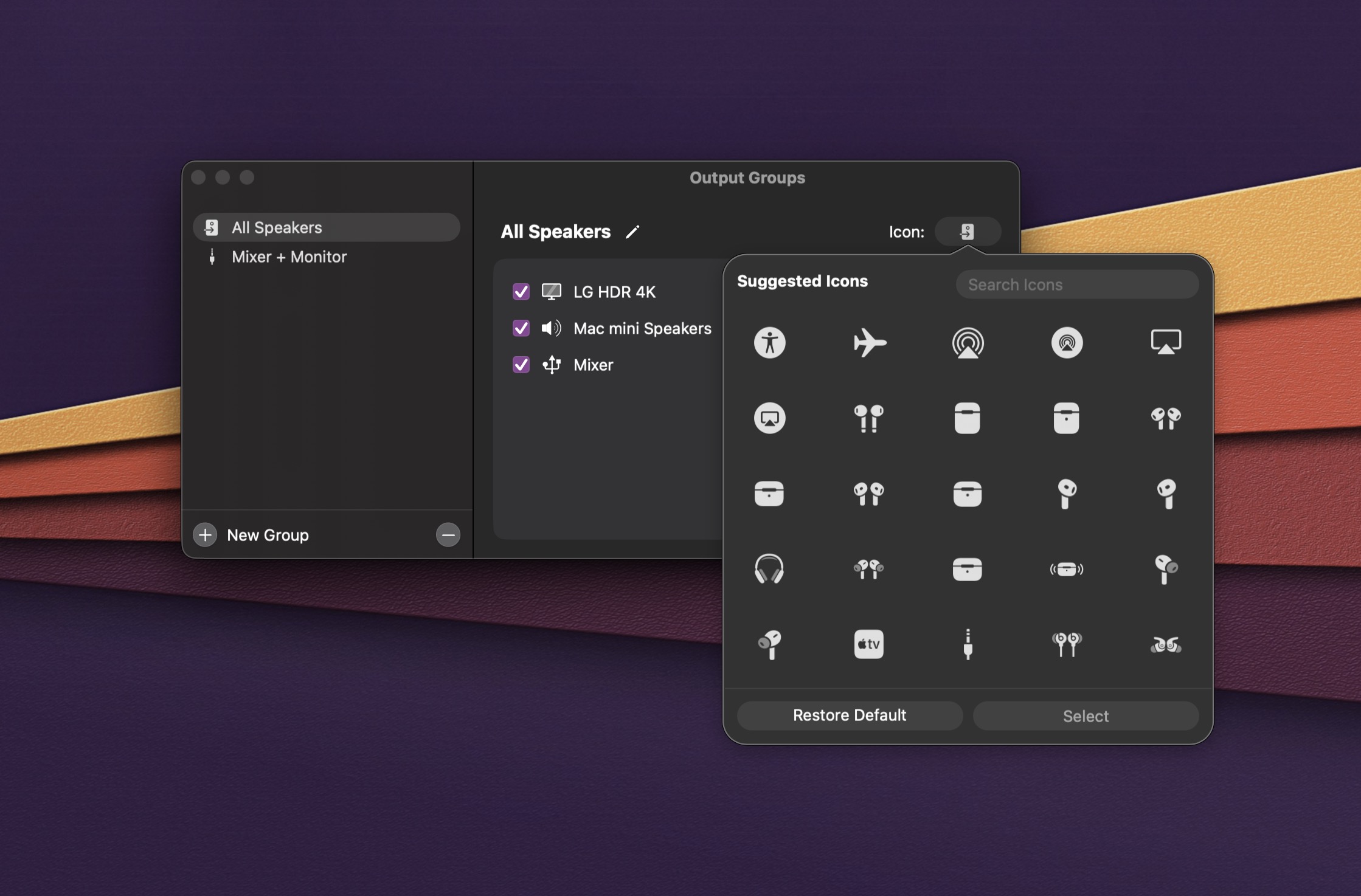
SoundSource finally gives users the ability to save Output Groups. As an example, I’ve created an Output Group that lets me play audio from BOTH my Mac mini’s internal speaker AND a pair of external stereo speakers that are connected to it. I could also create another Output Group that pipes audio to my display’s internal speakers and my Homepod Mini.
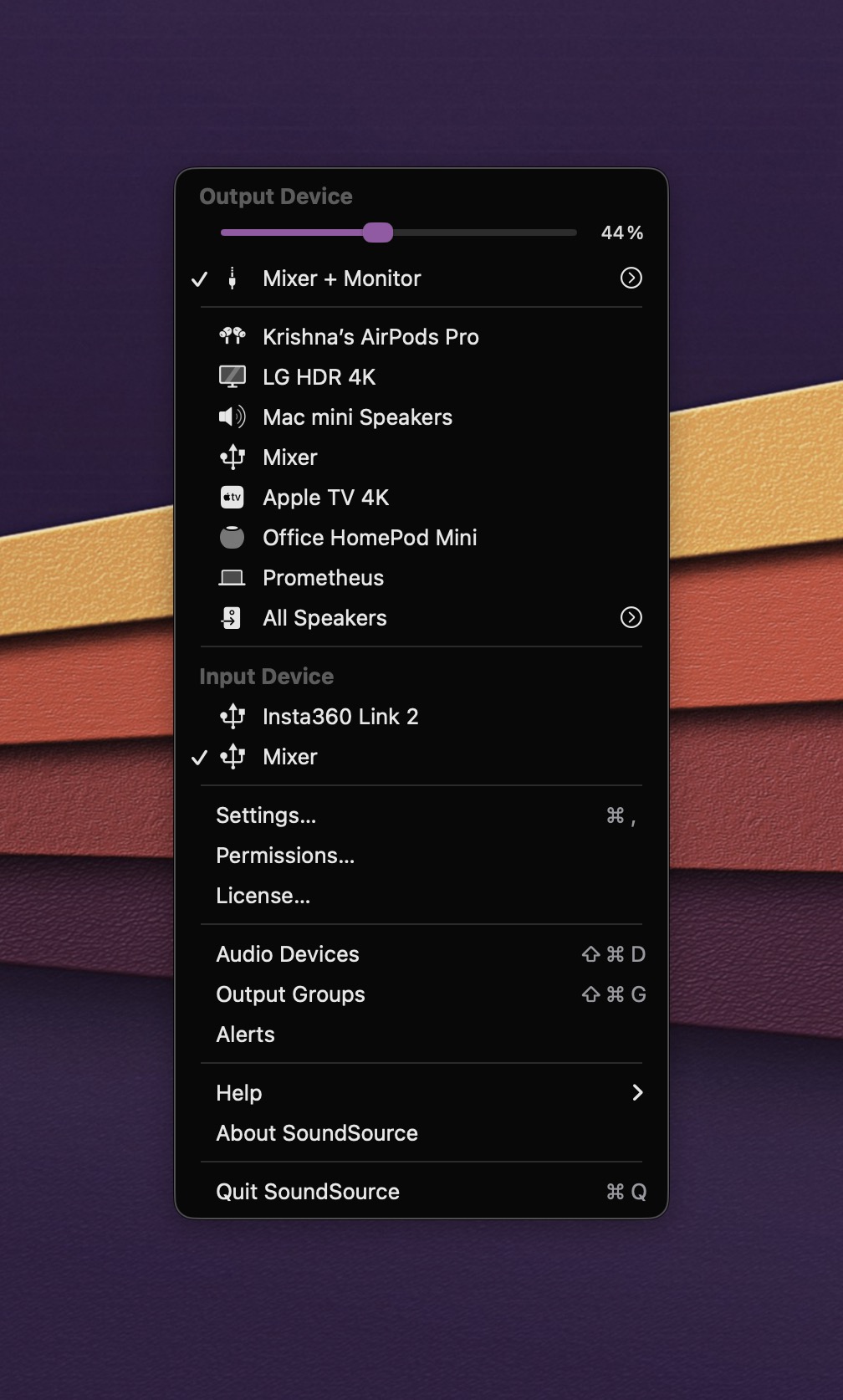
The best part of creating Output Groups is being able to assign them to specific applications. When I’m watching YouTube, for example, I’ll have SoundSource route audio to both my Mac’s internal speaker and a pair of Bestian external speakers. Individual outputs within an Output Group can have their own customized volume adjustment.
Quick Configs is another new SoundSource features, which lets you save audio configurations based on different devices or locations. When I’m at home, I have access to a broader range of speakers. But, at work, I only use my Mac’s internal speaker or my Airpods. With Quick Configs, I just pick the Profile I want, and my audio configuration is automatically set.
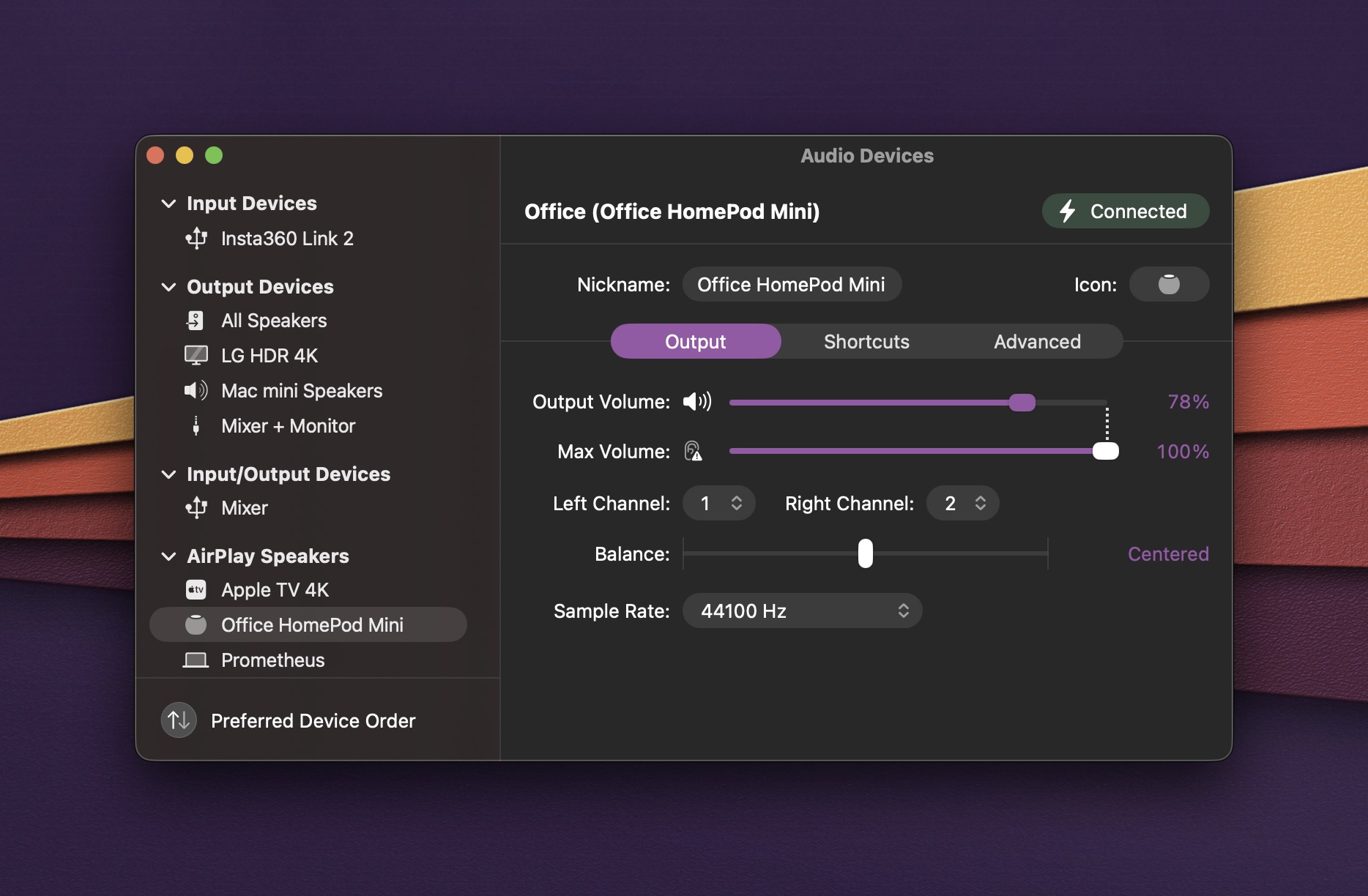
Another helpful improvement in SoundSource is the ability to see all of your audio inputs and outputs at a glance, thanks to the Audio Devices window. This is immensely useful to me, in that I no longer need to make a trip to the Audio settings in System Settings. In this window, I can also set the Preferred Device Order. I personally opt to have my external speakers as the default audio output, with my Mac’s internal speakers as a secondary option.
Another SoundSource 6 feature I really like is Toggle Mute. Assign a custom keystroke to this feature and you’ll be able to instantly mute your microphone. (This feature is perfect when you feel a cough is coming on…)
You can also lock settings in SoundSource 6, to prevent accidental changes. This can be handy in a controlled recording environment. Users can also optionally hide a device from its list, to prevent the system from using it.
SoundSource 6 is packed with a lot of genuinely useful features, particularly if you have multiple audio inputs and outputs. I initially balked at the upgrade price, but after a bit of testing this past week, I found the new features in version 6 to be worth the expense.
At $49, not everyone has the Mac audio needs to justify SoundSource. But if you have a microphone, a webcam, an audio mixer, speakers, Airpods, HomePods or other audio peripherals, SoundSource brings them all under their control in a fantastic interface that also gives you granular control over specific apps and workflows.
Rogue Amoeba offers a trial version of SoundSource 6 to test drive. Users moving up from SoundSource 4 and 5 can do so for $25US.
SoundSource 6 effectively builds on a strong foundation with features that truly make the application shine. To me, it remains as indispensable as it was before.