Apple kicked off its big week of new product releases today with the new iPad Air with M4. This is mostly a spec bump update: new chip, same price, and a nice upgrade for those with an M2 or older model. But there are a few additions beyond the M4 that make this update more interesting than it might first appear. Let’s dig into all the new features.
M4 Brings Real Performance Gains
The M4 chip at the heart of the new iPad Air features an 8-core CPU and a 9-core GPU. Apple says it’s up to 30 percent faster than the M3 model and up to 2.3x faster than the iPad Air that shipped with M1. For most everyday tasks like browsing, note-taking, streaming, and light creative work, you likely won’t feel the difference coming from the M3. But push it harder with video editing in Final Cut Pro, compositing in Pixelmator Pro, or running demanding games with hardware-accelerated ray tracing, and the M4’s advantages will quickly become more apparent.
The GPU now supports second-generation hardware-accelerated mesh shading and ray tracing, which Apple says delivers over 4x faster 3D rendering performance versus the M1 iPad Air. That’s a notable jump for gamers and creative professionals working with complex 3D assets.
More Memory and Faster Memory Bandwidth for AI
Here’s where the update becomes more noteworthy. Unified memory jumps from 8GB to 12GB—a 50 percent increase—and memory bandwidth climbs to 120GB/s. The 16-core Neural Engine is 3x faster than M1’s. All of this matters increasingly for AI-driven workloads, both in Apple Intelligence features and in third-party apps that leverage on-device machine learning.
Whether you’re using Goodnotes for smart note organization, running video analysis in Onform, or taking advantage of Final Cut Pro’s Scene Removal Mask feature, the M4 iPad Air will handle those tasks noticeably better than its predecessor.
New Connectivity Chips: N1 and C1X
This is arguably the most technically significant addition to the iPad Air lineup. Apple’s new N1 wireless networking chip makes its way into the Air for the first time, enabling Wi-Fi 7, Bluetooth 6, and Thread support. Wi-Fi 7 brings substantially faster wireless performance on compatible networks, and N1 also improves the reliability of features like Personal Hotspot and AirDrop.
Cellular models get Apple’s C1X modem, also new to the iPad Air lineup. C1X delivers up to 50 percent faster cellular data performance compared to the previous model and uses up to 30 percent less energy. For users who rely on their iPad for cellular connectivity on the go, this is a meaningful upgrade in both speed and battery efficiency. This C1X chip has received early praise in iPhone models like the iPhone Air for its combination of network speed and battery efficiency.
iPadOS 26 and What It Means for iPad Air Users
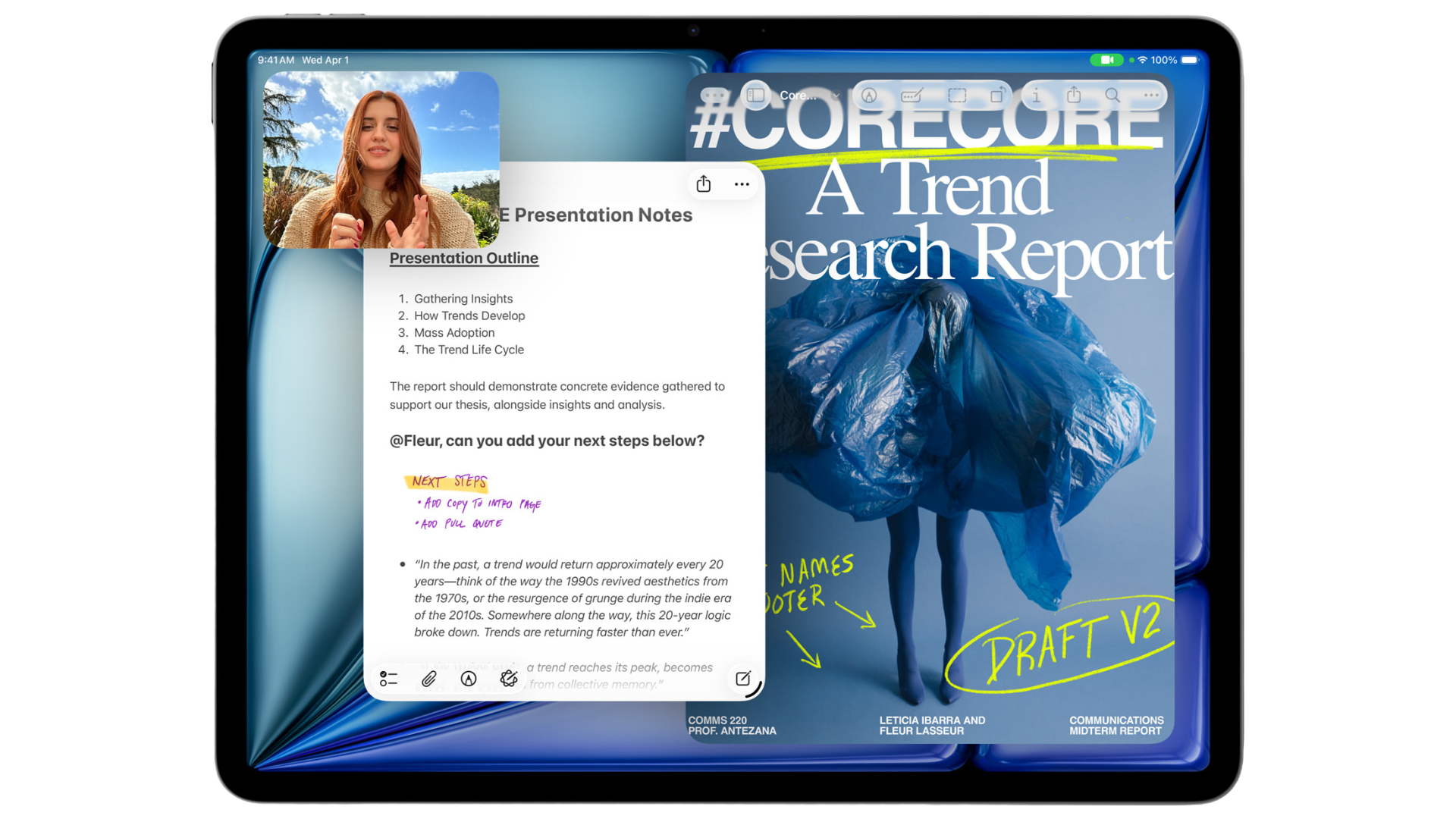
The new iPad Air ships with iPadOS 26, and it’s worth paying attention to what that brings specifically for iPad users. The new Liquid Glass design language updates the visual feel of the entire OS, but more practically useful is the completely redesigned windowing system, which finally makes multitasking on iPad feel more intuitive. A new menu bar, accessible by swiping down from the top of the display, provides quick access to app commands without requiring a keyboard.
The Files app gets a meaningful refresh with better list views, folder customization, and the ability to set default apps for specific file types. There’s also a new Preview app on iPad for viewing, editing, and marking up PDFs and images. And new capabilities around audio input, local capture, and background tasks round out what’s shaping up to be the most iPad-focused iPadOS release in years.
Design, Accessories, and All the Familiar Stuff
The physical design remains unchanged — available in the same 11-inch and 13-inch sizes, in blue, purple, starlight, and space gray. Starting storage is 128GB, with 256GB, 512GB, and 1TB configurations available. The same accessories work with the new Air: Apple Pencil Pro, Apple Pencil (USB-C), and Magic Keyboard for iPad Air in both sizes.
Pricing and Availability
Pre-orders open Wednesday, March 4, with availability beginning March 11. Pricing holds steady:
- 11-inch Wi-Fi: $599
- 11-inch Wi-Fi + Cellular: $749
- 13-inch Wi-Fi: $799
- 13-inch Wi-Fi + Cellular: $949
Education pricing takes $50 off both the 11-inch and 13-inch Wi-Fi models.
Bottom Line
If you’re coming from an M3 iPad Air, there’s probably not a compelling reason to upgrade unless you specifically need Wi-Fi 7, the faster C1X modem, or the bump to 12GB of memory. But if you’re on an M1 Air or older, the performance improvements are substantial across the board — faster chip, more and faster memory, better connectivity chips, and a significantly improved multitasking experience courtesy of iPadOS 26. And at the same starting price as before, Apple isn’t asking you to pay more for any of it.
Other Topics You Might Like: