Rocket Yard

Tech Tips

Tech tips and how to’s. All the great, timeless reference articles we have.

Quick Tip: Get the Mac Dock to Only Show Running Apps

The macOS Dock is designed to make launching applications and switching between them as easy as finding the app’s icon and clicking on it. Sometimes the Dock can be a bit confusing if you have selected “Keep In Dock” for a lot of apps and you’ve accumulated many static Dock icons as well as those that show up when you...
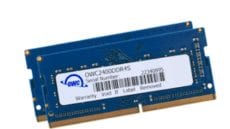
Mac 101: The Reason Your Mac Needs More Memory

Whether you just received your first Mac as a Christmas present, had someone gift you with a used Mac, or have been a Mac user for years, you might want to consider upgrading your Mac with more memory. Perhaps you’re...

Safari Technology Preview: Is It the Right Browser for You?

Safari Technology Preview, often referred to as STP, is a web browser for the Mac. STP was designed as a testbed to evaluate new browser technology that Apple is considering using in future releases of Safari. Think of it as...

How to Revert a drive from APFS back to HFS+

UPDATE:June 15, 2020Changes to macOS and Disk Utility in macOS 10.15 Catalina now make this older method obsolete. Check out this new article to see how to revert an APFS drive to HFS+ easily. Apple's new APFS (Apple File System)...

Three Months of Mojave: What Works, and What Still Doesn’t

The release of macOS Mojave on Sept. 24, 2018, marked the 15th major release of the OS X/macOS operating system. Mojave is the first version of macOS that doesn’t have its moniker based in the mountains of California; instead, it’s one...

1 195 196 197 326
Page 196 of 326