Rocket Yard

Tech Tips

Tech tips and how to’s. All the great, timeless reference articles we have.

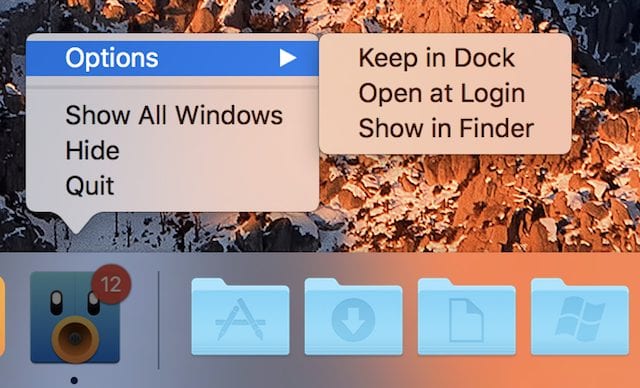
Right-click a Dock icon to display this menu

Spacers, Stacks & Swapping: Mastering the Iconic macOS Dock, Part 2

Last week, we began a two-part look at the macOS Dock with a detailed look at the System Preferences Dock settings and how they can be used to customize the Dock look and action. Today, we continue with a deeper dive into the inner workings of one of the most recognizable parts of the macOS user interface – the Dock....

Tech 101: How to Use a Windows Keyboard With Your Mac

It may not be the best kept secret, but you don’t have to use Apple-branded keyboards with your Mac. You have a wide range of keyboards to choose from, including most of the keyboards made for use with Windows. I'll...

The System Preferences icon

Tech 101: Mastering the Iconic macOS Dock, Part 1

Whether you’re a Mac newbie or have used a Mac since 1984, there are probably things you didn’t know about one of the most visible aspects of the macOS user interface — the Dock. Today in the first of a...

Tech Tips: More Ways to Use Siri in macOS Sierra

Do you use Siri on macOS Sierra? An unofficial poll I recently made shows that a much lower percentage of macOS users use Siri than do iOS users. There's a good reason for that; most Mac users are used to typing...

AirPort Utility icon

Quick Tip: Navigating the AirPort Utility Summary Screen

When you're troubleshooting a Wi-Fi network, it's often helpful to know whether or not a particular device is "visible" from your Wi-Fi router, what the signal strength is at that device, and so on. The macOS AirPort Utility (found in...

1 243 244 245 326
Page 244 of 326