X

Send us a Topic or Tip

Have a suggestion for the blog? Perhaps a topic you'd like us to write about? If so, we'd love to hear from you! Fancy yourself a writer and have a tech tip, handy computer trick, or "how to" to share? Let us know what you'd like to contribute!

Thanks for reaching out!

Month Archives: February 2021

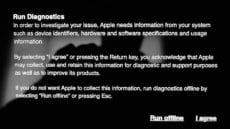
The run diagnostics screen on an M1 Mac

A Comprehensive Guide to All Startup Modes for M1 Macs

Recently, Dennis Sellers published a great article on How to Start Your M1 Mac in Safe Mode. Safe Mode is just one of many Mac startup modes. In this post I'll list those modes for the M1 Macs, what they're...


OWC Thunderbolt 4 cable resting on a MacBook Pro

One Cable to Rule Them All – the New OWC Thunderbolt 4 Cable

Introducing the next-generation connectivity solution, the OWC Thunderbolt 4 / USB-C Cable... Say hello to the 100% compatible and certified reliable solution for interconnecting devices and hundreds of millions of Thunderbolt 4, Thunderbolt 3, USB-C, and USB4 equipped Macs, PCs, tablets,...

macOS Big Sur Weather Widget showing the 5-day forcast for Asheville, NC

How to Use the Weather Widget in macOS Big Sur

In March 2020, Apple acquired Dark Sky, an iOS/Android app that offers “hyperlocal” weather info with down-to-the-minute forecasts. Some of its features have been rolled into the Weather widget on macOS Big Sur. One is the addition of precipitation predictions...

Safari logo on browsing history page

Recovering Deleted Safari Browsing History on a Mac

Over the years, we've provided a lot of tips on how to recover space on your Mac, one of which is to delete your browsing history in Safari. That's all fine and good, and it will definitely open up megabytes...

1 2 3 4 7
Page 3 of 7