Search Results for: First Look Video

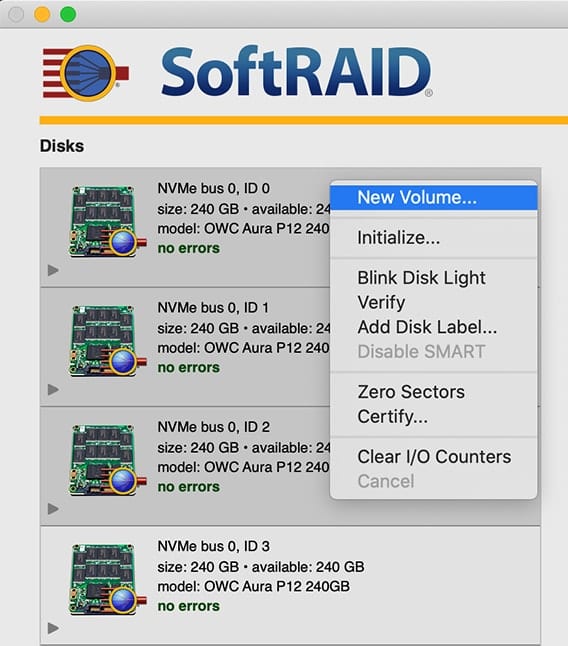
SoftRAID window showing dropdown menu with New Volume

Accelsior 4M2: RAID 0 + Mac Boot Drive

Occasionally customers who purchased the Accelsior 4M2 ask if it’s possible to “set aside” one of the four installed M.2 SSDs as a macOS boot volume, while the remaining three are used as a RAID 0. This setup will reduce the maximum performance levels as compared to the factory RAID 0 config, but it is possible. The steps in this Rocket Yard Guide provide an overview of the process.
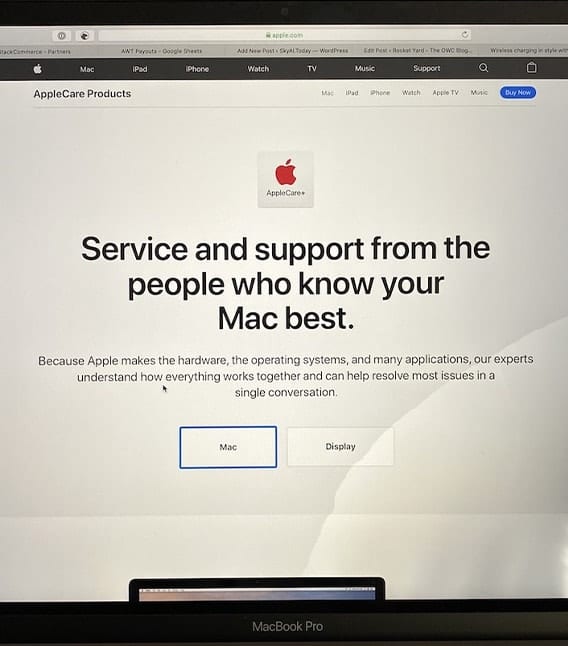
Picxture of damaged macbook pro screen woth apple service page loaded

Water and MacBooks Don’t Mix: A Cautionary Tale

December of 2019 marks 35 years since I purchased my first Mac. In all that time, I’ve never had an accident with any of them…but this past Saturday, all it took was a simple bump of a glass of water on my desk, and now my new 16-inch MacBook Pro is “not so new.” I want to share my tale of woe and provide readers of The Rocket Yard with a few tips on what to do to minimize the chances of something like this happening to them.

OWC Think Green with wind turbine

Changing the World One Drop at a Time

On any given day, people wake up with a purpose and a drive towards some goal or objective. We make the best decisions we can for ourselves, our families, and those that depend on us. We try and choose the best technologies and providers of our technology needs, and to have the best tools at our side as we pursue our goals. Sometimes that means working to persuade our company, workplace, or boss to understand a better way. OWC chooses Apple because of consistently reliable and safe operating systems, great software, and quality that lasts. PCs are catching up, and that's a good thing, but this isn't a Windows vs. Mac issue. It's much more than that...

macOS Snapshots

Working with macOS Snapshots

Snapshots are a feature of APFS (Apple File System) that has been part of the macOS since High Sierra. A snapshot captures the state of an APFS formatted drive, and preserves all the files on the drive, as they appeared when the snapshot was taken. If you ever need to, you can roll back the drive to its previous state. In this Rocket Yard guide, we're going to take a look at APFS snapshots, how they’re created, managed, and deleted, as well as the advantages and disadvantages of snapshots.

Adobe Creative Cloud Folder with text saying "Creative Cloud 2020"

Adobe Creative Cloud 2020

Earlier this week, Adobe launched the latest version of the Creative Cloud suite, CC 2020. While we plan to offer a more detailed look at a later time, including the possibility of a couple competitive reviews (think Affinity apps), this article provides a quick overview. Overall this release is more about the improvement of existing functions and added stability and less about headline features. While that’s not as exciting to the average user, this approach is not a bad thing. For years, many long-time users complained that Adobe fell victim to the “feature bloat” trap. They perennially released new features that were designed to wow people (i.e., were easier to market) but which were either not often requested or not fully “baked.” In the meantime, many existing, commonly used features were not evolving.

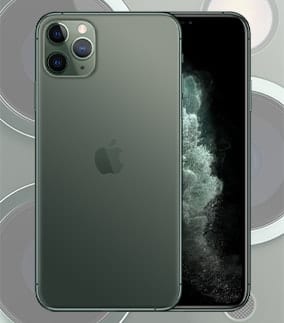
iPhone 11 Pro camera

iPhone 11 Pro Cameras Make It Worth the Upgrade

The three cameras of the iPhone 11 Pro and Pro Max. Image via Apple Many iPhone owners use their smartphone as their only camera thanks to the ease of use of the Camera app and the overall quality of the...

macOS Photos collage of images

Photos in macOS Catalina

The Photos app in macOS Catalina underwent a major upgrade, bringing many iOS 13 Photos features to the Mac OS. And while Photos retains much of the same user interface as recent versions, the entire app feels snappier, while supporting...

Apple TV Icon

The Apple TV App: New, Improved, and On Its Own

If you’ve been wondering about the breakup of iTunes in macOS Catalina into separate apps, each designed for a specific media type, we want you to know you don’t have too much to worry about. The new apps – Music, Podcasts, and...

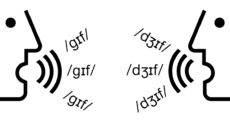
How to Correctly Pronounce “GIF”

I'm on a crusade, so I'll get right to the point. GIF is pronounced like the peanut butter: Jif. You're welcome. It's understandable that one might be tempted to entertain a hard "G" sound considering that GIF is an acronym...

1 34 35 36 62
Page 35 of 62