
Search Results for: High Sierra

Microsoft Edge Insider Channels

Microsoft Edge Browser: How Does It Stack Up on the Mac?

If you’ve been using Macs for a while, you may remember when Microsoft was offering Internet Explorer for the Mac. There was even a 5-year period (1997 through 2003) when it was the default browser for the Mac. Microsoft stopped...
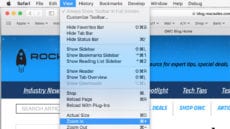

Safari's View menu.

Use Safari to Make Web Pages Easier to See

Have you found that some websites are using text that is too small or too big, forcing you to either squint to see the text, or perform excessive scrolling to take in the entire site? Most browsers have methods to...

In the Vault: How to Encrypt Files On Your Mac

With macOS, it’s (relatively) easy to encrypt files — that is, you can translate your data into a secret code so others can’t view it without your permission.   Encryption is the best way to ensure security and peace of...

macOS High Sierra Siri icon

How to use Siri to find files on your Mac (and Elsewhere)

You can use Siri, Apple’s “personal digital assistant,” to find files on your Mac (and other places). This comes in handy when you can’t remember the full name of a file or where you saved it. First, you need to...

macOS 101: What’s in the Utility Folder, Part 2

Have you ever wondered what’s stored in your Mac's Utilities folder? This folder contains apps that are used to perform a number of interesting chores, from providing basic information about your Mac, to displaying complex mathematical formulas as 2D or...

Login Not Working? Reset Your User Account Password

Your Mac's user account password gives you access to all of your user data as well as many services included with the Mac OS. That’s why if you should ever forget the account password, you may be in real trouble; stuck...

Ride the Waves: 8 Tricks for Better Safari Surfing

Safari is the most popular web browser for the Mac, and why not; it's fast, easy to use, and it comes with every Mac. These eight tricks (sixteen, if you count the tip included with each trick) can make you...

Safari Technology Preview: Is It the Right Browser for You?

Safari Technology Preview, often referred to as STP, is a web browser for the Mac. STP was designed as a testbed to evaluate new browser technology that Apple is considering using in future releases of Safari. Think of it as...

1 10 11 12 27
Page 11 of 27