OWC Install Videos

call usa

1-800-275-4576 U.S.A.

call international

+1-815-338-8685 INTL

M–F 9:00 AM – 6:00 PM CT

15-Inch MacBook Pro (

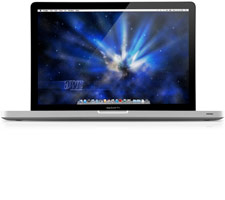
15-Inch MacBook Pro ("Unibody", Early 2011)

Model ID:
  • MacBookPro8,2

Memory Install Video

OWC Skill Level: "Easy"
Duration: 3:55
OWC's step-by-step video of how to install memory in the Apple MacBook Pro 15" (Mid 2012 "Unibody").
Interested in using these videos on your site view our video usage policy.


Recommended Items

1TB OWC Express USB 3.0 Portable External Drive

1TB OWC Express USB 3.0 Portable External Drive

Save on a sleek, portable, bus-powered drive for home or on-the-go

Save $0.96
Add to Cart
1.0TB Seagate 2.5-inch BarraCuda 7200RPM HDD with 128MB cache
Limited Quantity

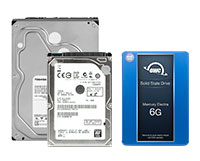
1.0TB Seagate 2.5-inch BarraCuda 7200RPM HDD with 128MB cache

High Performance SATA 6.0Gb/s with 128MB Cache. Ultra-slim 7mm.

$99.95
Limited Supply, Only 11 left!
Add to Cart
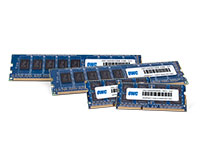
16GB (2 x 8GB) OWC 1600Mhz DDR3 Kit for most 2012+ Macs

16GB (2 x 8GB) OWC 1600Mhz DDR3 Kit for most 2012+ Macs

For iMac, Mac mini, and MacBook Pro (non-Retina). Upgrade RAM for more performance!

Save $3.20
Add to Cart
NewerTech Voyager Dock for 2.5" & 3.5" Drives

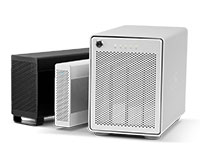
NewerTech Voyager Dock for 2.5" & 3.5" Drives

Plug-and-play USB 3.0/2.0 drive dock for 2.5" & 3.5" SATA HDDs & SSDs

Special Offers
Add to Cart

DISCLAIMER: Although every effort is made to provide the most accurate and useful information in OWC Videos, no warranty, expressed or implied, is made regarding accuracy, completeness, reliability, or usefulness of any information. Models used for demonstration on Videos may vary from that used by you. You use the Videos at your own risk, and you agree OWC shall not be held liable for any use of the information contained in OWC Videos. Your use of OWC Videos is expressly subject to the complete Site Terms and Conditions available at: http://eshop.macsales.com/service/terms
This item has been added to your cart