



How to Add and Remove Devices From Your Apple ID On a Mac
You can add and remove your various devices from your Apple ID device list on your Mac. This comes in handy when you buy a new device, replace an old one, or sell a device.




You can add and remove your various devices from your Apple ID device list on your Mac. This comes in handy when you buy a new device, replace an old one, or sell a device.
These keyboard shortcuts can help you navigate faster through tabs in macOS Safari.

QuickTime player in macOS natively supports different playback speeds. Here's how to adjust it.

Recently, I launched Photos on my Mac to edit some photos and videos from our church basketball season. Evidently, my photos weren’t syncing properly.

Tired of gaming with a keyboard on the Mac? Here's how to connect your PS5's DualSense controller.
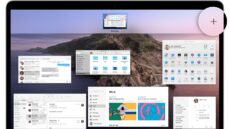
With Mac OS X El Capitan, the Mission Control feature was streamlined to make it even easier to see and organize everything you have open on your Mac.

