X

Send us a Topic or Tip

Have a suggestion for the blog? Perhaps a topic you'd like us to write about? If so, we'd love to hear from you! Fancy yourself a writer and have a tech tip, handy computer trick, or "how to" to share? Let us know what you'd like to contribute!

Thanks for reaching out!

Dennis Sellers

Dennis Sellers
510 posts
Contributing Author
Dennis has over 40 years of journalism experience and has written hundreds of articles. For the past 20-plus years, he's been an online journalist, covering mainly Apple Inc. He's written for MacCentral, MacWorld, MacMinute, Macsimum News, Apple Daily Report, and is now contributing editor at Apple World Today.

How to Handle App Downloads and App Permission Requests on Your Mac

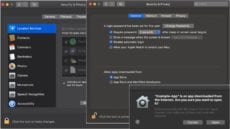
Starting with macOS Catalina, your Mac really, really, really wants to make sure you’re only working with safe software. That’s why you’re probably getting lots of dialogs from apps asking for permission to access different parts of your Mac’s operating system or hardware, update you with notifications, and perhaps to access your contacts, photos, and more.


How to Use the Summarize Service for Articles and Web Pages on a Mac

The macOS has a Summarize Service that provides you with the gist of an article or web page. And it’s customizable. You can pick paragraphs or sentences, and adjust the length of the summary. The length can range from a simple outline to a CliffsNotes-like version (you remember CliffsNotes from high school, right?) of selected text.

use icloud keychain

How to Enable iCloud Keychain on Your Mac

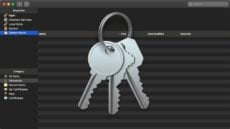
Keychain Access is a macOS app that stores your passwords and account information. If you enable iCloud Keychain, you can share keychains with all your other Apple devices.

Keychain Access: You Can Store More Than Passwords

Keychain Access on the Mac is a great tool for storing passwords (which means fewer to remember). However, did you know it can do much more, such as store strong private notes and certificates?

1 56 57 58 85
Page 57 of 85