Search Results for: High Sierra

Top Thunderbolt Questions

Top 14 Questions People Ask About Thunderbolt Answered

Admittedly, this Thunderbolt article has an odd title. But it's not random... Keith Shively and I meet every-other Friday to discuss how the blog is doing. We go over more statistics than you can imagine – what the traffic patterns...


Apple’s Privacy Report, Safari 14, & You.

Apple takes your data security and protecting your privacy very seriously. Unlike other tech giants who are in the business of selling your data, Apple is in the business of protecting it – seemingly at all costs.

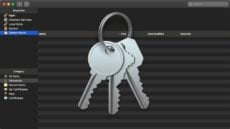
Keychain Access: You Can Store More Than Passwords

Keychain Access on the Mac is a great tool for storing passwords (which means fewer to remember). However, did you know it can do much more, such as store strong private notes and certificates?

Activity Monitor – CPU & Memory

Using Activity Monitor Part 1: CPU and Memory

Activity Monitor is one of my favorite apps, although when my Mac is running as it should, I hardly ever use it. But when there’s a need to troubleshoot problems, check performance, or see if an upgrade, such as additional RAM or...

Padlock and keys

Generate a Memorable Password in macOS with Password Assitant

Are you tired of trying to come up with a unique and memorable password? Not entirely happy with Safari's auto-generated passwords? Well, you may not be aware of this, but your Mac has a potent password generator built right in called Password Assistant. Its location is not very obvious, and you need to dig a little bit to get to it, but it's well worth it!

how to pip

How to Use the Picture in Picture (PiP) Feature on Your Mac

macOS (Sierra and higher) offers a convenient — and fun — Picture in Picture (PiP) feature. You can “float” a video window from Safari or iTunes over your desktop or a full-screen app.  You can play the video in any...

1 21 22 23 27
Page 22 of 27