Search Results for: High Sierra

10 Non-Intrusive Security Changes in macOS Catalina

macOS Catalina has some interesting new features, including Screen Time and Sidecar, and new apps, including Music, Podcasts, and Apple TV, that essentially replace iTunes. But behind the scenes, macOS Catalina has a number of new security features designed to...
How to Use Apple Maps to Get from Here to There

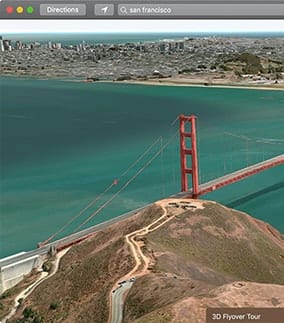
The Apple Maps app has been included with the Mac OS since the release of OS X Mavericks. The Maps app provides mapping services that include directions, turn-by-turn navigation, transit time for car, public transit, and walking, 3D modeling of...

Expert Tips for Setting Up & Using Mission Control on a Mac

Mission Control, originally released with OS X Lion, allows you to organize your windows, apps, and virtual desktops, as well as run small apps known as widgets, in a dedicated space. If it sounds like Mission Control is the Mac's...

Mac Dictation

How to use the Dictation features on your Mac

Remember MacSpeech Dictate and Dragon Dictate? Once they were the methods you had to use for dictation on your Mac. Now it’s something you can do with an Apple desktop or laptop right out of the box. But first a...

How to Add a Smart Folder to the Dock

Smart folders and the Dock just seem to be made for each other. You can configure a smart folder to display just the files or folders that meet your specific criteria. Need a folder that just shows the image files...

Finding and Banishing Problematic Apps on Macs

Last week the Rocket Yard showed you how to pinpoint troublesome iOS apps -- using too much power, consuming your storage, or crashing frequently -- and remove them from your device. Today, we'll show you how to do the same...

1 22 23 24 27
Page 23 of 27