



Tech 101: How to View ‘Hidden’ Files on a Mac
When you look inside a folder on a Mac, you see a collection of files and folders that can be acted upon -- you can open files and folders, delete them, move them, and so on. But did you realize that...



When you look inside a folder on a Mac, you see a collection of files and folders that can be acted upon -- you can open files and folders, delete them, move them, and so on. But did you realize that...
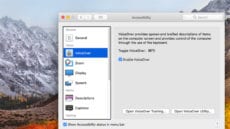
Last week, we started our foray into the Mac's Accessibility features with an overview of the services available, and a look at the General category, which provides quick access to many of the Accessibility features. If you would like to...

This is the first in a series of articles that will explore the Mac's built-in accessibility features that are designed to make using a Mac as easy as possible for everyone. Is the mouse cursor a bit too small? You...
In a recent article on the company’s blog, Mike Bombich of Carbon Copy Cloner shared an APFS bug that can cause the loss of data when writing to images. Bombich describes the bug at length in the blog article and...

A few weeks ago, The Rocket Yard ran an article detailing the many services that will be removed from macOS Server in the near future. Today, I'll discuss how to bring back one of those services -- web hosting -- using...
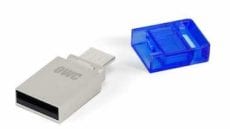
Do you have a few USB flash drives lying around? Chances are you have at least a couple, or maybe even a small drawer full of them. In my case, I have about a half dozen, with no specific use...

Safari Technology Preview is yet another browser available for your Mac, but this special browser lets you see into the near future. Even better, you can bend the future to your will. If that sounds a bit fantastic, it’s because...

Do you keep your Macs for longer periods of time than do most of your friends? I've been accused of hoarding my old Macs; for example, keeping an original 2006 Mac Pro running long after it should have been retired....

There comes a time in the life of just about every Mac where its usefulness has become limited or it will be too expensive to repair or update, so you decide it's time to sell it or give it away....

