



12 Days of Backups: Day 1 – Time Machine
Our 12 Days of Backups series teaches you how to back up your Apple devices. Day 1 highlights using Time Machine for the Mac



Our 12 Days of Backups series teaches you how to back up your Apple devices. Day 1 highlights using Time Machine for the Mac

macOS (High Sierra and later) allows you to focus on apps in Full Screen or Split View mode (though some third-party apps may not support these features). Here’s how it works in macOS Big Sur.
Data privacy concerns have really come to the forefront in the past few years. From the implementation of GDPR to Apple's Privacy Report introduced in Safari 14, we have more visibility and control of our browsing information than ever. We...
As you may recall, I've offered several solutions for creating virtual machines on M1 Macs. UTM, for example, is a low-cost way to run Windows and Linux on Apple Silicon. Earlier this month, Parallels released Parallels Desktop 16.5, offering native...
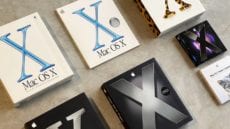
March 24, 2001, was a banner day for Mac users. On that day, twenty years ago, Apple introduced the next generation of the Mac operating system – Mac OS X 10.0 "Cheetah." The introduction was no small matter, as it...

This poor MacBook Air is experiencing the "white screen of death" From time to time, you may experience one of the more frustrating Mac glitches – a white screen during boot. Usually, this rare bug happens after updating macOS to...

You often have one chance to get a really good picture. That makes it upsetting when an opportunity is lost because tapping the Camera app shutter button blurred a photo. With this short tip, I'll offer two methods of using your voice to take a picture with the Camera app.

I have a very embarrassing admission to make: after 33 years of being a Mac user, I was completely stumped when I recently tried to force quit and restart my 2017 MacBook Pro with Touch Bar. Fortunately, I was able...

Apple beefed up its privacy features in Safari 14. Among them, the Safari web browser gets a Privacy Report feature that expands on the company’s Intelligent Tracking Prevention functionality and is available in macOS Mojave, Catalina, and Big Sur. Some...

