



Why Your Video Team Needs Shared Storage
Understand the 8 benefits of a shared storage system and learn how a NAS can improve team productivity and collaboration.



Understand the 8 benefits of a shared storage system and learn how a NAS can improve team productivity and collaboration.
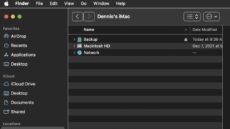
The macOS Finder is the default application for viewing and working with files on your Mac. However, a feature called Path Bar can also be useful.

Just about all new Macs come with solid state drives (SSDs). Learn how to check the health of your Mac SSD using three different methods.

Having Mac performance issues? You may be running out of RAM. Here are some tips on how to free up RAM on your Mac.

You may have heard the term NFC (Near-Field Communications) used when describing iPhone features. NFC has been in each iPhone since iPhone 6. NFC is used for the setup of Apple devices by placing them near each other, as well...

Many of our clients have successfully used Jellyfish Remote Access to manage media and projects on their Jellyfish remotely during COVID lockdowns. In the past year, quite a few productions, including feature films and tv-series have also been completely edited off-site and collaboratively...

Macs can operate in macOS Recovery Mode, which allows you to run emergency maintenance on your desktop or laptop. It’s a special mode that loads native recovery tools that help you restore from a Time Machine backup, get help online,...

Welcome to this edition of OWC in the Press: News and Reviews, where we showcase some of the latest headlines and most helpful articles from publications across the globe. This week we have some fantastic pieces from Macworld, Windows Central, Terminal Gamer, New York Times, ZDNET and Creative Bloq.

Though Apple slowly phased out optical drives from its Mac lineup over the years, you might still have a MacBook or desktop Mac with a disc drive. You might also have an external solution with a CD/DVD/Blu-ray drive. At some point, there’s a chance that a CD, DVD or Blu-Ray disc is going to get stuck in your Mac or external optical drive. Fortunately, there are some simple steps that can be taken to force eject a disc that’s stuck.

