Search Results for: wi-fi

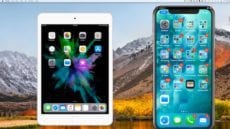
An iPad mini and iPhone X mirrored to an iMac with Reflector 3

Tech 101: How to Mirror More Than One iOS Device to a Mac or PC

(Mirroring an iOS device. Image via AirSquirrels.com.) When teaching other people about iOS, demonstrating usage of various iOS devices, screencasting, or podcasting, it's often useful to be able to mirror iOS devices to a Mac or PC so that the...

Tech 101: Spoofing a MAC Address in macOS High Sierra

In this article, we’ll show you how to spoof a MAC address on a macOS computer running High Sierra. This is a technique for changing the factory-assigned physical Media Access Control (MAC) address of a network interface on a networked...

Tech 101: Preparing a Mac For a New Owner

There comes a time in the life of just about every Mac where its usefulness has become limited or it will be too expensive to repair or update, so you decide it's time to sell it or give it away....

The Utilities Folder

New to Mac? Here Are 5 High Sierra Utilities You Should Know

If early sales figures are any indication, many shoppers purchased Macs during the recent holiday season. That’s not a surprise: sales of Macs have been rising for years as people decide to extend the Apple user experience they’ve come to know...

The First Five Things You Should Do With A New Mac

Perhaps you're getting a new Mac over the holidays. Whether it's a sleek MacBook or MacBook Pro, an iMac, or perhaps a powerful new iMac Pro, we'd like to start off the relationship with your new Mac on the right foot. To do...

A Complete Guide to Universal Clipboard in macOS High Sierra

Are you familiar with Universal Clipboard? It's a feature of Apple's Continuity initiative, making it possible to copy text, photos and videos from one Mac to paste them to another. With the release of macOS High Sierra, Apple added the...

1 20 21 22 35
Page 21 of 35