Rocket Yard

Tech Tips

Tech tips and how to’s. All the great, timeless reference articles we have.

two-factor authentication on an iPad and iPhone

How to Implement Apple’s Two-Factor Authentication on a Mac

Two-factor authentication is an extra layer of security for your Apple ID designed to ensure that you're the only person who can access your account, even if someone knows your password.  Here are the steps to enable two-factor authentication on a Mac: Go to "Apple () menu > System Preferences > Apple ID > Password & Security."Click "Turn on Two-Factor Authentication."...

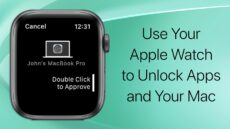
Use Your apple watch to authenticate your mac

Use Your Apple Watch to Authenticate Passwords & More on a Mac

With macOS Big Sur (and Catalina), you can use your Apple Watch  to authenticate passwords or approve app installations when you double-tap on the Side button. This is especially handy on Macs (mid-2013 and later) that don't have Touch ID, which...

Pairing an Apple Pencil to an iPad

Apple Pencil Troubleshooting

I can't say that I'm a huge fan of the Apple Pencil. I'm not an artist by any stretch of the imagination, and I find it easier to use a trackpad for photo touchups. However, the announcement of iPadOS 15...

apple music logo with dolby atmos logo for spatial audio

How to Use Spatial Audio With Dolby Atmos in Apple Music on a Mac

On May 17 Apple announced that Apple Music was bringing “industry-leading sound quality” to subscribers with the addition of Spatial Audio with support for Dolby Atmos. It’s here now and can be enjoyed on a Mac, iPhone, and iPad. What is...

1 116 117 118 327
Page 117 of 327