Rocket Yard

Tech Tips

Tech tips and how to’s. All the great, timeless reference articles we have.

How to Use the All-New Safari Extensions in macOS Big Sur

An all-new extensions category on the App Store showcases Safari extensions with editorial spotlights and top charts, making it easier to discover great extensions from developers. All extensions are reviewed, signed, and hosted by Apple for your security. But let’s back up. What is a Browser Extension? A Safari web extension adds custom functionality to the web browser. They can show...

An OWC Mercury Elite external drive with an iPad and iPhone showing the Copy That app

How Do You Connect External Storage to Your iPhone & iPad?

Earlier this week, we announced our new iOS & iPadOS app called Copy That. It lets you easily copy photos and videos from your iPhone or iPad to an external storage drive. You can select what you want to copy, how...

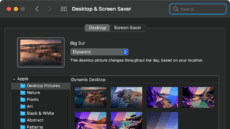
macos big sur desktop preference window

How to Set Up Dynamic Desktops in MacOS Big Sur

Along with lots of other changes in macOS Big Sur is the addition of four new wallpapers of the Big Sur coastline. You can make them your desktop picture or choose from dozens of other wallpapers or photographs. (By the...

Tapping the back of an iPhone

Back Tap: Automate Your Life with this Handy iOS 14 Feature

Exploring the features of a new OS release is like visiting a part of the world you’ve never seen before. One feature I recently discovered in iOS 14 is Back Tap. It’s an accessibility tool but surprisingly useful in many ways....

1 133 134 135 326
Page 134 of 326