Rocket Yard

Tech Tips

Tech tips and how to’s. All the great, timeless reference articles we have.

Hover Text: Visual Accessibility Tips Everyone can Use

Today I'm going to talk about an accessibility feature in macOS Big Sur and Catalina that can make it very easy to see the text on your screen – especially if it's in tiny letters that are hard to read. This feature is called Hover Text, and it's not just for those who are sight-impaired.
Big Sur Maps

How To: Tips for Using the New Maps App on Your Mac

The revamped Maps app in macOS Big Sur includes more options to help you explore new places and share what you find, see detailed indoor maps of major airports and shopping centers, see a 360-degree view of a destination, and...

macos big sur notes icon with red pin

How to Pin a Note (and More) in macOS Big Sur

The macOS Notes app has, for some time, allowed you to pin notes so that they’ll always appear at the top of your listing. With Big Sur, you can expand or collapse the list of pinned notes with a double...

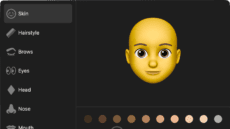
macos memoji messages

How to Create Memoji in Messages on macOS Big Sur

With macOS Big Sur, you can create and edit your own Memoji in Messages – a special type of emoji that reflects who you are. Apple’s Animoji allows a user to choose an avatar (e.g., a "puppet") to represent themselves. Memoji...

Apple Maps New Orlean's Best Photo Spots

Apple Maps Guide: Using Curated Guides and Creating Your Own

With signs that COVID-19 vaccines are starting to be distributed, there's hope that 2021 may see more travel. One great way to prepare for trips to a location, or to help friends and relatives who may be traveling to your...

1 132 133 134 326
Page 133 of 326