Search Results for: Look video

iMac, Mac Pro, and Mac mini

PROpinion: Which Used Mac is Right for Video Editors?

As a video editor, your computer is the lifeblood of your workflow. Without the right computer, you might be sitting through sluggish playback, long renders, or even software that simply won’t even function. But as we all know, a brand-new...

A group of video editors work on a project together using a Jellyfish workflow server.

Introducing: The Jellyfish Shared Video Storage Solution

Organization is key to any work environment, especially video editing. Imagine that you are about to sit down and do a thousand-piece puzzle, and you have a clean coffee table that isn't cluttered. You sit down, and all you have...

white-tailed deer in green grass

How to Edit Videos in macOS Big Sur’s Photos App

The Mac ‌Photos‌ app in macOS Big Sur adds the ability to edit videos. You can adjust parameters like light and color, add filters, and crop and rotate videos without having to use a third-party app. If you need to...

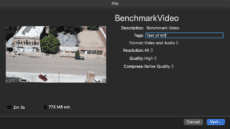
M1 Video Benchmark

VIDEO TEST: M1 Air Beats 16-inch MacBook Pro

Over two weeks of hands-on experience with the M1-powered MacBook Air has taught me one important lesson: never judge the capabilities of a computer by its size. What prompted writing this article? A Universal version of the Blackmagic Disk Speed...

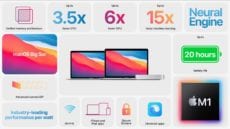
One More Thing… A Closer Look at the November 2020 Apple Event

As a person who has used Macs since December of 1984, I found the "One more thing" event to be one of the most exciting Mac events since the original Mac introduced itself to the world on January 24, 1984. Let's take a look at the announcements made on November 10, 2020, and what they mean to Mac users.

1 5 6 7 114
Page 6 of 114