Search Results for: Sierra

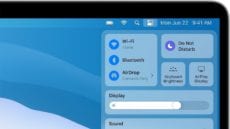
How to Turn on ‘Do Not Disturb’ in macOS Big Sur

If you’re working on a business report, writing the Great American Novel, or just trying to watch a movie on your Mac, you don’t want notifications distracting you from your work or entertainment.  No problem! You can use macOS Big...

Top Thunderbolt Questions

Top 14 Questions People Ask About Thunderbolt Answered

Admittedly, this Thunderbolt article has an odd title. But it's not random... Keith Shively and I meet every-other Friday to discuss how the blog is doing. We go over more statistics than you can imagine – what the traffic patterns...

How to Use the Privacy Report in Safari 14

Apple beefed up its privacy features in Safari 14. Among them, the Safari web browser gets a Privacy Report feature that expands on the company’s Intelligent Tracking Prevention functionality and is available in macOS Mojave, Catalina, and Big Sur.  Some...

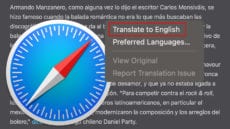
How to Use the Built-In Translator in macOS Big Sur’s Safari

With macOS Big Sur, you can translate entire web pages in Safari. When you encounter a compatible page, just click the translation icon (see in the graphic below) in the address field to translate into English, Spanish, Chinese, French, German,...

How to Use the All-New Safari Extensions in macOS Big Sur

An all-new extensions category on the App Store showcases Safari extensions with editorial spotlights and top charts, making it easier to discover great extensions from developers. All extensions are reviewed, signed, and hosted by Apple for your security. But let’s back...

Notification center widgets in macOS Big Sur

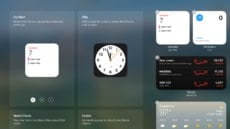
How to Use the Revamped Notification Center in macOS Big Sur

The updated Notification Center in macOS Big Sur includes more interactive notifications and redesigned widgets that come in different sizes. Notifications are automatically sorted by the most recent, and Today widgets — which sport an iOS-is new tool — deliver...

1 11 12 13 36
Page 12 of 36