Search Results for: terminal

Seven More Mac Features You Should Take for a Spin

In an earlier article, we looked at 10 Mac Features You Probably Don't Use But Should. While researching that article we came across a bit more than 10 notable Mac features, so a follow-up article was born. This time, we...

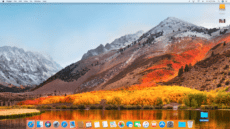
The beautiful default wallpaper of High Sierra

Year in Review: The 10 Most Popular Rocket Yard Posts of 2017

The year 2017 was a big one for tech enthusiasts. New gear and software news – both good and not-so-good – dominated the headlines. So which news articles and tech tips most caught the interest of Rocket Yard readers? These...

How to Format a New Internal SSD in macOS High Sierra

Recently, some OWC customers have reported experiencing a situation where their new SSD will not show up in Disk Utility in High Sierra. Although Disk Utility should always be tried first, a Mac’s Terminal can be used to format the drive...

How to Disable Downloading of macOS High Sierra

If you’re among those who do not want to upgrade to macOS 10.13, MacPerformanceGuide.com has put together a quick guide to disabling the downloading of High Sierra. Check out the instructions below: Open a Terminal window, and paste in the...

Can APFS be used with Time Machine, Boot Camp, and File Vault?

macOS High Sierra contains many new features and capabilities, but APFS (Apple File System) is certainly one of the biggest changes. Changing the primary file system used by the Mac, or for that matter, any computer system is a big...

What to Do When Your Mac Won’t Power Up At All

You just turned on your Mac and all you see is a dark display. That's OK; you know it can sometimes take a little while for your Mac to boot up. But after a minute or two, you start to...

1 11 12 13 19
Page 12 of 19