



Apple Unveils the Redesigned Mac mini with M4 Pro and Thunderbolt 5
Apple's new Mac mini is its most powerful and smallest Mac ever thanks to the new M4 Pro chip and Thunderbolt 5.


Tech tips and how to’s. All the great, timeless reference articles we have.

Apple's new Mac mini is its most powerful and smallest Mac ever thanks to the new M4 Pro chip and Thunderbolt 5.

Apple unveiled the M4 iMacs with sizable performance gains, more ports, and more RAM.

Through updates to iOS, iPad, and macOS, the initial set of Apple Intelligence features are now available. Here's what you can expect.
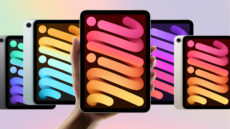
The iPad Mini has a dedicated fanbase. Here's what's new on Apple's latest model.

Linking one note to another is a crucial aspect in many note workflows. Here's how to do it in the macOS Notes app.

Latest is a Mac app that has one job: it will show you available updates for the applications you use on your Mac. Here's why that's so useful.

