Search Results for: video editing

Data that is loved tends to survive

The Benefits of NAS in a Pro Workflow

I'm Luke. Tech fan, engineer, history buff, developer, and closet Sim Racer. I work for Other World Computing as a Product Manager for our networked line of solutions. More specifically, the OWC Jupiter system. Sneakernet “Sneakernet” is a term that...

softRAID 5

OWC Announces SoftRAID Support for Traditional Chinese Language

OWC has announced the availability of SoftRAID 5.8.3, adding full Traditional Chinese support. The SoftRAID software platform now supports seven languages, which are automatically displayed based on each Mac’s language settings. Additional languages supported include English, French, Spanish, German, Japanese, and Simplified Chinese.

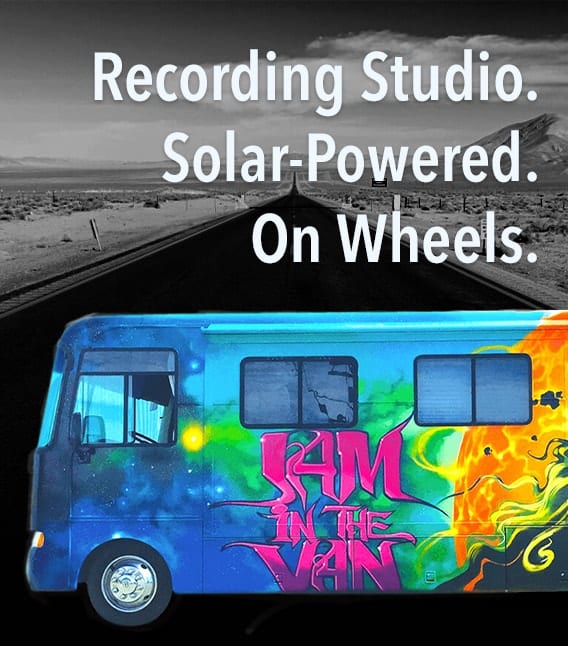
Jam in the Van. Recording Studio. Solar-Powered. On Wheels.

OWC Hits the Road with Jam in the Van

Technology trailblazer, OWC, has announced a new sponsorship for 2020 with Jam in the Van, which kicked off during The NAMM Show, held last month at the Anaheim Convention Center. Jam in the Van is a mobile recording studio that travels the country, showcasing regional music and creating live music videos wherever they go. Formed in 2011, Jam in the Van is a mobile studio functioning as a robust content workspace, video production house, and live event production team. It is also the world's first and only solar-powered mobile recording studio. Focused on changing the way artists share their music, Jam in the Van creates authentic, impactful, and engaging spaces for artists and fans to interact.

macOS Snapshots

Working with macOS Snapshots

Snapshots are a feature of APFS (Apple File System) that has been part of the macOS since High Sierra. A snapshot captures the state of an APFS formatted drive, and preserves all the files on the drive, as they appeared when the snapshot was taken. If you ever need to, you can roll back the drive to its previous state. In this Rocket Yard guide, we're going to take a look at APFS snapshots, how they’re created, managed, and deleted, as well as the advantages and disadvantages of snapshots.

Adobe Creative Cloud Folder with text saying "Creative Cloud 2020"

Adobe Creative Cloud 2020

Earlier this week, Adobe launched the latest version of the Creative Cloud suite, CC 2020. While we plan to offer a more detailed look at a later time, including the possibility of a couple competitive reviews (think Affinity apps), this article provides a quick overview. Overall this release is more about the improvement of existing functions and added stability and less about headline features. While that’s not as exciting to the average user, this approach is not a bad thing. For years, many long-time users complained that Adobe fell victim to the “feature bloat” trap. They perennially released new features that were designed to wow people (i.e., were easier to market) but which were either not often requested or not fully “baked.” In the meantime, many existing, commonly used features were not evolving.

Transparent icon of an iMac and a Rocket

Speed Up macOS Catalina with These Tips

Did you recently upgrade to macOS Catalina? After the initial thrill of seeing a new desktop and exploring new features, did you notice that your Mac isn’t as fast as it used to be? While it isn't normal for the Mac to slow down after a system upgrade, it has been known to happen.

OWC RADiO: Josh Sularski – Creating Amazing Audio

Josh Sularski loves audio. He builds custom microphones in his spare time, when not working on sound for his clients. We talked with him from his boutique studio in Brooklyn, New York, where he focuses on working with independent singer-songwriters....

Mosaic of mac applications you should have

10 Mac Apps You May Not Be Using But Should

We all have favorite apps that we tend to install right away on a new Mac. For the most part, these are the apps we use every day to assist us in how we use our Macs. Your favorites may...

1 38 39 40 51
Page 39 of 51