Finding the right pull down menu item within any Mac app can be tedious, especially when you know the operation you’re trying to perform. Whether its learning a new application or working in an old familiar app, finding the correct menu item via the mouse / trackpad can be time-consuming.
Many of us are already familiar with application launchers such as Spotlight, Alfred, and Raycast. But what if there was a fast search launcher for your Mac menu items?
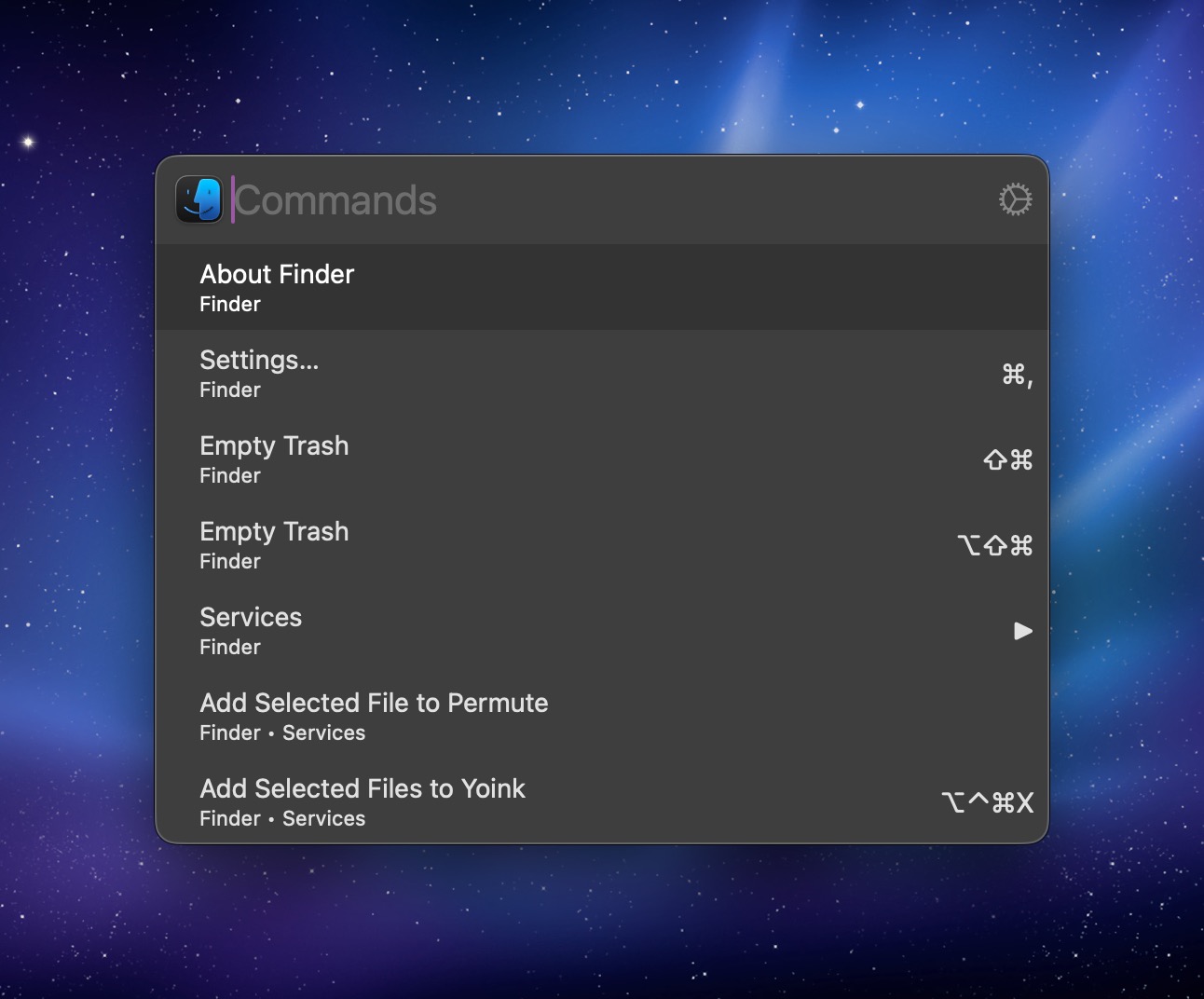
Paletro is just such an app. Using a custom universal keyboard shortcut (Command-Shift-P), Paletro will display a window (aka command palette). Type in your search query, and Paletro will show you relevant menu items for the application you are currently working in. Hit return with your selection and the menu item executes.

The advantage of Paletro is that you no can navigate your menu items without taking your hands off the keyboard. Paletro provides users with custom rules that can affect its behavior. For example, you can enable or disable Paletro on a per application basis. You can even opt to blacklist certain menu items.
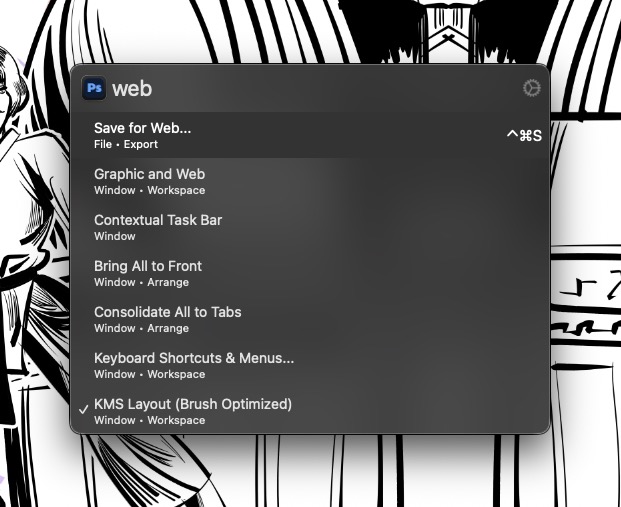
Paletro is great for apps you’re not familiar with, but it’s even better for apps that you use regularly. I use Paletro with Photoshop to quickly access commonly used menu items, all without lifting my fingers off of my keyboard. The advantages are speed and efficiency. Paletro can also serve as a trigger for apps with a non-English interface. (I did not test this.)
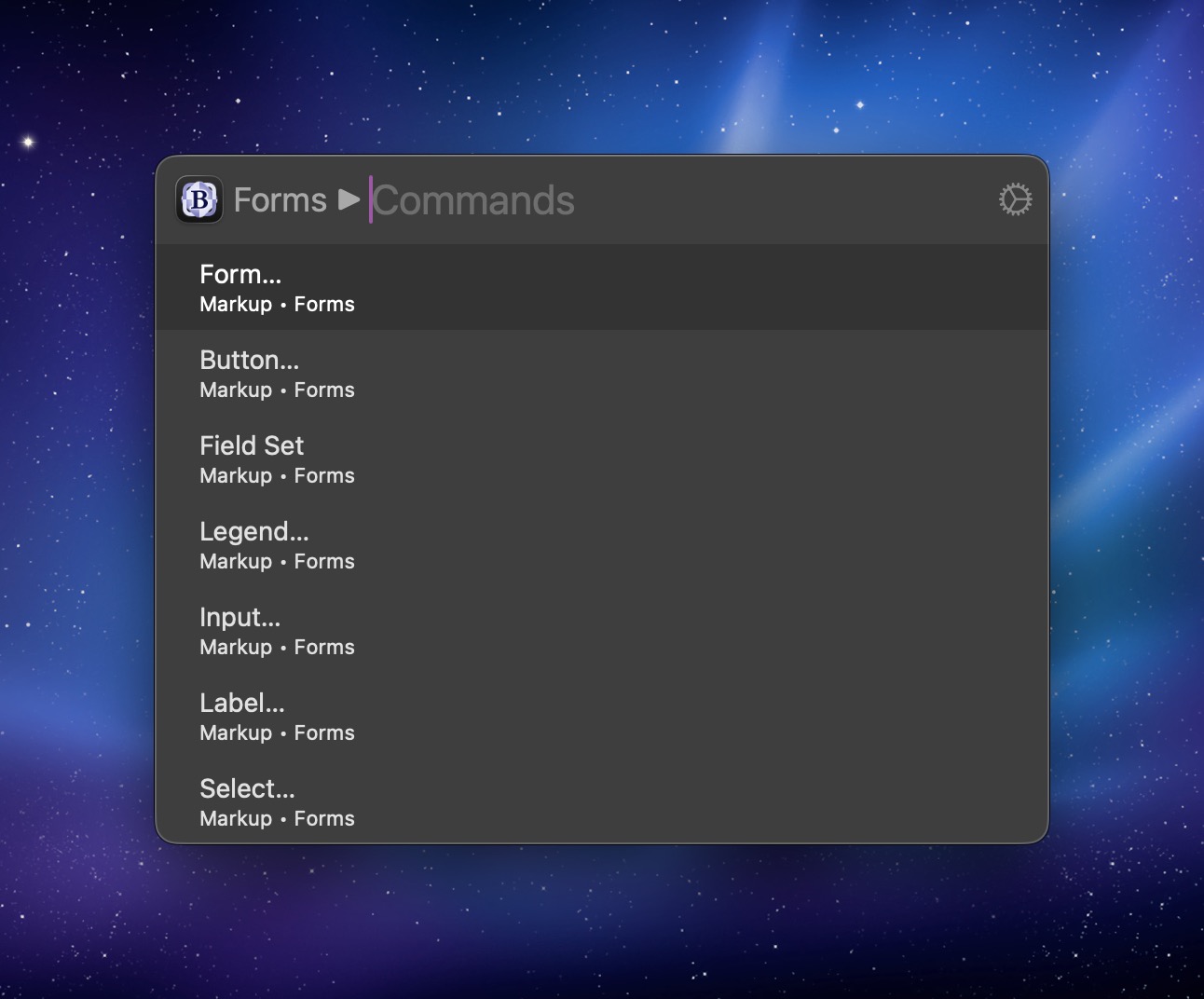
Hitting the Tab key during a search query will allow you access sub-menus within any menu selection. To go back, simply hit Delete or the Esc key.
Paletro is made for Mac power users, but you don’t have to be one to take advantage of what it can do for you. Like Alfred, Paletro offers a few themes to change the application’s appearance. Future versions will allow users to create their own themes.
In my testing, Paletro worked fine on many of the apps I tested, which include Safari, the Finder, Photoshop, Chrome and more. I did run into a slight snag when using the program with MarsEdit; MarsEdit uses the same keyboard shortcut (Shift Command P) to preview a blog post.
Paletro is not a replacement for a launcher such as Alfred or Spotlight; it’s built for searching menu items. And it does that job really, really well.
Paletro comes with a free 14 day trial, so you can see if it’s right for you. Registering the software is $6.99. It’s a price that’s more than fair for the power it brings.