






I don’t listen to music on my Mac very often, and that’s in large part due to Apple Music. If I’m being blunt, I find Apple’s music application irritating at best, and confusing at worst. This is especially true when it comes to organizing and maintaining my music library.
When I refer to “my music”, I’m referring to audio tracks that I have legally purchased. Over the past four decades, I’ve amassed a somewhat decent compact disc collection. I have also purchased many songs directly from the iTunes Music Store, back when individual tracks were 99 cents a pop.
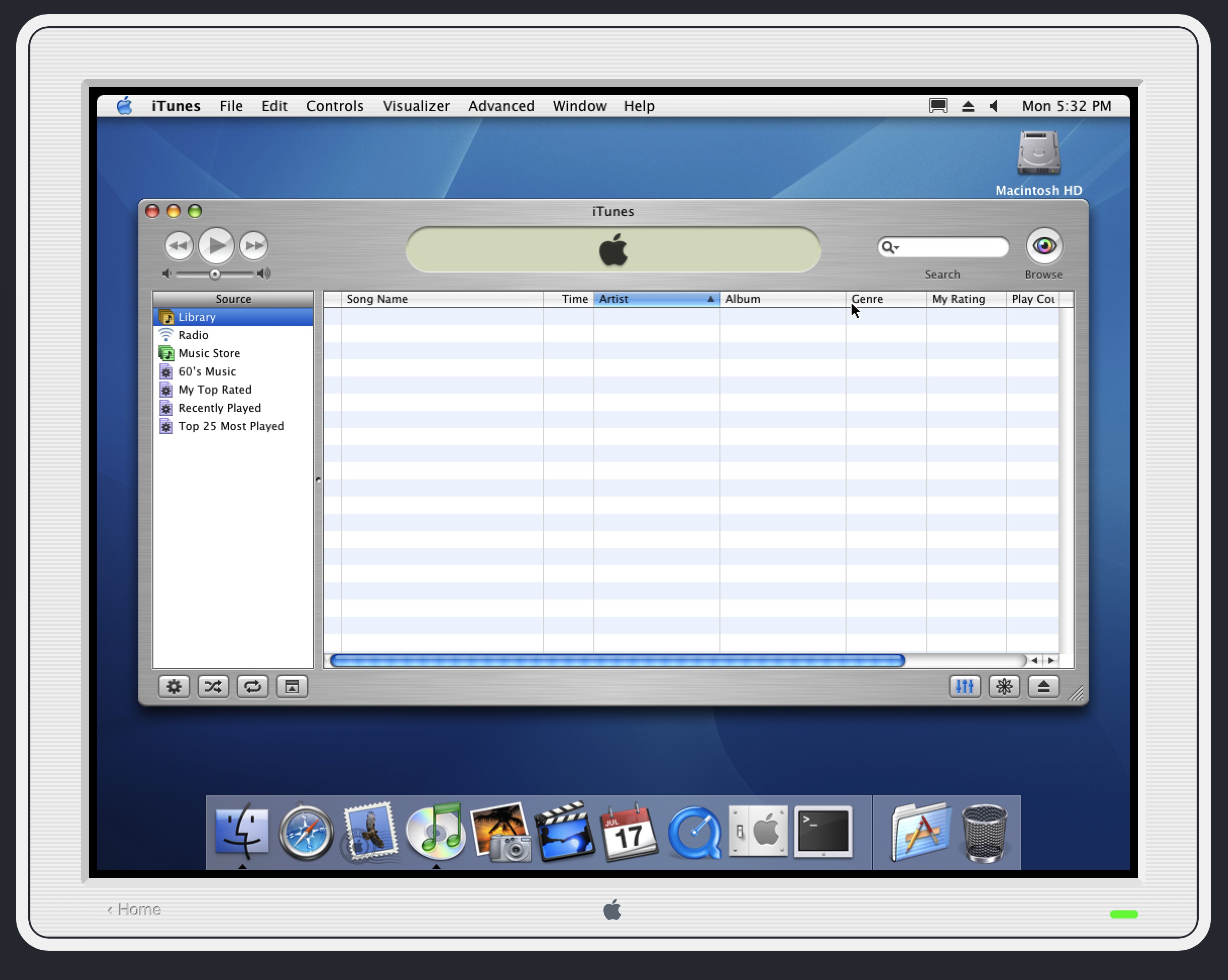
When it debuted, the iTunes music player was fast and intuitive. There was a single location for your music tracks, and you could organize them intuitively. If you made changes to a folder containing an album, it would be reflected in iTunes. There was a clear one-to-one relationship between the music you could play from within iTunes to the music you had on your Mac’s hard drive.
Over the years, iTunes added more complexity, and not in a good way. It started to expand its role, by being a central repository for music, ringtones, audiobooks, and video offerings. It was still useable, but took on a lot of added bloat. When Apple moved towards its own music streaming service and rebranded iTunes as Apple Music, the expectation was that many of these pain points would get sorted. Instead, things seemed to get a lot more complicated.
I’m writing this article having launched Apple Music on my Mac for the first time in two years. That’s how much I hate Apple Music: I avoid launching it whenever possible. When I have to play music, I play it using Apple Music on my iPhone. The experience on that platform is equally annoying, but like most of Apple’s recent software offerings, I have learned to live with it.
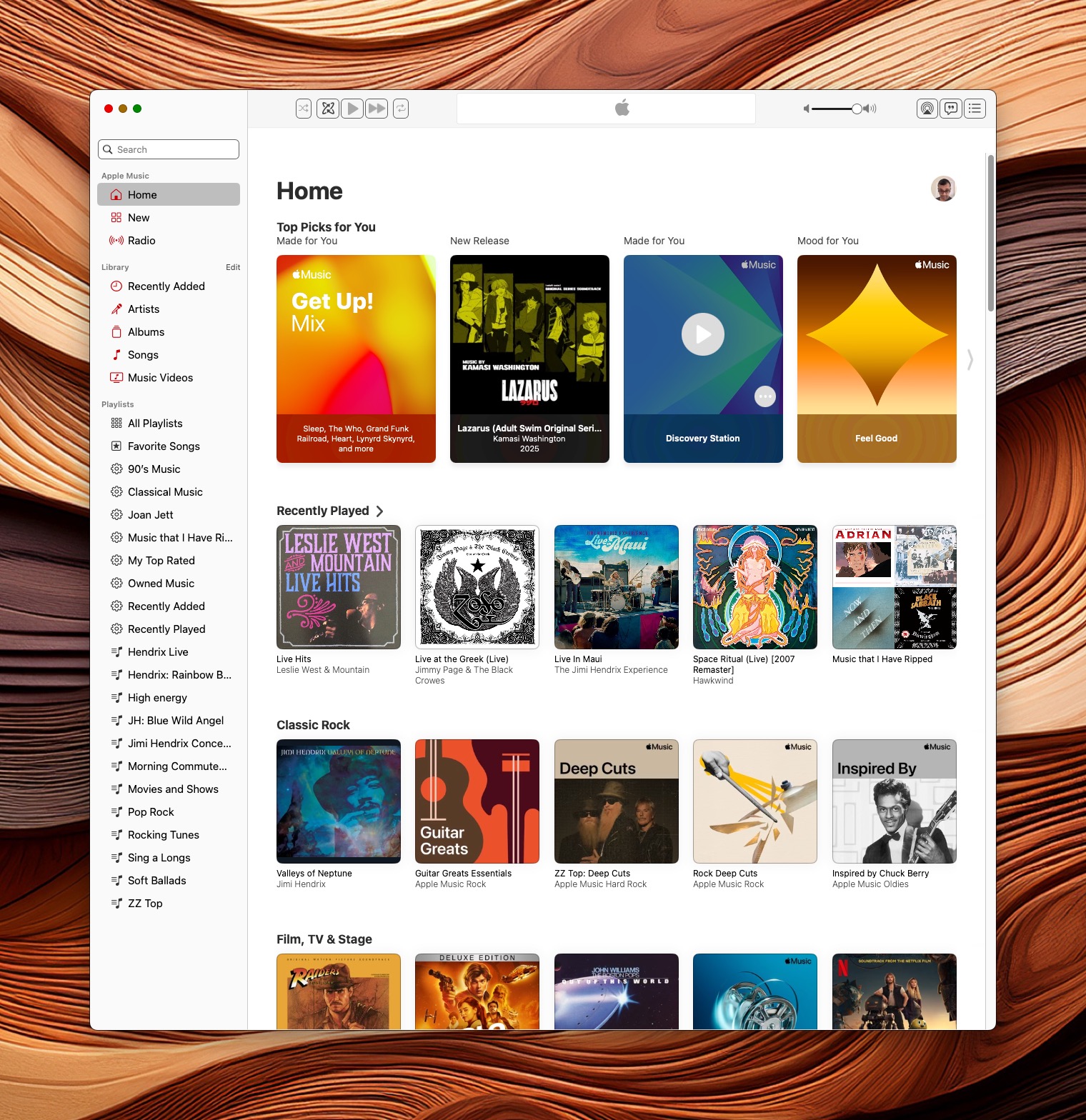
Now that I have offered some generalizations, it’s time for me to get more specific. I’ll preface my outline by stating that some of what I have complained about is probably a setting found within Apple Music itself. Other items are more about how Apple Music works.
Library Ownership Obscurity
The biggest issue I have with Apple Music is that it’s not obvious to easily identify purchased music from streamed music on my Mac.
In preparing this article, I learned that there is a “Kind” column in Apple Music’s listing that identifies the classification for each track. I was able to use this classification to create a custom Playlist. Apple needs to make this easier and more obvious.
Purchased music shows up as one of three classifications:
- Purchased AAC audio file (music bought from Apple’s Music store)
- Matched AAC audio file (where Apple matches tracks you’ve ripped from your own library)
- Protected AAC audio file (music you’ve ripped from CD)
Whereas music that is streamed from Apple Music shows as Apple Music AAC Audio file. One easy solution to make classification more obvious involves your Mac assigning color coded tags next to each track. A green coded track would indicate a purchased track, while a red coded track would represent streamed offerings.
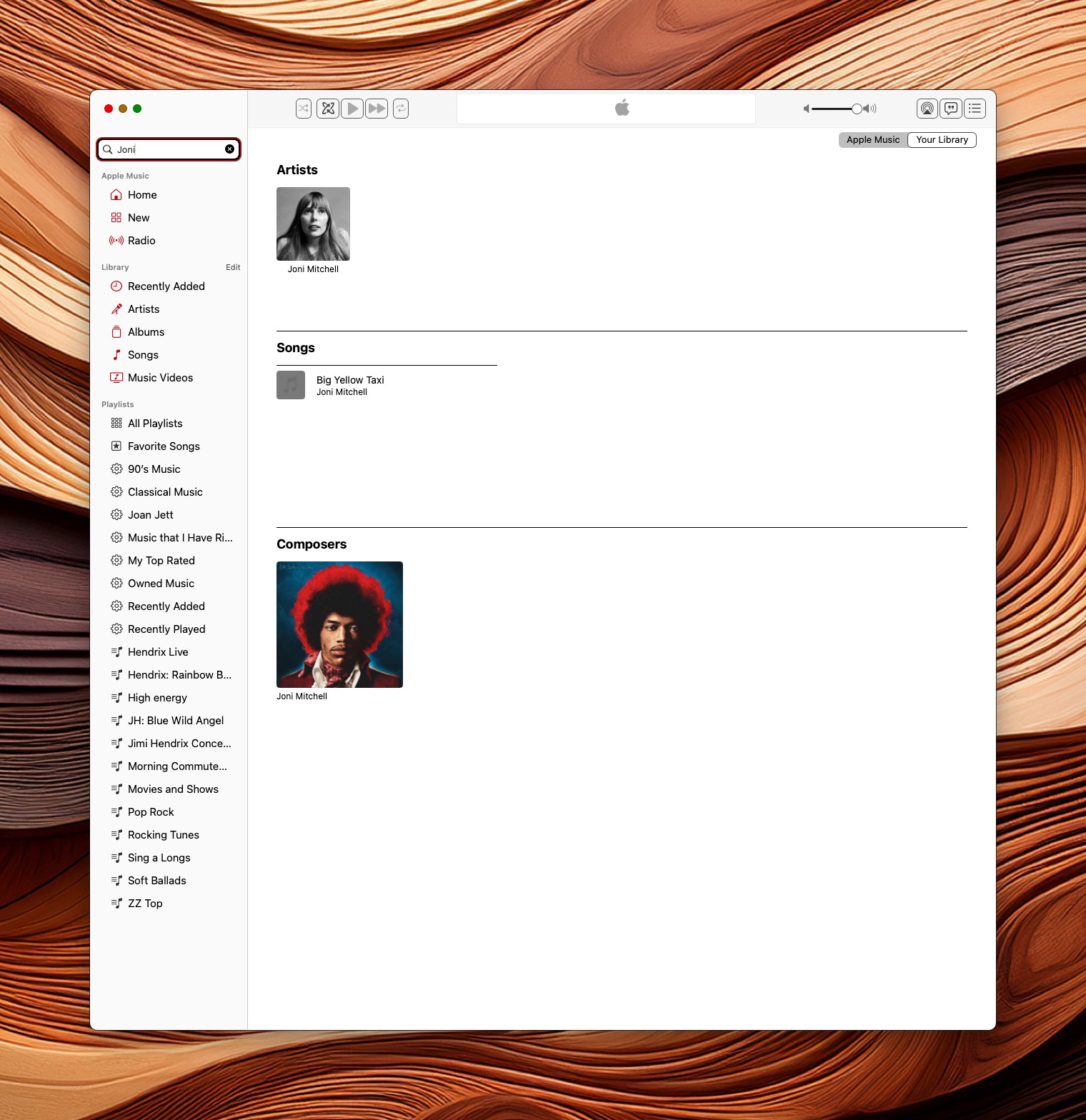
Sync Library Confusion
Inexplicably, there are some songs that Apple Music simply refuses to play. In a given album, 15 out of 16 tracks will play, but one will have a lock icon next to it, indicating that the track is not authorized. What’s interesting is that at one point, years ago, the track in question had no such issue.
I have also run into issues where tracks located on my Mac won’t properly sync to my iPhone and vice versa.
Album Art
Finding album art should simply not be an issue in 2025, but here we are. My music collection includes both official releases and bootleg albums. I can somewhat forgive Apple Music for not finding album art for a rare Jimi Hendrix concert bootleg album, but it’s absolutely unforgivable to omit album art for a popular commercial release, such as “The Doors (In Concert)”.
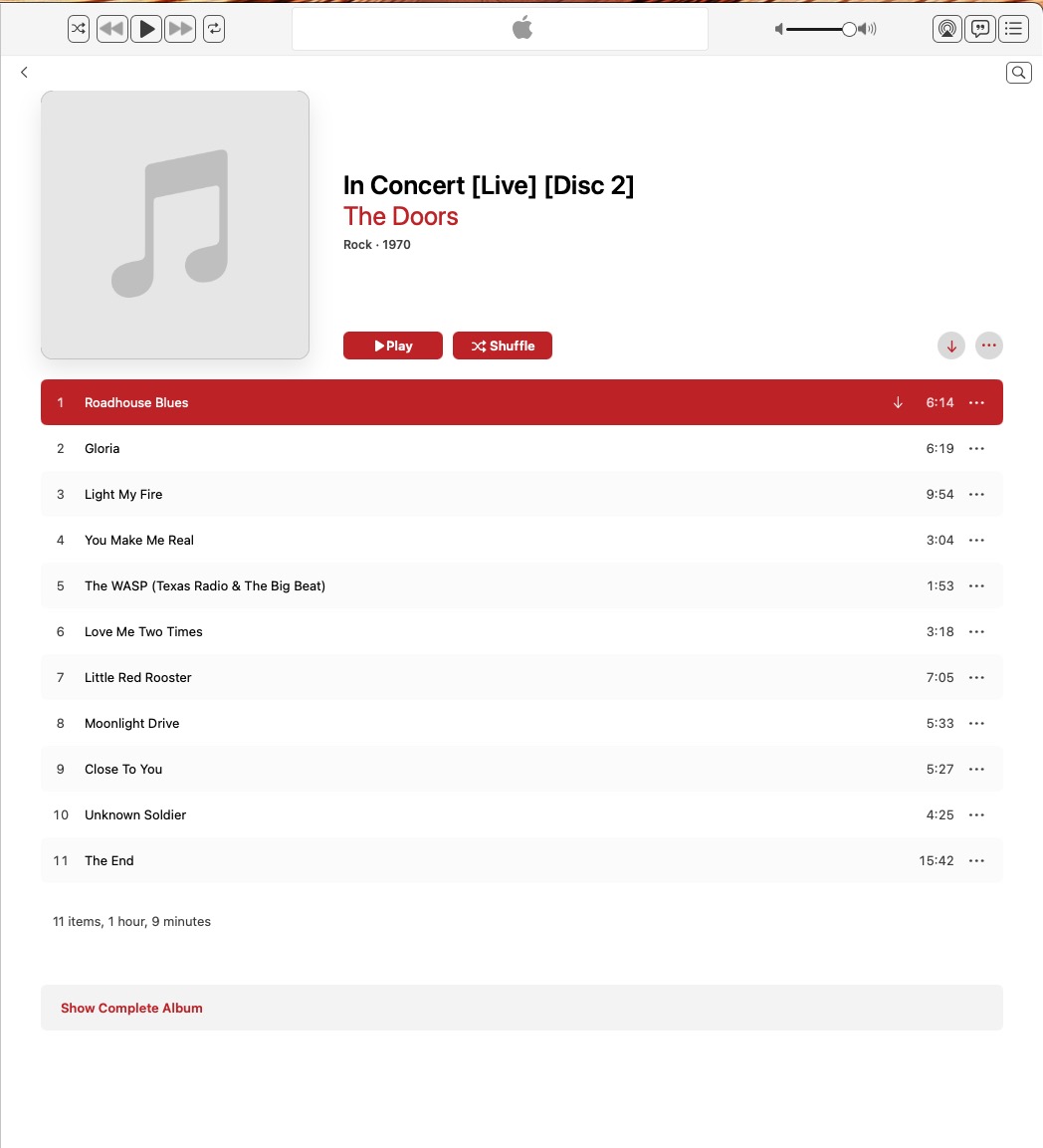
I have run into issues where I have added custom album art for a particular album, only to have Apple Music forget altogether. The issue carries over when synching between devices. Isn’t this what Apple Intelligence should be solving?
While it’s not a hot button issue for me, several music aficionados I know are incredibly frustrated with Apple’s handling of music meta-data.
Another issue that I struggle with in Apple Music is the ability to play music videos. Despite the fact that I have downloaded them from Apple, I am unable to play them on my MacBook Pro.
Baffling.
These are just a few issues I have experienced with Apple Music. I could go on about some of Apple’s generically unhelpful messages like “Something went wrong, please try again.” when trying to solve an issue in Apple Music, but that’s beginning to give me a headache.
In its present state, Apple Music is a loosely functional music app, with a lot of inconsistencies and overhead. The issues I have outlined above have been around for years. Some have had workarounds (both simple and complex), while others are just left as open-ended questions on Apple’s discussion board.
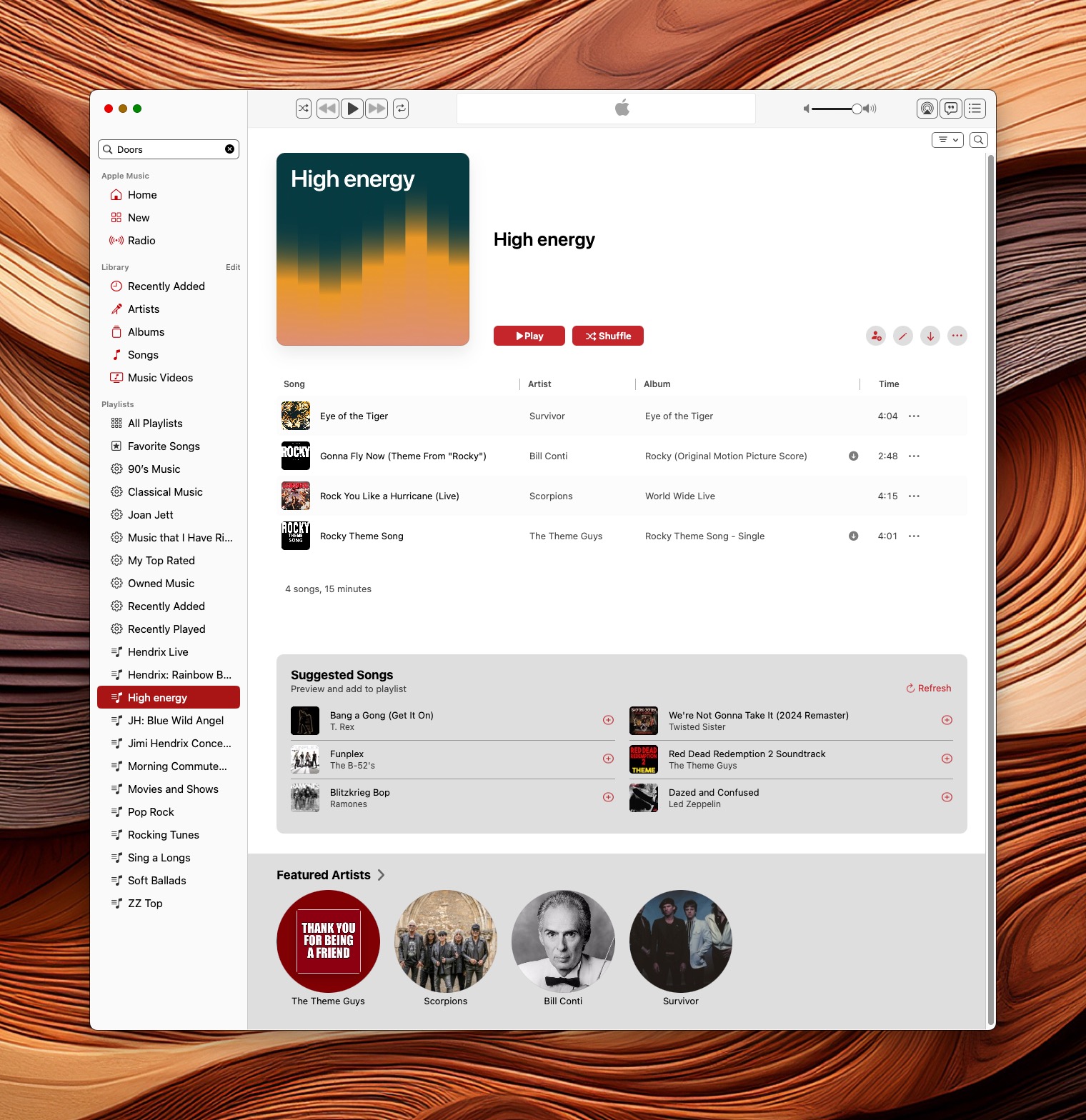
My needs from Apple Music are simple. I want:
- an easy way to distinguish my music from music I am renting from Apple. I would opt for two separate libraries (owned vs. streamed.)
- the ability to play any music track I have legally purchased and ripped to my Mac.
- better playlist management, with support for nested logic
- better album art discoverability
- a clear, consistent and streamlined UI
- a smart search that can search for albums or tracks with clear categories (Library, Apple Music, and Store)
Apple Music should be a delight to use. It should be the gold-standard for organizing one’s digital music library. But it’s not. And let’s be real: I can’t take Apple Intelligence seriously when there are still glaring issues that remain unaddressed in Apple Music.
Those are my thoughts on Apple Music. What are your Apple Music pet peeves? What’s on your Apple Music features wishlist? Sound off in the comments below.
Other Topics You Might Like:
 InfiniteMac: A Browser-Based Journey into classic MacOS and NeXTStep Operating Systems
 First Wave of Apple Intelligence Features Now Available on Mac, iPhone, and iPad





Can we talk about the aesthetics?
I know some people think it’s secondary, but for (slightly neurodivergent) people like me, it’s absolutely key. This app has gone from simple elegance to full-blown Soviet-era 1980s administrative software. I’m half-expecting it to ask me for my passport and three photocopies. All I see is a grey page. I can’t find anything.
And the interruptions! It keeps popping up messages like “ask for permission for this song,” only to tell me after I’ve re-entered every piece of personal information short of my Social Security number that I already had permission. I just want to listen to my music — the music I bought — in a pleasant, coherent interface.
At this point, I’m afraid my only solution is to buy nice shelves and have all my CDs and vinyls shipped here, just so I can interact with something visually appealing again.
Overall, Apple has drifted from “beautiful environment” to “generic everyday interface.” That’s what happens when you expect a visionary’s standard but end up with the bookkeeper edition.
Oh dear. I’m not alone. Apple Music is a mountain of bloat and an endless source of frustration. Hours and hours of my live I have spent organising my own legally bought music collection (ripped frm CDs) only for Apple music to muck my collection to oblivion. Why, for example, a number of albums by one artist are correctly tagged and grouped and show under one artist on mac, then under two artists with the same name when synced on iPhone? The problems on Apple Music are gargantuan, infinite, and unsurmountable.
My only solace is that I am not a subscriber and refuse to be one, so I won’t give them any more dollars.
Problem is I can’t find an alternative I’m confident I can use long term. And mind you, this enshittification is not reserved to the Music App. It has spread to the entire Apple system and apps. Tim Cook ruined the Apple he inherited.
Hello All,
Everything that is being discussed here resonates with me, as I’ve tried to make Apple Music work for my use case with not much success. I, too, have ripped all of my redbook CDs (accumulated over decades) onto my computer using ALAC in the iTunes app. Because I like to play my music locally in each dedicated room, I have a dedicated computer that hosts all of my ALAC music files in each of my “listening” rooms (HT, den, living room, etc.). I feel the music sounds better when played locally than when it’s streamed from network device over NFS/SMB). I also use Audirvana Origin so I like the quality that’s preserved in the ALAC without the network buffering.
Prior to the introduction of Apple Music (AM) I used SuperSync for managing my music files across all of my computers (at the time I had 4 dedicated apple mac minis). However, since the introduction of Apple Music I could no longer use SuperSync, I suspect due to AM not generating and maintaining the XML file that iTunes used to for sharing the music library info with other apps. As others mentioned, when I enabled the AM sync, AM would only make AAC versions of the ALAC files available through their Apple Cloud, which defeats the purpose of all of the ALAC benefits (lossless, bit-perfect storing of redbooks). I used AM for a few months and finally gave up. This was probably 3-4 years ago.
Since then, I’ve been maintaining dedicated mini PCs with SSDs running Windows OS and iTunes for PC. I’ve noticed that if I install either Apple TV or Apple Music on the PCs, the same thing happens where iTunes no longer shows my ALAC files. It’s not until I delete the Apple TV/Apple Music apps that iTunes can see my files again. I know this is a Mac forum, but I figured I’d share my $0.02 regarding my experience with AM and how it drove me to pursue the “other” OS, at least for my digital music.
Absolutely spot on. It’s absolute rubbish. For a company the size of Apple and the technology and “experts” it has available, there shouldn’t be any issues at all. I too have countless songs purchased over the years on Itunes but are unrecognisable by Apple Music. It is one of the most frustrating platforms to use. Happy to take your money but a really poor standard. Need to get their act together and at least recognise Itunes as part of Apple Music with the ability to play the songs you own!!
I totally feel you!
Ive just bought my new MacBook Air M2, previously using a 2015 version on Yosemite, with good old iTunes (which I then upgraded to 12.8, which was a letdown compared to the original version) – and what I can see here?
Something called “Music”. I thought, OK – hope it got improved compared to what I had. But nah, no way!
B4 I do my moaning, I should say I do not use online services – I just wanted my iTunes (or whatever it is now called) to sort my mp3s in a nice, neat way. But thats too much to ask of apple.
Now…
1. No graphics/album cover display available (even if ALL MY mp3 tracks stored on my hard drive do contain them). Really? No simple visuals, which are inherently connected to what youre listening to?!?
2. When introducing a new mp3 cut to the app, it goes to a “song” view, however when u click on an “album” view to see your new songs in that view – well, you ARE getting the album view, but the top of it, on an “A”, but your new song was, say, on a “T” – whats then? Then youre forced to do a manual search for what youre playing to actually see it.
3. Other tidbits of which there are too many to list them all.
In general, the whole thing feels as if they DELIBERATELY made it user-UNfriendly.
And topping it with now infamous tightness of (only two) USB-C ports on my new MacBook Air, not allowing to plug in two USB A adapters at the same time, makes me, a longtime hardline Mac user, to actually begin considering to perhaps get a PC as my next laptop, once this one begins demanding “upgrades” in a few years due to “no longer supporting older versions of the softwares”.
In a nutshell, Apple is becoming a cr4p company. They desperately need a competition to put them straight.
I’m a huge CD collector like yourself, with my collection stretching into extremely rare metal CDs released in the 80s and 90s. iTunes worked for all intents and purposes very well back in the day, where I would just upload a CD into the system, and it would work and play the way I wanted it to, once I’d input the artwork, year, etc. into the properties layer.
The fact that Apple has split this system into three, with “Devices” working separately, and the vestiges of iTunes being the only way to upload CD or vinyl music into Apple Music is a joke. Not only that, but when I try to add new CD music; the entire “Devices” system rewrites my phone and I have to re-upload everything again.
It appears that I will be joining you on this exodus from Apple, but I’m not sure how to convert all of my high-quality AAC (lossless) files to another format that won’t screw up multiple tracks, not to mention artwork, year, etc – and still be able to play on my iPhone.
Totally frustrating!!!!
It feels like they really don’t care. They want you all in on subscriptions. I want a simple to use app to organize my music collection, but that seems stuck on a macOS that probably can’t sync with my latest iPhone and if it can, will most certainly mess something up. I miss the glory days of Apple. I still use iTunes on an old Mac to import CDs and new digital purchases, then a copy them over to a newer M1 MacBook to sync to my iPhone. But sadly most of what I actually do computer and music organizing wise is on a 2010 Mac Pro Tower when the M1 should run circles around it. Truly bizarre.
I am still on iTunes 10 I think. I literally cannot move my library to my new computer. Most of my stuff is 192kbps MP3 because I had the foresight to change that back on my iBook G3 (it would not handle encoding AAC) and I stuck with it, this has the added benefit of being platform agnostic. I have migrated a copy of my library but the music app is literally dead to me you can turn on column browser and turn on and off a whole bunch of other things but everything is so obscured just trust us. I don’t use the streaming function and so many other functions are broken. The ability to open multiple windows ho ho ho multitasking no no no no no no no no that will make the universe blowup we need to be able to make iTunes full screen and hide your menu bar so you don’t know how to get out of it. Which then dictated the design of so many apps when they implemented the full screen app feature (by the way try doing that with two monitors attached… No matter what unless the application supports it you might as well not because I just blanks out the other monitor). I have made the decision and I am working on it slowly I purchased a licensed copy of snow leopard server with the intention of virtualizing iTunes and a handful of other apps the original I work for example on my new systems. I was trying to work with a CD I forget what I was doing with it copy in it to the computer to make a copy for somebody of a speech somebody gave and running into so many annoyances that I’m going to have to move the tracks to a different system to burn them I think.
And still no resume playback for iTunes (renamed as Music now), which was available on SoundJam MP 2.5.3, from which iTunes was developed in 2001. Almost 30 years later, it is not yet available in the latest iTunes/Music.
What I meant is that you are listening a very long playlist of thousands of songs, quit iTunes, reboot the Mac or shut down the Mac. The next time that you open iTunes it starts from song number one again, but you want it to resume from the last song played (say, song number 1456 or whatever). For me that is the most essential feature missing in iTunes/Music.
I don’t limit my disappointment to just Apple Music … Apple Mail, Map, Calendar, as well as Safari are also on my list of disappointment. These apps have become “clunky,” riddled with features (bloatware) most people don’t want or need, but at the same time, these Apple apps lacks features that people do really want, but can only find in third party apps. This is what happens when a company is being run by a book keeper … yes I’m talking about Tim Cook.
Absolutely agree! I wonder if anyone from Apple ever reads these comments? Sending feedback to Apple is an exercise in futility. And I have nothing but negative regard for Tim Cook.
Unnecessarily complex is the kindest thing one can say about the current app. When Music and Podcasts were separated, Music.app lost all my carefully crafted playlists, and Apple decided for some unknown but somewhat sadistic reason to bury the ‘casts deep on the home drive, using cryptic names to further muddy the waters. Way back when I could rate podcasts (mostly “songs of the day”) and save them in my music library, which is stored on an external disk since internal storage on my M1 Mac is prohibitively expensive…
So, what are the alternatives?
I wish I had an alternative to recommend. I’m actively looking for a replacement to Apple Music, but haven’t come across any. I’m open to recommendations.
I’m old enough to remember when Apple bought Soundjam MP and turned it into iTunes. There were plenty of complaints that Soundjam was “better” than the new iTunes; some of the complaints were justified. But iTunes basically matured along with the Mac platform, at least until v.7 and Windows support when it started bloating.
Sadly, there seem to be no free players with all the playlist and sorting features that I would need (as someone who alphabetizes his records, tapes, and CDs). (For instance, sorting all the Beatles’ albums by date released.) Maybe iTunes/Music will improve when the next line of Macs appear.
Instead of looking for a free audio player perhaps a free video player like VLC will do what you want. There are lots of free video players – some great some horrible – and they all play music with or without video. You can sort , eq the sound etc. VLC is open source and works on Mac. It’s good and there is lots you can do to customize. Side note – for video I prefer Elmedia over VLC. It’s a better more solid player that is easier to use because of its custom quick key shortcut and has a better colour corrector. In terms of music I use Apple Music on my iPhone and that’s about it.
…and probably that is EXACTLY WHY they dont care.
SOmeone should make them start caring. A competition, a solid one. Im almost done with Apple… A 20-year long partnership and here we go now…
Only 20 years? I’ve been a Mac user for over twice that, and I was pretty happy until Tim the Crook took over. What he and his minions have done to the OS is criminal. What they’ve done to the so-called “music” app is a crime against humanity, as music is one of the things that makes us human.
I hve not used Apple Music on anything since they dumped iTunes. I can’t find purchases I’ve made over the years and I don’t need an app flinging out suggestions if what I might like. I don’t pay for music services and never will.
My dear Mr. Sadavisam,
You have barely scratched the surface of what’s wrong with Apple Music. It is a klusterkludge of vast proportions. I, unfortunately, use it constantly, every day. Can you suggest an alternative? Specifically, one that remembers the last playlist it was playing, remembers what musical piece it has just played, what piece is next in the playlist, and what device to which it is currently streaming. I’d really like it not to crash for no discernible, or understandable, reason. It would also be nice if it could accurately edit a track to remove one to two minutes of applause at the end of a selection. All these “features” appear to be present in the current version, but are not functional, or not consistently functional. Apple “Support” has no answers, and Apple obviously doesn’t care.
My next OS is very likely to be Linux, because I want and need to be tuned out of Apple “MusACK.”
Good points, Ross. Thank you!
The only promising future for Apple Music is that Music on iOS does remember playlist position when you stop and want to resume. It does that all the time in my car, even resuming mid-song.. I don’t use Music on my MacBook except to manage the music I own (thousands of MP3s) and sync with the iPhone. For home streaming of both my music and services like Radio Paradise, we use our Sonos 1 speakers. The MacBook speakers are as lousy as any PC built-in speakers, so I don’t play music from there. As Apple continues to “merge” MacOs and iOS, maybe the laptop app will become more useful as the iOS version is (IMHO).
I agree with everything you brought up. I quit purchasing from Apple probably ten years ago because my purchases suddenly disappear for unknown reasons. Apple Music is a mess. Period.
All very interesting, and true.
In addition, I have never been able to get my carefully curated playlists to transfer from
iTunes to the Apple music app when the former was discontinued. I’ve spent hours with Apple trying to get this resolved with no luck and very little sympathy from them. As a result, I’ve pretty much stopped using Apple Music on my Mac. Very disappointing. I would love to have my playlists back.
So, what do you use instead?
I find it almost unusable. But haven’t found a ‘better’ alternative.
I refuse to use it anymore. It’s unusable!
My biggest issue with the Music app on my Mac is that I’ve always opted to NOT have Music (and iTunes before) organize my music collection. I have always managed my music files by artist and albums and want Music to respect that. However, I periodically discover another set of files that Music has created on my hard drive, buried in a sub-folder I didn’t create:~/Music/iTunes/iTunes Media/Music. There are hundreds of files within that folder that should be in my managed folder: ~/Music_Library/Music. How this happens is beyond me, but there they are. I have to manually move these files into my self-managed folders. Some are duplicates, some are not. It’s a royal pain to have to manually move these files and Music should know better.
Man, I couldn’t agree more with your assessment of Apple Music. I have another issue in that iCloud doesn’t recognize my library, therefore I can’t sync the Library on my Mac. If I purchase music on my iPhone, I then have to look for purchased items then download the album one song at a time. This is more than frustrating, inconvenient and inefficient from a user perspective.
Apple is a closed monopoly it’s & always has been that’s Apple’s way so don’t fight it just grin & bare it or complain to Apple support or better yet download a different music app other than Apple or just sell your Apple devices & move to Android
Nice to know I’m not alone of my hatred of Apple Music. The entire interface makes no logical sense so I too avoid it and listen on my iPhone. The music video thing drives me insane and consequently idrives me to YouTube to watch. I hate all the ads on YouTube but at least it works. I have lost count of number of times a video search comes up with nothing even though I know the video is there. Apple Music has eerily launched by itself a few times. I don’t think it’s a virus, I think it’s applemusic prodding me to try it out again. No thanks.
I am equally frustrated by Apple Music. What bugs me most is that there is no viable alternative.
I couldn’t agree more. The iTunes/iPod era was the gold standard in organizing large libraries of ripped CDs. I took pride in having my metadata correct and consistent, with album artwork too. As someone who still has the same large library, I feel like a second class citizen in Apple Music. The UI has clearly prioritized the streaming service and removed features, which is a shame.
Having said that, I could make do with Apple Music as my music library. For me, it’s the syncing to iPhones that lets it down. I have ~300GB ALAC ripped from CDs. Adding a few new albums and re-syncing takes a stupid amount of time even on a modern USB C iPhone Pro (because most of the syncing time is not even the copying part, it will just sit and “think about it” for a long time first). And then maybe 1 time in 5 it will just fail for no reason.
I can’t live like that. So I grudgingly moved my library over to Plex. I’d wish I could add “…and have never looked back” but I don’t entirely love the Plex experience. I prefer the old iTunes UI. However, I can now stream music to any device from my Plex server, and syncing is done over WiFi and has never failed.
Ok, so you’ve spent a whole article bashing Apple Music, so what do you use. I to use Apple Music after giving up Spotify for various reasons and have used other which I totally enjoyed but at the time didn’t offer much variety. I do think about revisiting some of those old choices to see what they now offer.
Thanks, Cheers
At this writing, I don’t have an alternative to recommend.
Ditto, totally agree with the sentiments of Krishna Sadasivam. Apple has butchered what used to be a simple and easy to navigate music platform not to mention too about Apple Classical having it own app.
Come on Apple, time to go back to the drawing board and construct and easy to use Music app that clearly shows your legally purchased and private CDs collection ripped to iTunes versus legally purchased via iTunes or Apple Music versus stream music on your subscription service.
Yes, I agree. About time they got back to basics with itunes, iphoto etc. The present apps are bloated. I love itunes and iphoto.
I fully sympathize. Apple Music is a horrendous app and is very bad at organizing and allowing me access to my own, paid for, music from any Apple device I own.
1. It frequently replaces tracks I have uploaded with different versions with the same name.
2. It is not obvious that you cannot store and play high resolution tracks without an Apple Music account, they are loaned to you by Apple Music and the only music you can own are the AAC encoded tracks. They are marked as ‘fair play’ and you can loose them unless you download an AAC version.
3. It frequently updates tracks that I have had for years with versions I do not want.
4. You cannot organize playlists in a specific order on iOS platforms. You can have them alphabetically or not at all.
5. Songs in your library cannot be organized by date purchased or uploaded on the iOS platform.
6. As noted album art is often missing or completely wrong.
7. Search is abominable in your library. It will often not find tracks which I know I have and have had to locate manually.
8. Tracks that are present on several albums are marked as duplicates fro anything other than one of the albums and not available when you try and play the album that contains them except for one of them. Album integrity is often broken.
9. It will often replace tracks I own with the FairPlay version from Apple Music so it becomes unavailable if you do not have an Apple Music account.
10. If I try to play my owned music from several different machines, it blocks all machines except one. I should be able to have as many different machines as I want playing my owned content. I could care less about Apple Music owned content.
11. Tracks that I have purchase mysteriously disappear from the library with odd comments like “This track is no longer available”. It is mine, I purchased why has Apple Music stolen it. I have a list of around 90 tracks which I recovered from a back up I keep but which Apple Music mysteriously removed.
12. Despite setting options to automatically update downloads on all machines when new tracks are added, it does not. Randomly adding some and some not at all.
13. It is appalling slow to download your tracks to a new device. It can take a week to download my library.
14… And I could go on.
Like the author of this article, all I want is a place to organize my music and get access when I need from any of my devices as and when I want. Apple Music is a miserable failure at this.
With 85,000-plus songs in my music library — and no active Apple Music subscription — I still find the organizational features (or lack thereof) of the app quite appalling. It’s clear that I’m not in their target audience, but I’d be incredibly frustrated if, like many people, I had purchased a whole lot of music from their store. The question, though, is what’s a better, off-the-shelf solution? I’ve considered a few (Rune, for example) but many of them seem to come and go. And, with 85,000-plus songs in the library, I have little desire to use Tidal or some other more expensive high-res subscription. It’s not like I’ll ever listen to all the music I have anyway. And one last thought: Why, in good God, can’t Apple Music handle a Flac file?
I will continue with Apple Music, but it has one aspect that really bugs me.
When I’m thinking about buying a song, the first thing I do is search and see if I already own it or something similar to it. Apple Music makes it really hard to check this. It’s almost like it was intentionally programmed to make it difficult so I’ll end up purchasing music I already own.
I have a very large collection of CDs that I’ve ripped into first iTunes, now Music.app on the Mac. I use AirPlay to ‘stream’ my CD collection to a HomePod and to an old Airport Express connected to a stereo. This is not particularly reliable, although recent releases have helped. Music.app on the Mac will still sometimes just stall at the start of a new track. Advancing forward 1 track and then back will start that track playing.
But that’s better than the experience with the iOS app. My collection is 95% classical, and therefore VERY MUCH album oriented (most works are 3-4 tracks, like symphonies or concertos.) On the Mac, I do album shuffle within a collection (all-classical, baroque, etc). But there’s no “album shuffle” on the iOS music player. And that makes me wonder what kind of music is popular at Apple. Do they really think that people want to listen to classical, album rock, etc with ‘track shuffle’? How about spoken text/audio books? “Shuffle by chapter” as the playback mechanism? What bothers me the most is this can’t be a big code challenge. It’s a single user interface option and then a change to the randomization algorithm (on what gets ‘randomized’, albums vs tracks.) Apple should do better. Now classical metadata is also a catastrophe, but I can live with that much more easily than the lack of album shuffle.