I have a love / hate relationship with WordPress. I’ve used it for more than 15 years. And while it’s improved steadily during that time, making new posts inside WordPress still feels… clunky.
My needs are simple: I want to write, add some images, and hit “publish”. WordPress offers these features, but the process involves logging into WordPress’s back-end each time I’m ready to start writing. The login process creates just enough friction to make me annoyed.
The other problem is back-ups. One has to be fairly technical to make back-ups of your WordPress content. Sure, third-party plugins exist, but these back up your posts within your WordPress database. Translation: making back-ups is not exactly convenient (or easy) for a guy who just wants to write.
I bring these points up because recently my personal blog / website was hacked. The damage was significant: over sixteen years of blog posts and webcomics went up in digital smoke. Adding salt to the wound: I had no local back-ups.
Suffice to say, I was a wee bit upset.
My personal blog had to be rebuilt from the ground up. With the new site finally up, I needed a proper system that would offer me three features:
1) I want to keep local copies of all my posts.
2) I want to create and edit posts directly from my Mac.
3) I want to write posts when and wherever I’m at, without the need to be online.
Thankfully, I didn’t have to look very far. Enter: MarsEdit from Red Sweater software.
MarsEdit (currently at version 5) is a desktop blog editor, built specifically for the Mac. It works with WordPress, Movable Type, Tumblr, and any blog that supports the MetaWeblog or AtomPub interface.
The standard by which any Mac app is judged is how easy it is to get up and running. MarsEdit was straight forward. Simply enter your WordPress URL in MarsEdit, authenticate with your WordPress login credentials, and you’re in business.
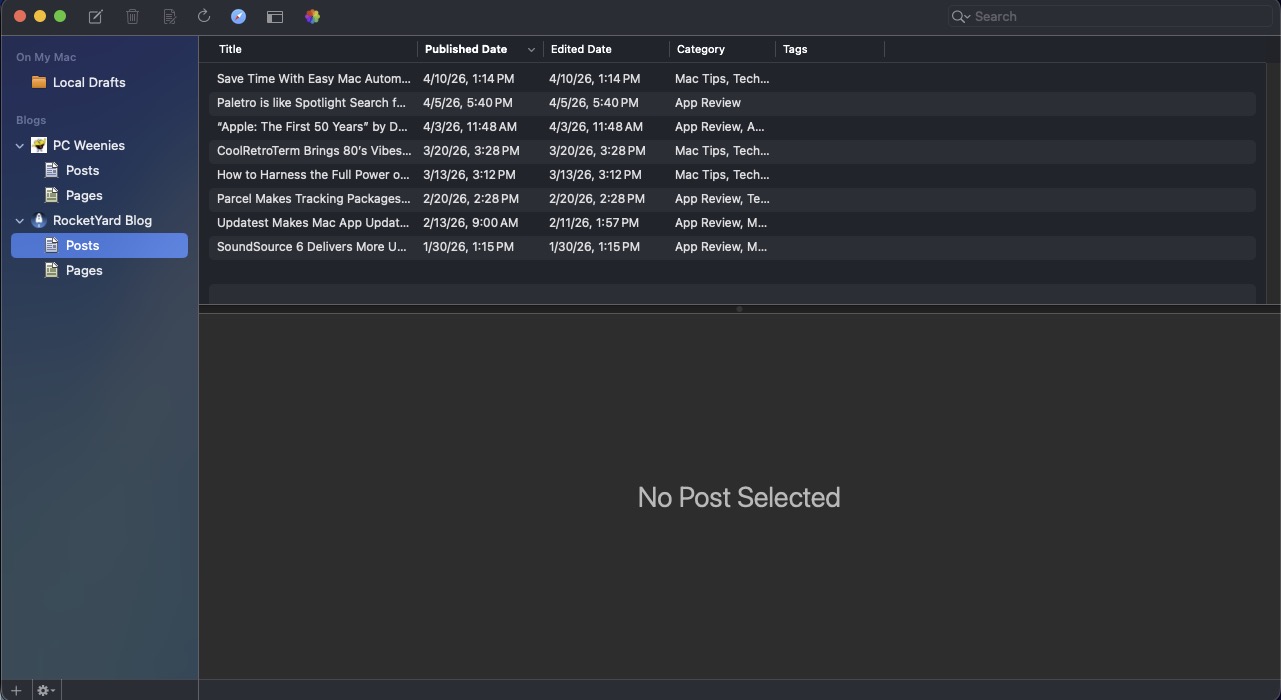
With MarsEdit, you can add or edit posts and webpages. MarsEdit’s main interface consists of three panes. On the left is the sidebar, which displays your blog and includes Post and Pages sections for your WordPress website. The top pane lists your posts to date. Below, the main window shows the currently active post.
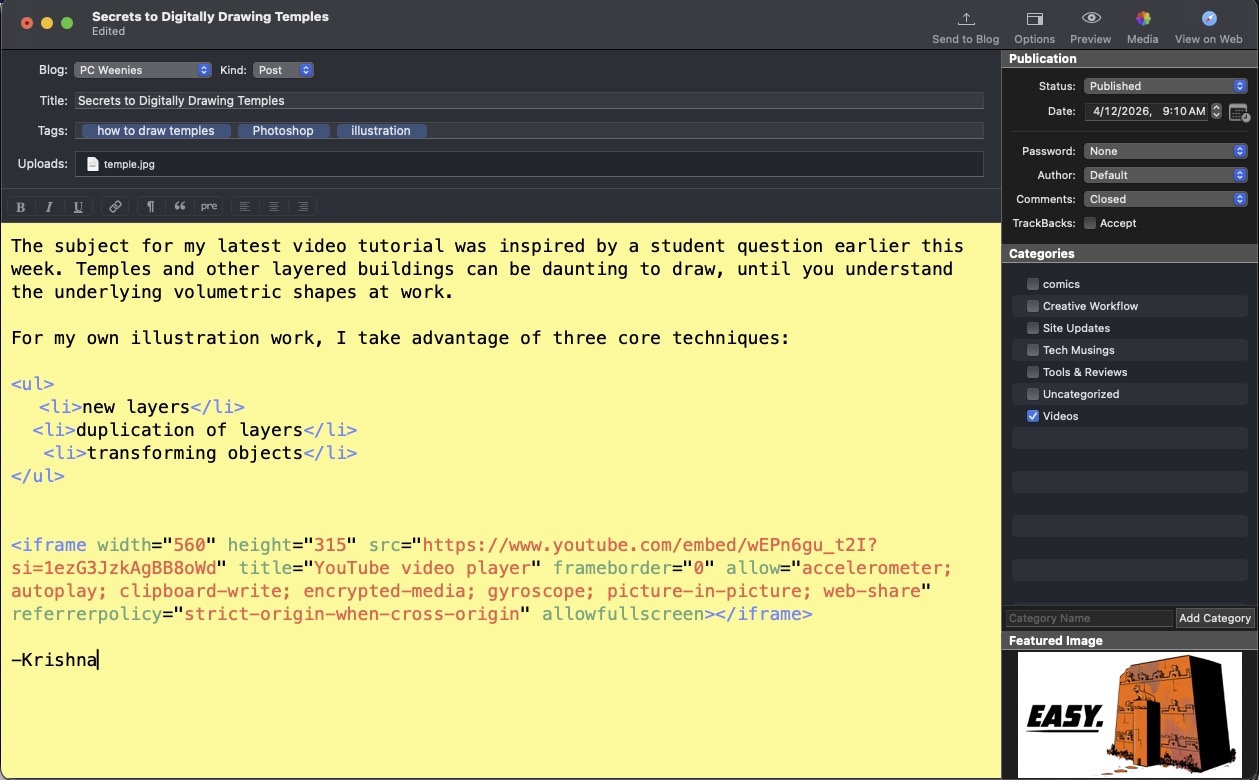
Working within MarsEdit was easy. I work with text, images and embedded video, and MarsEdit handled all with ease. I write my posts, tick the appropriate post category, drag and drop images (including featured images) and publish.
My local copy stays in MarsEdit, where I can edit my post, if need be. MarsEdit offers live previews, making it easy to see a preview of my posts before they’re published. MarsEdit also supports AutoSave, which means I’ll never have to worry about losing my work.
And speaking of losing work, MarsEdit will let you download your entire history of published posts and pages, so you’ll always have a local back-up. (This feature alone would have been so handy, had I been using MarsEdit all along.)
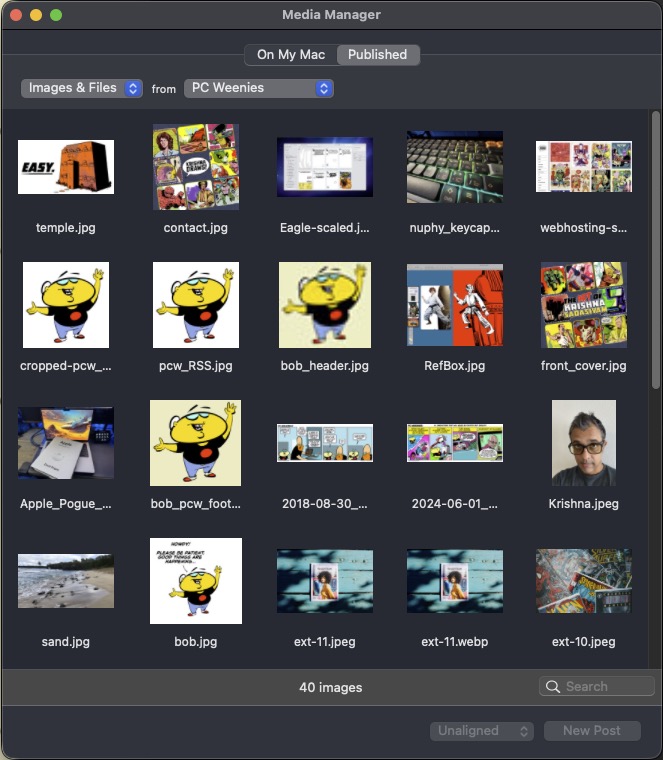
MarsEdit’s Media Manager, similar to its WordPress counterpart, lets me view my files and images (both local and published). I can browse through my Photos library from within MarsEdit, without the need to have the Photos app open.
MarsEdit supports HTML, Markdown, and MultiMarkdown. It supports both Rich and Plain Text editing, and you can switch between both if you want. MarsEdit supports multiple blogs, making it convenient to keep all of your content across blogs in one handy program.
MarsEdit 5 requires macOS 10.15.4 or later. A free trial version is available from the developer’s website. Registering the app is $59.95. I found MarsEdit to be so useful, I registered the program within 3 days of my trial evaluation. For its ease of use, back-up capabilities, and overall polish, I can’t ever imagine blogging without it.