Rocket Yard

Tech Tips

Tech tips and how to’s. All the great, timeless reference articles we have.

mac Big Sur dock & menu bar preferences

How to Add, Move or Delete Items From the Mac Menu Bar

The menu bar is the thing that runs along the top of your Mac's screen where all the menus — Apple, File, Edit, History, and more — are located. You can use the menus and icons in the menu bar to choose commands, perform tasks, and check status. And you can easily customize it for your particular needs. Adding and...

Ready for next scan

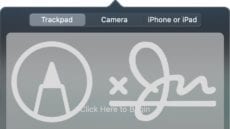
How to Scan and Store Documents with the Files App

Tax time. It usually means gathering all sorts of paperwork together, stuffing it into an envelope, and then getting it to an accountant. This year, many accountants are trying to do less face-to-face, and asking clients to scan and upload...

How to Install, Remove, Edit, and Manage Fonts in macOS

With macOS, you can add, remove, edit, and manage your fonts using Font Book. You can even create font collections and libraries. Your Mac comes with lots of built-in fonts, but you can expand or alter the collection. How to...

1 127 128 129 328
Page 128 of 328