Search Results for: memory

It’s Spring: Time to Clean Your Mac

Spring is traditionally the time to clean out the cobwebs, dust, and dirt that have collected after you’ve been closed up in the house all winter. As long as you’re in a cleaning mode, it’s a good idea to take the time to clean up your Mac and other electronic equipment. Dust, dirt, and even cobwebs have been known to cling to a Mac, and not only mar the look, but also block airflow, or hinder the working of mechanical components. Taking the time to clean your Mac can help extend its useful life. As long as you’re doing a bit of cleaning, you may as well do a little Mac maintenance as well, to ensure your Mac not only looks good, but also continues to perform at its best.

iPad Pro with Finder and Time machine Icons

Use the Finder in macOS Catalina to Back Up an iPhone or iPad

Recently I've noticed a number of software developers taking advantage of macOS Catalina users who previously used iTunes to back up their iPhones and iPads. How are they taking advantage of these folks? By charging up to $100 for apps that essentially perform a function that is built into Catalina. In this article, I'll show you just how easy it is to use the Finder in macOS Catalina to back up an iPhone.

Can of spam crossed out with a red circle and text saying "say no to spam"

Spam Control: Chapter 4 – Taming Spam Email on Macs

Today we'll be looking at ways to tame the spam beast on Macs. So far in this series, we've delved into what spam is and why it's bad, how to reduce spam text messages, and how to reduce the quantities...

CR 2032

What to Do When Your Mac Tells You the Date and Time Are Incorrect

As a longtime tech writer, I'm sometimes asked how I get ideas for articles. Some of them come from readers who ask questions that intrigue me. The other day, an email arrived asking “I have an iMac running 10.13.6 and somehow when I start my Mac it tells me that my date and time is incorrect, but it’s not so I was wondering would you be able to explain to me in an easy way that I can understand: what’s going on?” Here's what the problem is, along with a solution.

Activity Monitor - Energy, Disk & Network

Using Activity Monitor Part 2: Energy, Disk, and Network

The Activity Monitor app can be used to troubleshoot your Mac, as well as evaluate how well your Mac is performing overall or with specific running processes (apps). In Using Activity Monitor Part 2, we’ll take a look at using this utility to explore your Mac's energy use, disk performance, and network performance.

If It’s Too Loud, You’re Too Old: OWC Highlights from NAMM 2020

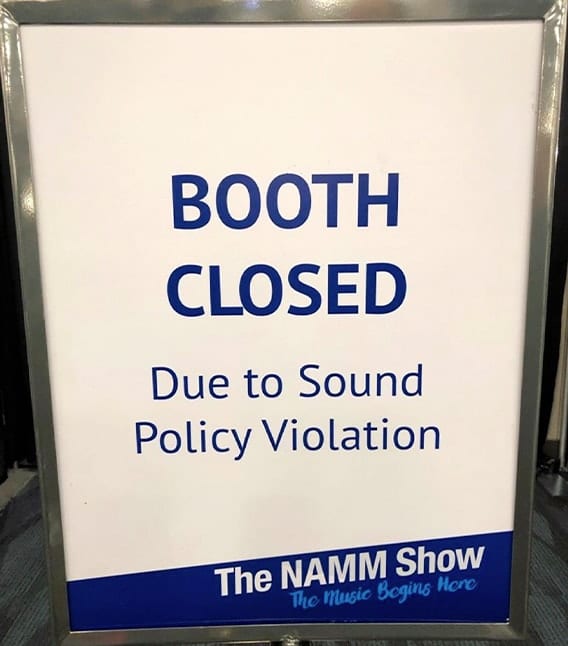
Every January, over 100,000 exhibitors, artists, and attendees from the general public flock to the Anaheim Convention Center in—you guessed it—Anaheim, California. If you are a music gear enthusiast or a business that is in any way, shape, or form associated with the music industry, NAMM is the place to be. And every year at NAMM, there is invariably a booth or two that gets shut down for sound policy violations. (No, no, no – OWC has never been one of them.) But we did have some highlights, and here they are!

Top 10 Rocket Yard Posts of 2019

A Year in Review: The 10 Most Popular Rocket Yard Posts of 2019

As many are wont to do, we here at Rocket Yard like to take some time to reflect at the beginning of each new year. We look back at what went well and what hurdles we encountered. We celebrate the victories and learn from the challenges. In 2019, we saw our readership grow by 29% – that’s a fantastic increase that we can only attribute to you. And for that, we thank you!

1 39 40 41 119
Page 40 of 119