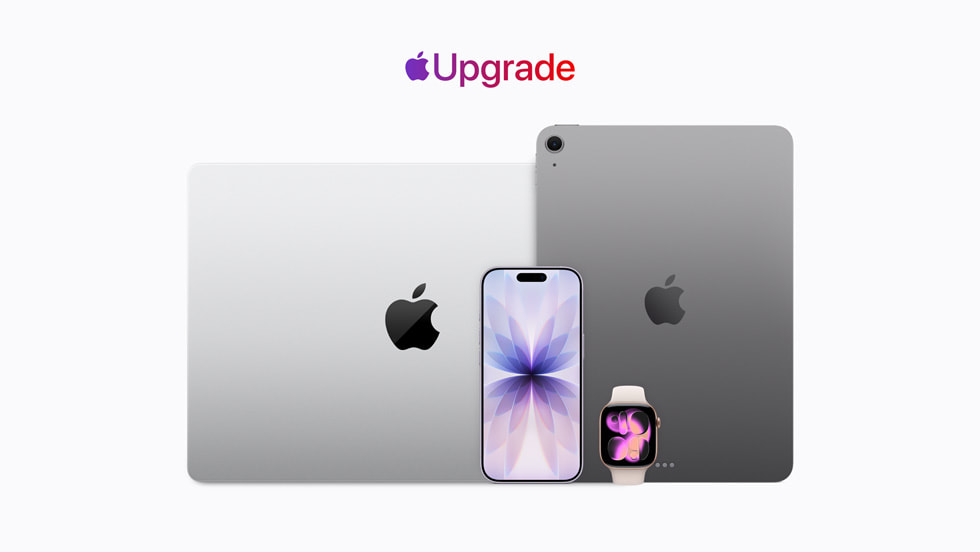
Apple has introduced a new program aimed at making an upgrade to the company’s latest products a bit more manageable for price-conscious customers. The company is calling the program Apple Upgrade and it replaces the previous iPhone Upgrade Program.
And while Apple Upgrade is designed to deliver new Apple products at reasonable monthly payments, it works a bit differently than the previous upgrade program or Apple’s current Apple Card Monthly Installments. That’s because it’s a lease program built in partnership with Klarna. Apple Upgrade is live in the Apple Store now, so let’s talk about how it works so you’ll know if the new program makes sense for you.
How Apple Upgrade Works
Because Apple Upgrade is a lease program, it works similarly to a car lease in that you are not financing a purchase. Instead, because Apple is running the program through Klarna, Klarna is the owner of any device you lease through the program and you pay a set monthly payment to lease the device from them.
Apple is offering lease terms of 12 or 24 months for iPhone and Apple Watch. For Mac and iPad leases, the program offers 24- or 36-month terms. You’ll have to enroll in the program to use it which requires being approved through a soft credit check that Apple says won’t affect your credit score.
Once approved, you’ll pick your device and pay a monthly payment for that device until the end of your lease. Apple says leasing prices start as low as $17.99 per month for iPhone, $11.99 for Apple Watch, $24.99 for Mac, and $11.99 for iPad. At the end of your lease you have a decision to make: pay to purchase the device or send it back to Apple.
And here’s a very important detail for those worried about whether the Apple Upgrade program is a “trap” or is based in predatory lending practices: leases through the program are not subject to interest. There is a discussion to be had about who the program makes the most sense for and whether you’re taking full advantage of the intrinsic value of an Apple device, and we get into that below. But you can rest assured that none of your payments will be going to interest and that’s the big difference between this lease and a typical car lease.
So, if there’s no interest, your next question might be “How are the monthly payments Apple is offering through Apple Upgrade lower than what a no-interest financing plan would offer for the same device?” The answer is that because this is a lease and not a financed purchase, the monthly payments are calculated differently.
Depending on the lease term you agree to, the program starts by essentially guessing what the value of your device will be at the end of your lease in order to calculate the residual value of your device. Once they have an estimated residual value, they subtract that residual from the total purchase price and then divide that figure by however many months your lease term spans. So the lease payments are lower than financing because you’re dividing a lower figure than the total purchase price.
Let’s take a look at the Apple Upgrade pricing for an iPhone 17 Pro Max with 256GB of storage to see how this works.
An Example Lease Through Apple Upgrade
iPhone 17 Pro Max 256GB: $1,199 purchase price
$1,199 – $359.24 (estimated residual value after 24 months)
= $839.76 (This is the fiigure the program divides by the total number of payments you’ll make over the lease term.)
$839.76 / 24 = $34.99 per month.
In this example, you would lease the iPhone 17 Pro Max by making payments of $34.99 per month for 24 months. Once your lease is up, you’ll be able to pay an estimated $359.24 to purchase the phone and cover its residual value. Or you can ship the device back to Apple and buy or lease a new iPhone.
Other Things to be Aware Of
Apple does allow you to combine a trade-in with Apple Upgrade to lower your monthly payment even further. Plus, if you use your Apple Card to pay your lease, you do get 3% cash back on those payments.
Another crucial detail is that the payment program is handled through the Klarna app rather than the Apple Store app.
And while you can add AppleCare+ or AppleCare One to a device leased through Apple Upgrade, AppleCare is not included with your lease.
Finally, keeping up with your lease term dates is important. If you do nothing at the end of your lease, the lease automatically converts to a month-to-month arrangement for up to six months, and your payment may increase during that stretch.
A few other notes:
- Not every device qualifies. iPhone 16, iPhone 16 Plus, Apple Watch SE, MacBook Neo, Mac mini, iPad (A16), and Studio Display are all excluded from the program.
- For iPhone specifically, you must select AT&T, T-Mobile, or Verizon as your carrier (no prepaid plans), though the leased iPhone itself ships unlocked.
- You’ll need to be 18 or older, have a Social Security number or ITIN, an Apple Account and Klarna Account in good standing, and be able to receive text-based verification codes.
- Leasing isn’t available through Apple’s Employee Purchase Plan, corporate EPP programs, Apple at Work, or Government/Education/Military purchase programs.
Can You Exit Your Lease Early to Upgrade?
This would be top of mind for anyone who leases an iPhone in, say, February, only to watch Apple announce a new model that September. The short answer: yes, you can exit early, but there’s a fee involved.
According to Apple, if you want out of your lease before your initial term ends, you’ll pay an early termination fee equal to the total of your remaining unpaid monthly payments (plus applicable taxes and fees) through the end of that original term. In other words, walking away early doesn’t save you money over just riding out the lease; it just lets you close the account and return the device sooner, which you’d need to do within 14 days of paying the fee.
If you’d rather keep the device you currently have instead of returning it, Apple also allows an early buyout. You’ll pay a purchase option fee equal to the device’s list price plus tax, minus whatever you’ve already paid toward the lease and any remaining trade-in credit.
The more common scenario, upgrading to a new device before your term is up, works a little differently than a straight early termination. Apple confirms this is allowed, but the fee for doing so scales with however many payments you still owe, so the earlier you upgrade, the more it costs.
One more detail worth knowing: there’s no penalty for paying off your lease early if you intend to keep the device rather than upgrade or return it.
Is Leasing Right for You?
This question really comes down to whether or not you want to maximize your investment in a particular device by being able to resell or trade it in once you’re ready to upgrade to a new device.
If resell or trade values are something you’d rather not have to think about and you like the idea of paying a lower monthly payment and then shipping that device off to Apple when you’re done with it, Apple Upgrade’s no interest leasing is a pretty good deal.
Just know that you are likely leaving money on the table when you go with Apple Upgrade. Based on the example above, Apple is being very conservative when estimating residual values. Even after two years, an iPhone 17 Pro Max will be worth much more than the estimated residual value of $359.24 we saw above. What that means is that while the payments of the Apple Upgrade program are lower than what you’d get in a no-interest financing plan, they could be even lower if it weren’t for the conservative residual estimate. I don’t fault Apple for this as the company needs to ensure that it’s not losing money on this program, but it is something to be aware of. Let’s look at another example where we purchase the iPhone 17 on an Apple Card monthly installment plan with no interest:
iPhone 17 Pro Max 256GB purchase price: $1,199
$1,199 / 24 months = $49.95 per month
Resell iPhone for $600
$1,199 – $600 = $599
$599 / 24 months = $24.95 per month total cost of ownership
What we find is that if we finance the iPhone 17 Pro Max with Apple’s 24-month no-interest financing through Apple Card and then resell it after two years for $600, our total cost of ownership per month was only $24.95 because we retained much more of the phone’s value through resale.
Again, if resell is something you don’t care to worry about, then Apple Upgrade looks like a safe way to keep up with the latest Apple has to offer without worrying about interest fees.