Search Results for: password

An OWC Mercury Elite external drive with an iPad and iPhone showing the Copy That app

How Do You Connect External Storage to Your iPhone & iPad?

Earlier this week, we announced our new iOS & iPadOS app called Copy That. It lets you easily copy photos and videos from your iPhone or iPad to an external storage drive. You can select what you want to copy, how...


linux terminal window showing command line entries for installing lamp

LAMP & WordPress on a Reused, Recycled Mac mini Server

Our trusty Mac mini Linux server Although it's tempting to look at one of the new Apple Silicon Macs for various purposes, older Macs still have a lot of life left in them. In previous articles, I've set up a...

How to Save a File as a PDF Using macOS Preview in 3 Easy Steps

There’s a lot to love about the PDF (Portable Digital Document) format, especially the fact that is so “portable.” It doesn’t matter what device or operating system you’re using – the original layout, including fonts and pictures will look the same to you, on-screen and printed on paper with a PDF.

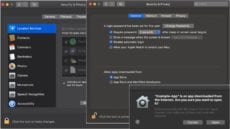
How to Handle App Downloads and App Permission Requests on Your Mac

Starting with macOS Catalina, your Mac really, really, really wants to make sure you’re only working with safe software. That’s why you’re probably getting lots of dialogs from apps asking for permission to access different parts of your Mac’s operating system or hardware, update you with notifications, and perhaps to access your contacts, photos, and more.

use icloud keychain

How to Enable iCloud Keychain on Your Mac

Keychain Access is a macOS app that stores your passwords and account information. If you enable iCloud Keychain, you can share keychains with all your other Apple devices.

How to Set the Default Wireless (Wi-Fi) Network in macOS

By default, macOS attempts to join the wireless network it was most recently connected to. However, if you’re like me, you have a Wi-Fi network you use most often. This guide will show how you can set it as the...

Startup Security Utility window with silver lock icon

How Secure Boot and System Integrity Protection Guard Your Mac From Malware

Some users don't want to disable Secure Boot because they believe it disables all malware protection on their Mac. This belief is not correct, and Apple labeling the setting for disabling Secure Boot as "No Security" in the Startup System Security utiliy doesn't help. In this article, we tell you when and why it's okay to turn off Secure Boot.

1 18 19 20 45
Page 19 of 45