Search Results for: APFS

How to Clean Install macOS Catalina

macOS Catalina is usually installed as an upgrade over an existing version of the Mac OS. But you can also perform a clean install, which places a pristine version of macOS Catalina on a drive of your choice.  A clean...
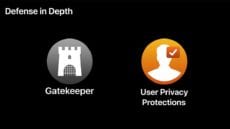
10 Non-Intrusive Security Changes in macOS Catalina

macOS Catalina has some interesting new features, including Screen Time and Sidecar, and new apps, including Music, Podcasts, and Apple TV, that essentially replace iTunes. But behind the scenes, macOS Catalina has a number of new security features designed to...

CatalinaDark572x650

A First Look at macOS Catalina

macOS Catalina, the new Mac operating system, was announced at WWDC 2019. It has so many new features and changes to existing ones, that it really can’t be summed up in just one article. So, we’re going to start by...

2019 Mac Pro

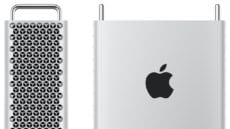
The Return of the Expandable Mac Pro

The 2019 edition of the Mac Pro saw the light of day at the WWDC (Worldwide Developers Conference) last week. It's a remarkable powerhouse that does justice to the Mac Pro model line, and certainly to its name. At a...

macOS 101: What’s in the Utility Folder, Part 1

The utility folder is chock full of handy apps that perform a wide spectrum of tasks, from monitoring the performance of your Mac to giving your Mac a voice. In this first of a two-part article, we're going to look...

Three Months of Mojave: What Works, and What Still Doesn’t

The release of macOS Mojave on Sept. 24, 2018, marked the 15th major release of the OS X/macOS operating system. Mojave is the first version of macOS that doesn’t have its moniker based in the mountains of California; instead, it’s one...

1 8 9 10 14
Page 9 of 14