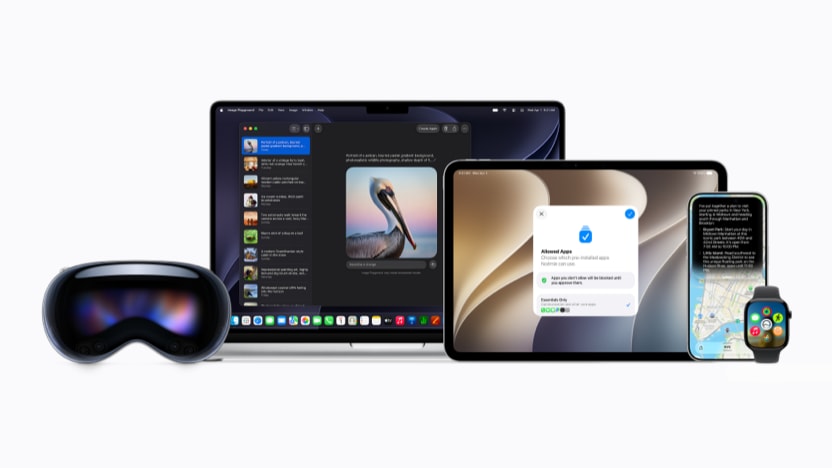
For years, Apple fans have been waiting for Siri to catch up to other voice assistants and, most recently, much more advanced AI chatbots. And, just maybe, with the announcement of the new Siri AI this morning at WWDC 2026, the wait is officially be over.
Siri AI represents a ground-up rebuild of Apple’s voice assistant and it was introduced alongside the next generation of Apple Intelligence, bringing a wave of improved AI-powered features to iPhone, iPad, Mac, Apple Watch, and Apple Vision Pro. The features are available to developers today and will roll out to users as a beta later this year, with a full public release this fall. Here’s everything you need to know about the new Siri.
A New Siri, Built from the Ground Up
Siri AI isn’t an update so much as a replacement for the current languishing Apple assistant. Powered by the next generation of Apple Intelligence and built on new Apple Foundation Models—themselves built atop Google’s Gemini model—that run both on-device and through Apple’s Private Cloud Compute infrastructure, the new Siri is faster, smarter, and far more capable of understanding context, intent, and what’s actually on your screen.
The assistant now draws on personal context understanding to surface information from across your messages, emails, photos, and third-party apps integrated with Spotlight. Ask Siri to find a restaurant recommendation a friend texted you about, dig up a hotel confirmation number from an old email, or pull photos from a recent trip, and it can do all of that without you having to know exactly where to look for the information. Onscreen awareness takes things further: Siri can now see what’s in front of you and act on it. Get a text about a potluck? Ask Siri what to bring and have it add a recipe to your Notes app, right there in the conversation.
To be fair, these are exactly the sort of things Apple promised two years ago and failed to deliver. So skepticism around the new Siri will likely remain until it has been tested and found to deliver upon Apple’s latest promises.
But beyond personal context, Siri AI also taps into up-to-date information from the web on virtually any topic—upcoming concerts, eclipse dates, local events—and can sustain a real back-and-forth conversation around almost any response.
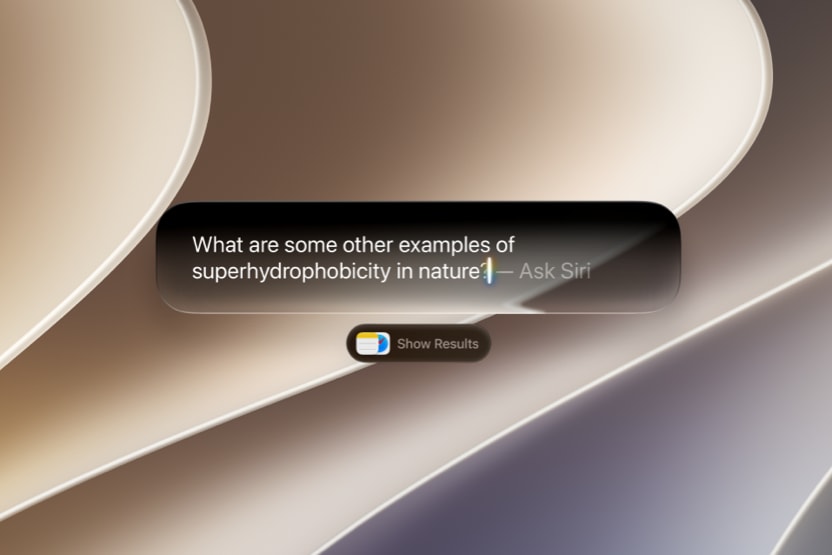
On iPhone, you can reach Siri by saying “Hey Siri,” pressing the side button, or swiping down from the Dynamic Island to start a more in-depth conversation. On iPad and Mac, Siri AI integrates directly into Spotlight and into systemwide context menus, so you can control-click on images, text, or files to ask questions about them. On Apple Vision Pro, Siri gets a 3D visualization you can place anywhere in your space and activate just by looking at it and speaking.
A Dedicated Siri App and Conversation History
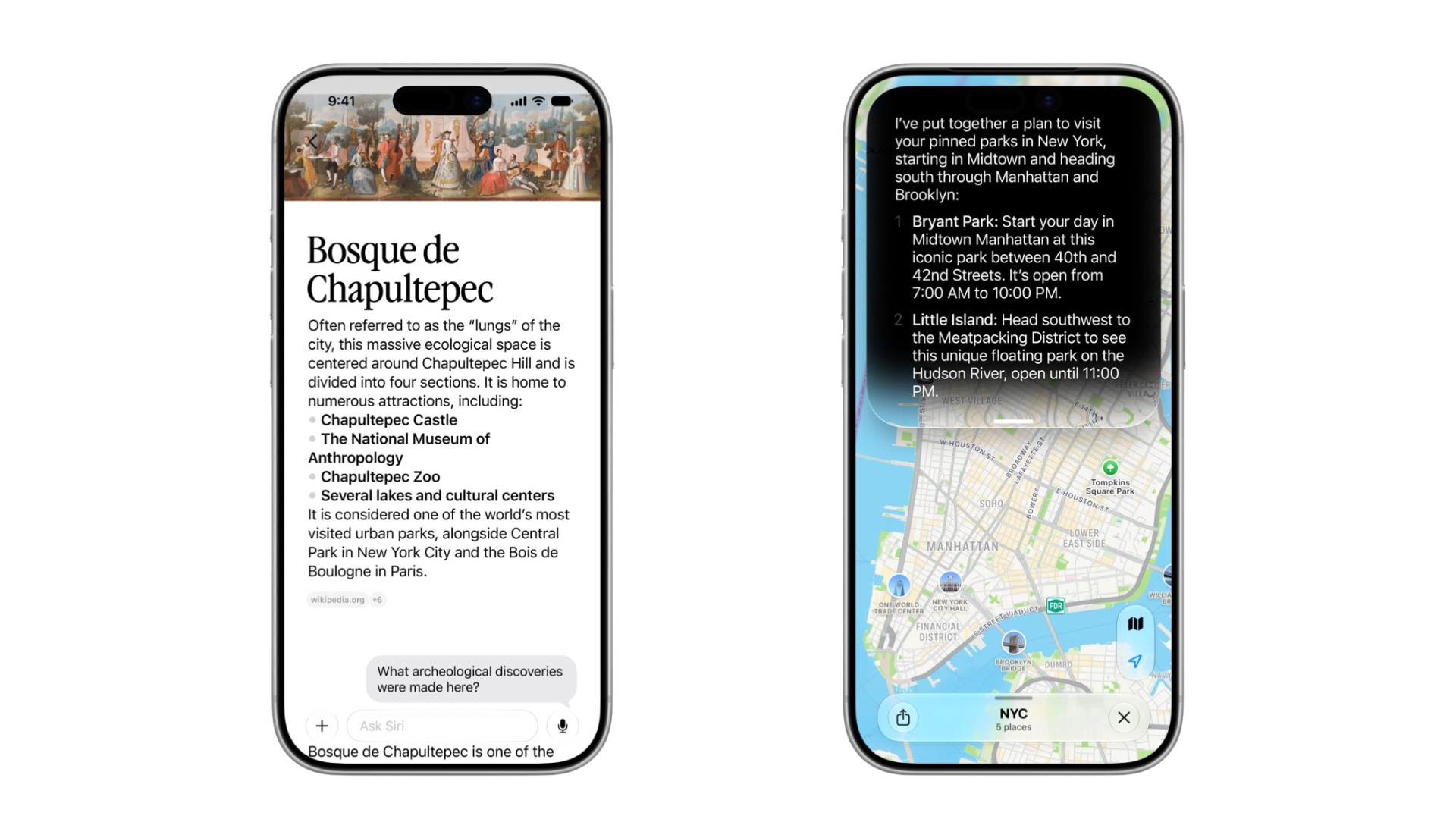
One of the most practical new additions is a standalone Siri app that will function similarly to other AI chat apps like ChatGPT or Claude.
It brings together your full conversation history across devices, synced privately through iCloud, so you can start a conversation on your Mac and pick it up on iPhone or Apple Watch without losing the thread. It’s hard to imagine Siri AI catching up to the more established chat apps quickly, but having it built into every Apple device is certainly a powerful leg up in doing so.
Visual Intelligence Expands to iPad and Mac
Visual Intelligence—previously an iPhone-only feature tied to the Camera Control button—is now available on iPad and Mac for the first time. On iPad, it’s built into the screenshot experience. On Mac, a dedicated keyboard shortcut lets you select anything on your screen and type a question directly to Siri about it. On iPhone, it moves into a dedicated Siri mode in the Camera app, where tapping the shutter button lets Siri see what you’re pointing at, identify it, and take relevant actions—including splitting a bill with Apple Cash or getting nutritional information from a photo of your plate.
Apple Vision Pro users can use Visual Intelligence just by looking at something, whether it’s content inside an app or a physical object in their environment.
Writing Tools That Know How You Write
Siri AI also delivers improved integrated Writing Tools that now go beyond drafting and editing. When composing in Mail or Messages, Siri learns how you typically communicate with specific recipients: your cadence, your punctuation, and your tone. In crafting responses, Siri mirrors these aspects when drafting on your behalf. If you usually send your manager short bullet points, that’s what it will generate. Systemwide automatic proofreading also arrives with iOS 27, quietly catching spelling and grammar issues as you type across the system, including in most third-party apps.
Apple Intelligence Gets Smarter Across Every App
Beyond Siri itself, the next generation of Apple Intelligence brings meaningful upgrades to the apps people use every day.
Photos gets three powerful new editing capabilities: Spatial Reframing lets you adjust the composition of a shot after the fact, shifting perspective as if you’d repositioned the camera; the new Extend tool expands the borders of an image to give subjects more breathing room or straighten a crooked horizon; and the already-useful Clean Up tool gets a major overhaul with better, more realistic infill on complex scenes. AI-edited photos will include a hidden SynthID watermark to identify them as modified.
Safari gains intelligent tab organization, automatically grouping open tabs into topics like travel planning or research. The new Notify Me feature lets you ask Safari to watch a page and alert you when something changes. For instance, a product restocking, a price dropping, registration opening, the announcement of a new product or event. A particularly impressive feature we are excited to try out is the Describe an Extension tool, which lets you generate custom Safari extensions by simply describing what you want them to do.
The Passwords app can now automatically fix weak or compromised credentials, navigating to the relevant sites on your behalf, signing in, and upgrading accounts to stronger passwords with a single tap.
Messages surfaces one-tap suggestions based on your conversation context, including creating reminders, adding notes, or helping you find the right photos to share. In the Phone app, Call Context proactively surfaces relevant information like a flight confirmation number or a reservation code from your emails when you call a business. Calendar can now create and modify events from a plain-language description. And Shortcuts gets a long-overdue boost with Describe a Shortcut, which builds an automation from your description and adjusts it when you ask.
A Privacy Architecture Built for What’s Being Asked of It
Apple is emphatic that all of this comes without compromising user privacy. Siri AI uses a layered processing model: simple tasks run entirely on-device, more complex ones route through Private Cloud Compute where user data is never stored and can be verified by outside experts. Apple says the system reaches further out only when necessary. The new Apple Foundation Models were custom-built in collaboration with Google’s Gemini models, but the privacy architecture wrapping them is entirely Apple’s own.
When Can You Get It?
Developer betas for iOS 27, iPadOS 27, macOS 27, and visionOS 27 are available today through the Apple Developer Program. A public beta follows next month.
Siri AI will be available to users as a beta later this year, with broad rollout this fall for supported devices: iPhone 15 Pro, iPhone 15 Pro Max, iPhone 16 or later, iPad with M1 or later, Mac with M1 or later, and Apple Vision Pro. Note that Siri AI will not be available in the EU on iOS and iPadOS at launch due to ongoing regulatory considerations under the Digital Markets Act.