

Remember the Browser Wars? The first browser war took place between Netscape and Internet Explorer between 1995 to 2001. The second occurred between 2004 and 2017, as Firefox, Internet Explorer and Google Chrome competed for marketshare dominance.
It’s fair to say that in late 2026, Google Chrome has won the war, with almost 70% of the global market share. Surprisingly, Safari comes in second, at roughly 17%, with other browsers occupying single digit marketshare.
In recent years, new web browsers have appeared, providing users a choice by way of bespoke user experiences and privacy offerings. There’s little chance that most people will switch from whatever browser they’re currently using. The Browser Wars are over, after all.
But if you find yourself dissatisfied with the mainstream web browser offerings, you’re in luck. There are plenty of neat browser options to choose from.
One such offering is a web browser called Search. Yes. A web browser with the name Search is bound to create confusion, similar in vein to the classic Abbott and Costello “Who’s on First?” routine.
Search, developed by Office Commun, bills itself as “a browser with nothing in the way”. It’s unique value proposition is that its fast, lightweight and minimalistic in appearance. It weighs in at a mere 10.7 MB in size and runs on Apple Silicon Macs. (An Intel Mac version is also available.) Search runs on Webkit and is open source. It works on macOS 14 or later.
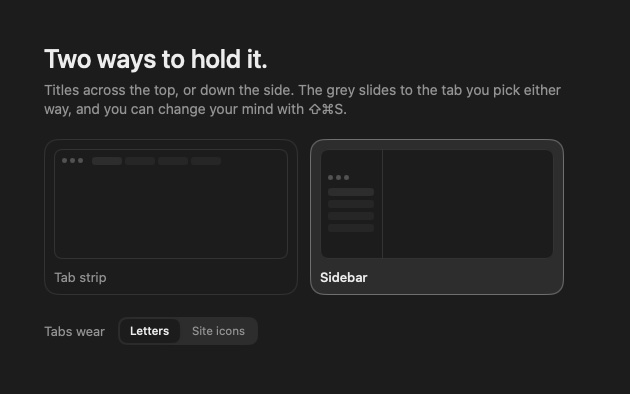
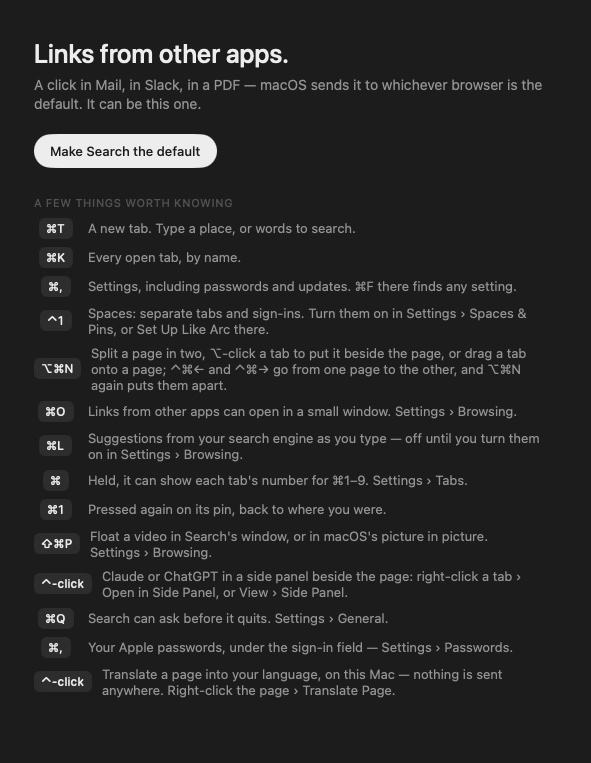
Search launches with a few onboarding panels, where users can select between horizontal and vertical tab view layouts, import passwords, bookmarks and customize keyboard shortcuts.
Unlike just about every other browser out there, Search’s browser window does not feature a URL bar on the top. Instead, there’s a simple text field in the middle of the browser window where you can type your search or enter a URL. New tabs can be added, and they will appear in the layout that was initially specified.


Sites can be pinned, for quick access, and displayed as favicons or a letter. Sites can also be organized into groupings called Spaces. Switch between each Space by sliding your two fingers sideways over the tab.
Search supports reading mode (Shift-Command+R) and will float videos by Shift-Command+P.
So what makes Search noteworthy? First and foremost, Search does not use its own browser engine—it uses what’s already built-in to macOS. As such, Search’s footprint is 3 times less than Safari (36 MB), and 142 times smaller than Google Chrome (1429 MB). Because of its small size, it’s incredibly fast and efficient. Ads are blocked before they can load and you can hide anything via Shift-Command+H. Search also includes the ability to add Chrome extensions. The developer’s website includes a list of popular Chrome extensions that have been tested to work with Search.
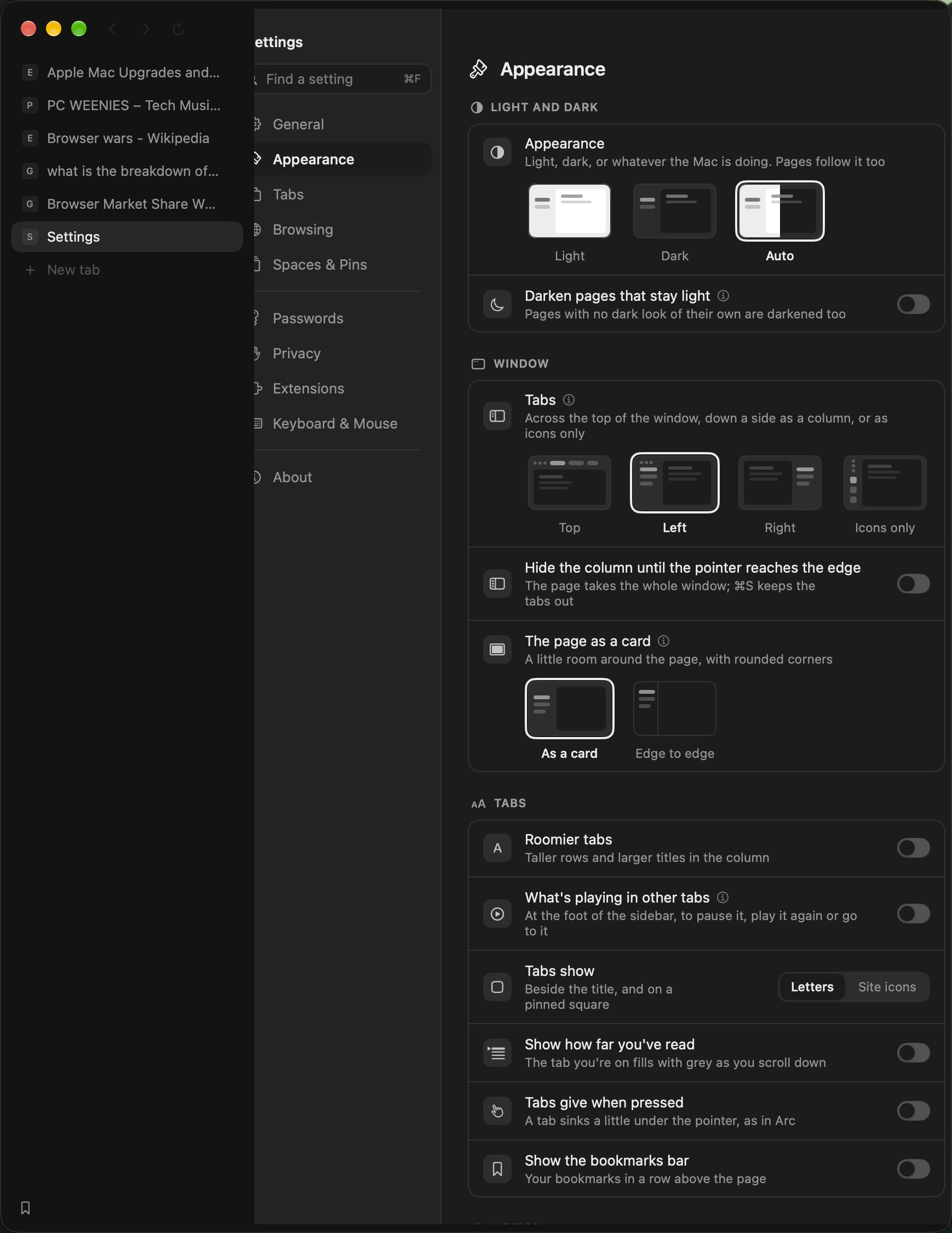
Search has a slew of options within its settings. The Appearance settings include customization options for tab placement, tab display and an option to turn light pages dark for a more comfortable reading experience in low light settings.
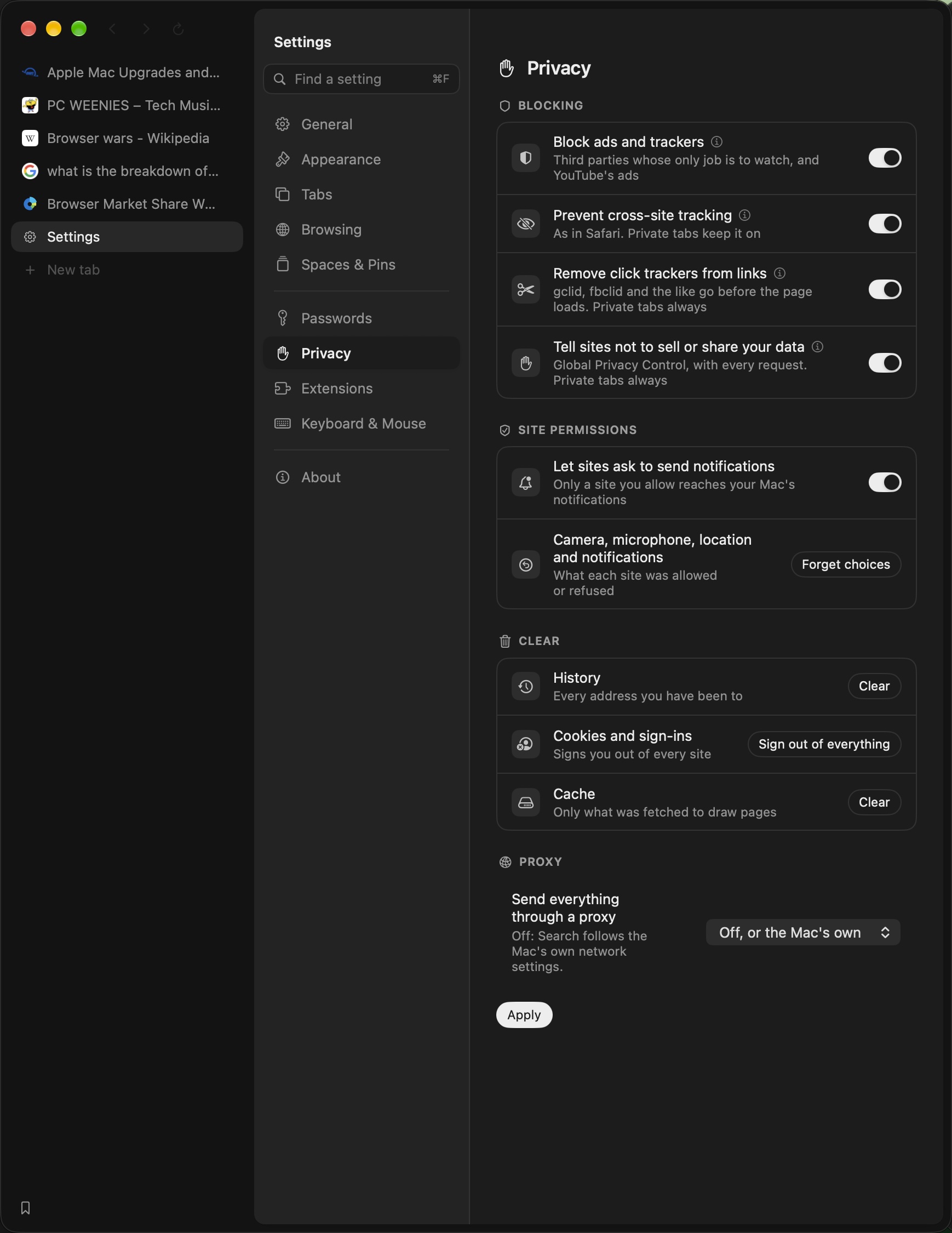
There’s also a good set of privacy focused options, with privacy blocking features set ON by default.
In my usage, Search is both fast and clean. It hides ads automatically, so there’s no need to hunt down a separate extension. All in all, I found Search to be a very pleasant and refreshing way to browse the web.
I should note that Search does not have a sync option; all of your bookmarks and tabs are stored locally on the Mac you’re running Search on.
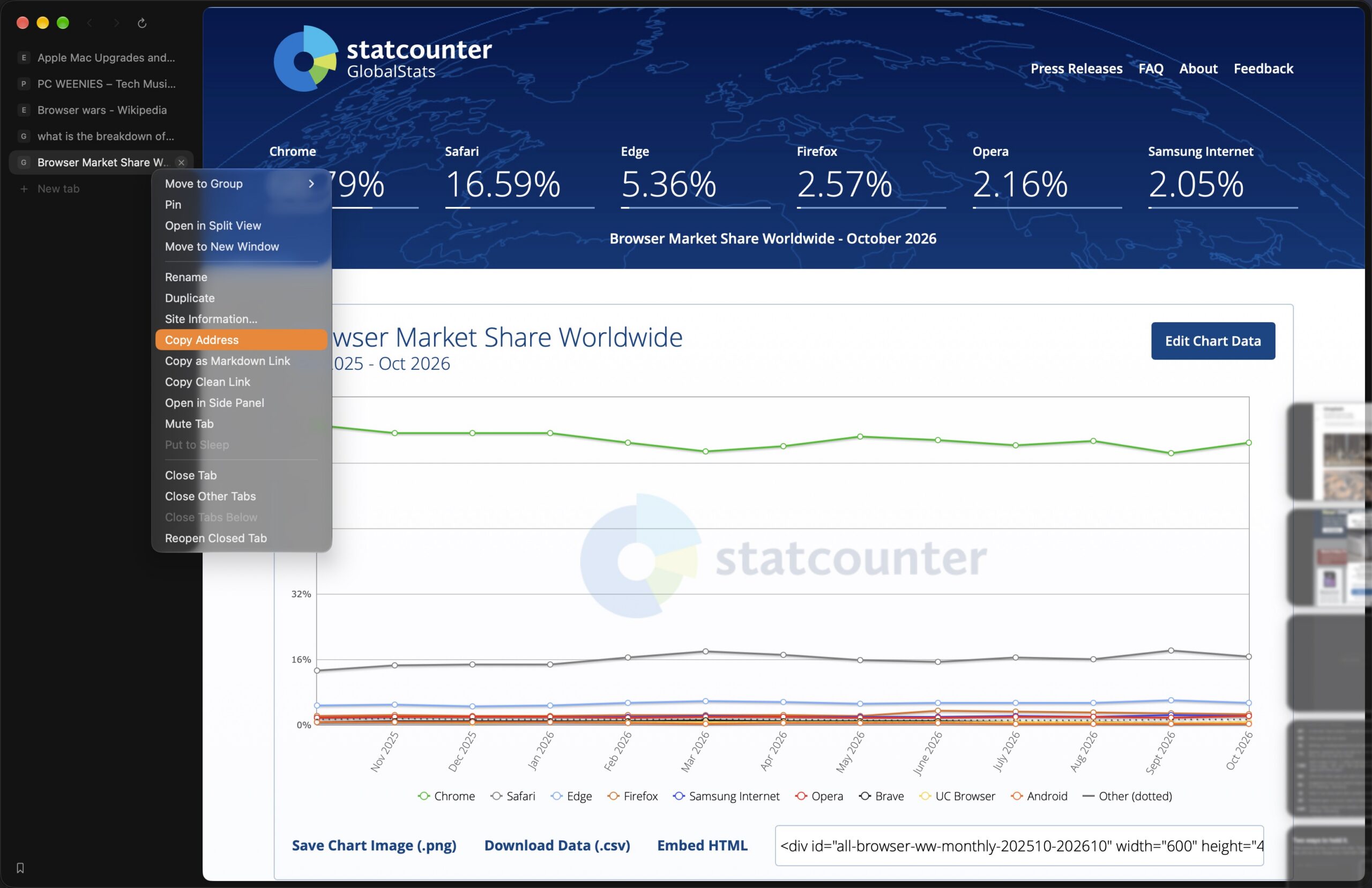
In my testing, Search worked everywhere I normally use Safari. From a configuration standpoint, I opted to have my tabs arranged vertically. I also had to modify one of Search’s keyboard shortcuts, to avoid a conflict with another app that shares the same command.
Initially, I was thrown off by not seeing the URL bar. How would I share a link? Thankfully, it’s easy. Simply right-click on one of your tabs and select “Copy Address”. Incidentally, I really like the “Copy Clean Link” option (also available when right-clicking a tab), which strips away any social media tracking that may be present when copying a URL.
Search will not supplant my main browser of choice, not because it’s not powerful, but because of my own inertia. The big advantage of using Safari is that it syncs bookmarks and tabs across my other Apple devices.
That being said, I really do like using Search and can envision using it for tasks involving research or reading long-form articles online on my Mac. It’s fast, lightweight, open source and free. Its privacy focused settings are ON by default, and there’s no need to hunt down a separate ad blocking extension.
While Search won’t win the Browser Wars, I’m glad Mac users have a solid option for an enjoyable, distraction-free browsing experience.